ZBrushCentral

(ZBRUSH 4R6 p2) CLIP BRUSH AND THE NEW TRIM BRUSH

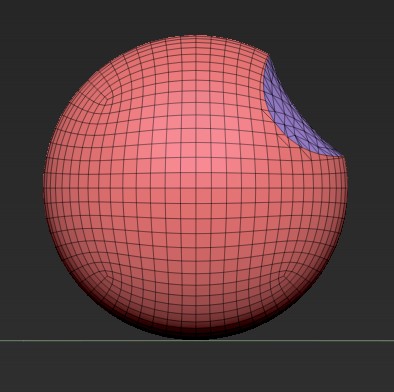
HELLO GUY,recently i try to use ZBRUSH 4R6, first thing i try is TRIM BRUSH.according to ZBRUSH DOC,TRIM BRUSH work like CLIP BRUSH but it cut the mesh off.(clip brush just push the mesh toward the object).however,it seem that trim brush is not 100% look like clip brush :

THIS IS WHAT CLIP BRUSH DO:
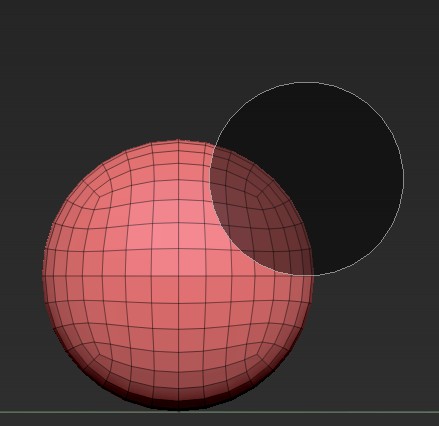
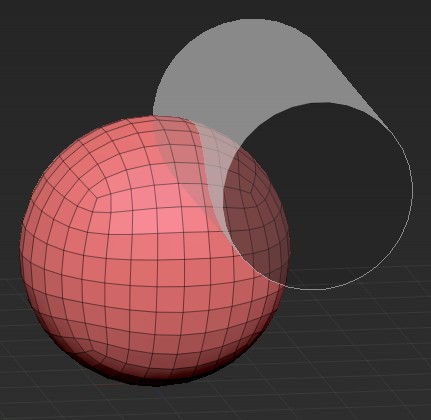
THIS IS WHAT TRIM BRUSH DO:

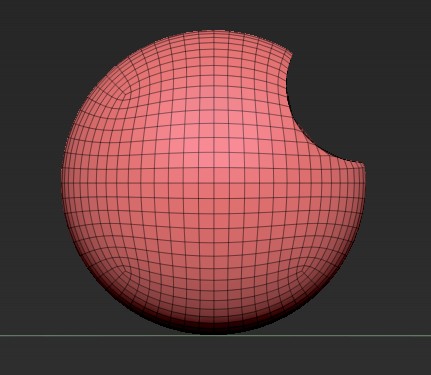
you can see that, TRIM BRUSH = SLICE BRUSH + CAP HOLE. the aspect just look a bit bloated…

Attachments
Unnamed QQ Screenshot20130826213930.jpg

Unnamed QQ Screenshot20130826214013.jpg

What’s your point? :rolleyes:

i mean, in the second picture,the Sphere cut by Trim brush, campare with the first picture that sphere cut by clip brush,you can see the cutting plane look different…in other word,the cutting direction not straight to the vanishing point…

more clearly , i think what trim brush should look like is ; if using “trim circle”,your mesh should be look like it “subtracted by a cylinder”.

1.jpg2.jpg

The point the originator was trying to make (which I am also experiencing) is that TRIM CIRCLE is not behaving like it says it should in the manual.

In this example…


  • create a 3D sphere > Dynamesh it at say 256
  • snap the view to orthogonal with no perspective
  • select TRIM CIRCLE and trim off a chunk (as in his diagram).

The results Im ‘expecting’ are a clean circular profile (cut) running STRAIGHT through the sphere.
The actual results produce a WARPED surface through the cutout area.

Any idea whats going on here.?
is there some subtle setting that is causing this ?

explanation and workaround
http://www.zbrushcentral.com/showthread.php?186293-a-simple-plugin-Deep-Trim