ZBrushCentral

zbrush 4r3 uvmapping problems

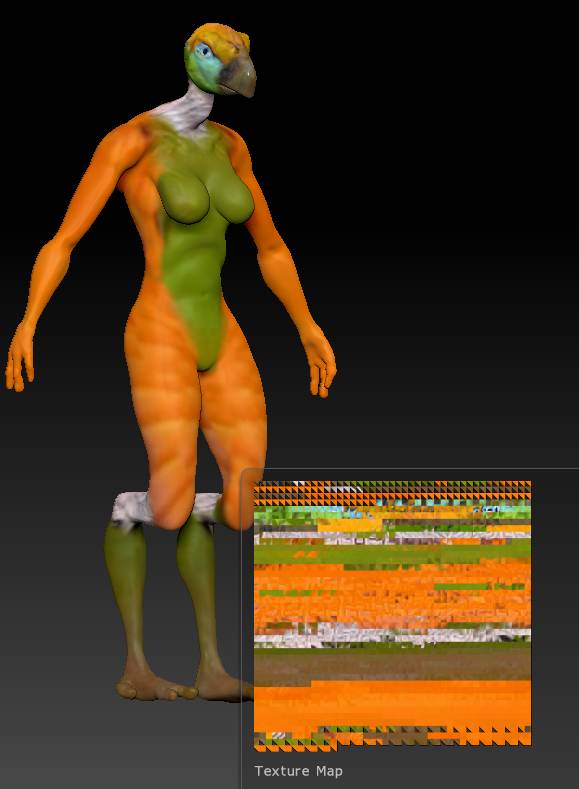
I have been trying to use the uvmaster to create a texture map for a character I am making for a game. but this uv map is not what is supposed to happen at all (the lower left).

what am i doing wrong?


  1. i painted the character using polypaint.
  2. go to lowest subd layer and create auvtiles
  3. go back to highest subd layer and go to texture map - new from Polypaint
  4. and viola this ugly texture.

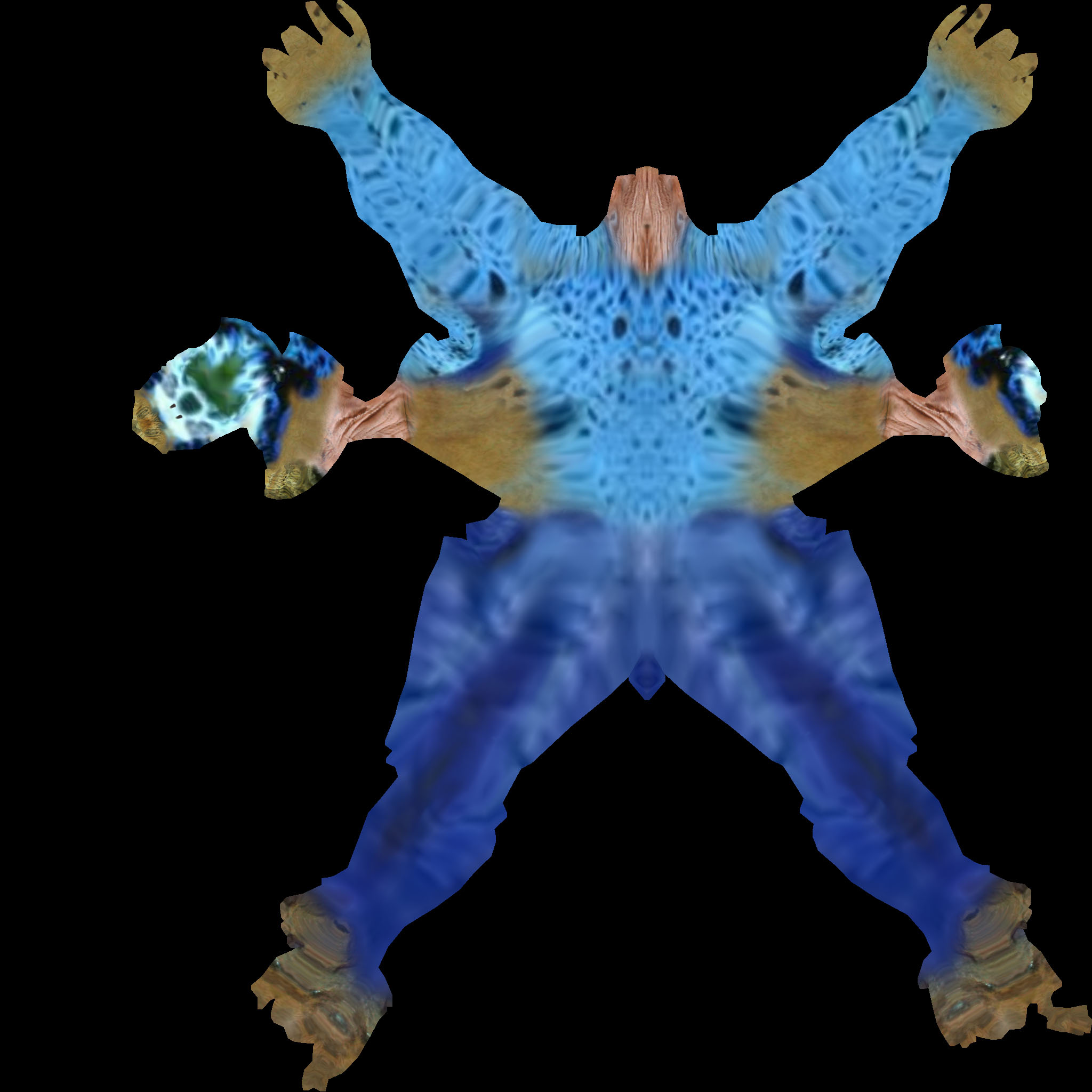
I know that I am supposed to get a texture that resembles this as I got it before but now i H have no clue how i did it.

can someone tell me what I am doing wrong please. I have been all over youtube and all results seem to be the bad texture above, my other texture was created on another computer. so i am wondering if something is glitched.

thanks in advance for your assistance.

Attachments
badtexture.jpg

AdamColoringWEyes.jpg

ZBrush 4R4 P2 has been out a while now. Time to update.

AUV tiles generates the texture map that you are getting in your orange image. You aren’t doing anything wrong there.

However, that type of UV layout is different than what you would get from the UV Master plugin which is found under the plugin palate and the type of layout that you are expecting in the blue image.

But you can use a AUV tiles UV map just the same as you would any other texture map to display on your 3d model, there isn’t really a visual difference on the 3D model.

The only problem with an AUV tile map vs a UV map that you would get from the UV Master plugin is you can’t really paint on the AUV texture map in another application like photoshop very effectively.