ZBrushCentral

ZBrush 4r3 cant retopologize or reconstruct subdivisions on merged subtools character

Q: I need to know how to fix a seam on the character model that I’ve been modeling so I can sculpt accross it and reconstuct the subdivisions for the model so that I can use the model replacement method that zbrush uses to allow users to sculpt faster.

My model’s (tool’s) polycount is 8,256,534

I’ve been working on a high resolution model of the incredible hulk for a while now and I’ve been learning zbrush while along the way. The 3D programs I’ve been learning are mostly maya, mudbox, and zbrush.

I modeled both the head of my character, and the body of it seperately in two different files (I now realize this was a big mistake), and I’ve put a lot of work into both the head and the body (both have a ways to go). I figured out that I could add the head as a subtool to the body mesh and was able to merge the two but the seams didn’t come close to matching up. I tried the “close holes” tool and it closed the hole at the bottum of the head, and the top of the neck on the body, so it looked like the character’s head had been sliced in half.

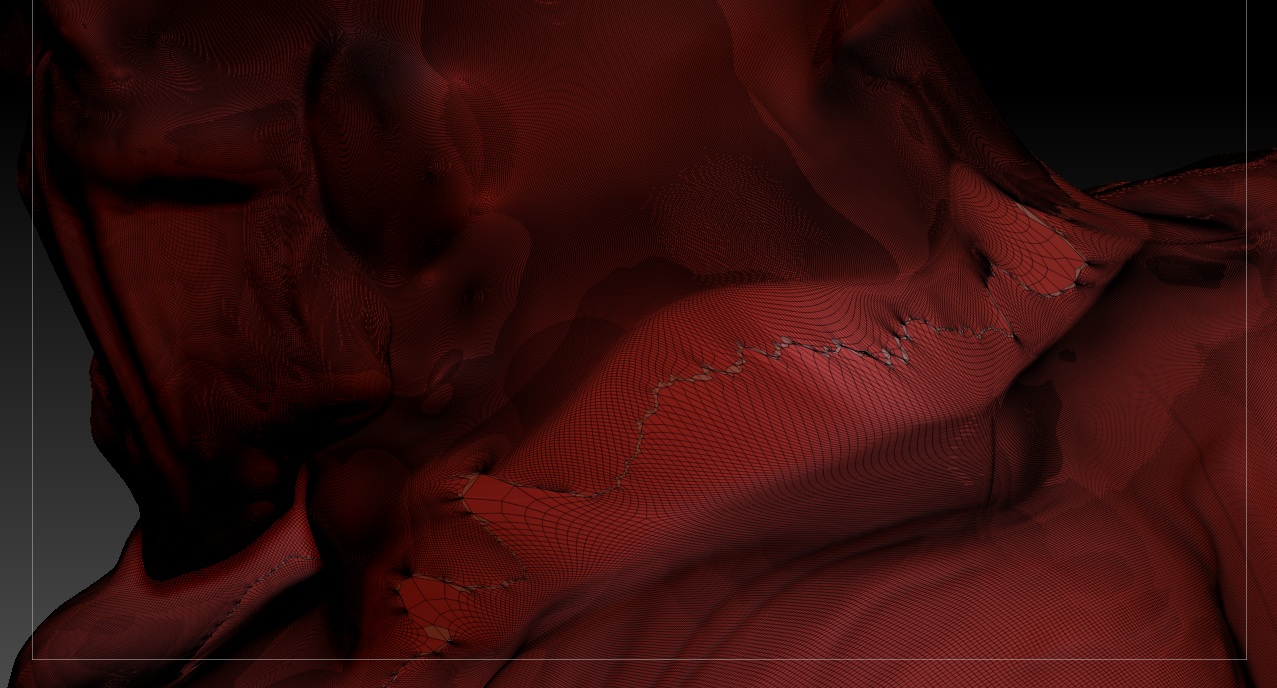
I ended up having to import the model into maya, bridged (connected) one of the polygon faces at the bottom of the head, with one of them at the top of the neck on the body, exported it, imported it back into zbrush and with the head and the body physically connected, the close holes tool actually closed up the neck to where it actually looked right (at first glance). I soon realized that the seam where the hole had been closed, was all weird looking and I came to find out that a lot of the vertecies from one side of the neck, had connected with faces on the other side of the neck, and so inside of the neck there are lots of weird distorted stretched out faces.

-
The smooth tool won’t take them out because of the vertecies being connected to the other side of the neck.
- I also tried the remesh button and I went to sleep because it was taking so long, woke up the next morning and saw that it was still loading so I canceled it.
- I tried dynameshing it but soon realized that dynameshing currently only reconstructs the model to about level 0-1 polygon count, so I lost far too much detail.
- I tried masking off the entire seam, inversing the selection and hiding it, then masking all of the weird geometry inside the neck, and hiding it, and then deleting all of it that i hid, and tried the close holes trick again, and it closed the holes independently, not the entire neck ( i left a small section of the seam attatched).

I’ve seen something called QRemesher but I don’t have the plugin for it and can’t find it, if anyone has a link for it please tell and I’ll give it a go.

If anyone has any links, tutorials, or self taught tricks and such of how I can go about fixing my seam, please tell

Attachments
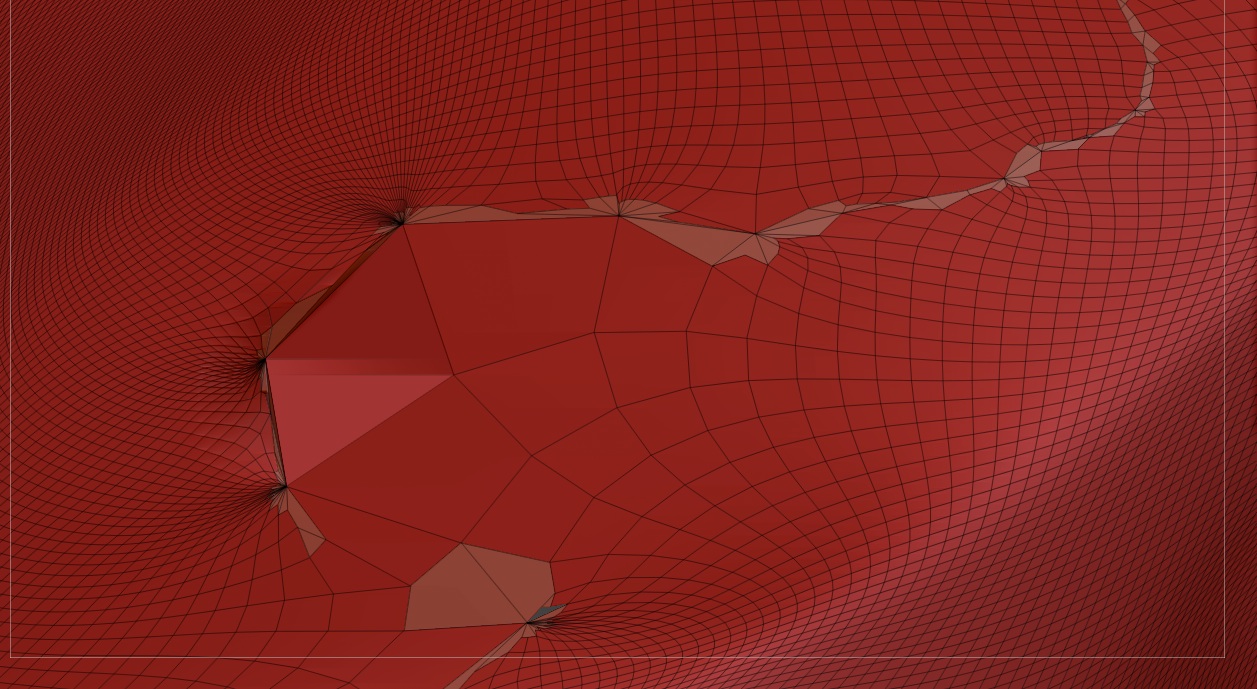
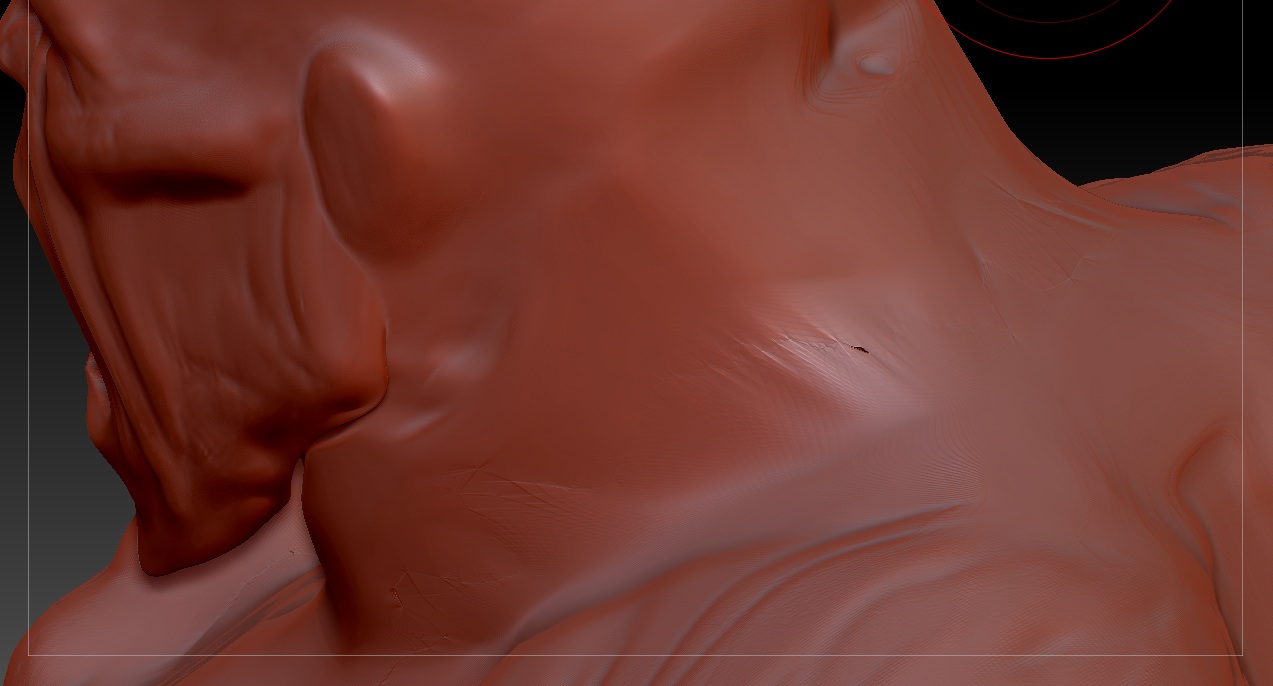
Hulk topology problem (1).jpg

Hulk topology problem (2).jpg

Hulk topology problem (3).jpg

Hulk topology problem (4).jpg

Watch this tutorial.

QRemesher is not out yet! Try 3D-Coat instead, it’s great for auto or manual retopology.

Alright thanks man I’ll give it a try, have to go with the trial version for now though, but if i like it i might see about buying it. I’ll post when I find out if it works for me or not.

The easiest thing to do would be to drop to the lowest subdivision level, patch up the seam manually (you can use GoZ for this, or do it with zspheres if the lowest subdivision levels are small enough). Subdivide the new mesh up and then use Project All to transfer the details.

If it’s too hard to patch the head into the body smoothly (like a big difference in the number of edges), then you’ll probably have to retopolgize the head. This would be similar to the above, except it might take 5 minutes longer to do.

Remesh is probably chugging along if you have it trying to work at the highest subdivision level. Drop down to a lower res (you just need enough geometry to preserve the volume of the mesh). Then Remesh that, possibly divide the resulting skin once or twice, and then use Project All to get the detail back.

Dynamesh not providing enough geometry would be due to the scale of the model. If you’re getting a very low amount of points despite using a higher resolution, the model is most likely pretty small and would need to be scaled up. It is still a basemesh creation tool though, so like Remesh you probably wont want to use it to try and preserve the surface detail that an 8mil sculpt might have. I’d treat it similar to remesh (duplicate the sculpt, drop them down to a more medium res that just holds the form, and dynamesh that). Turn of dynamesh, subdivide once or twice, then project the original sculpt.

Remesh is probably chugging along if you have it trying to work at the highest subdivision level. Drop down to a lower res (you just need enough geometry to preserve the volume of the mesh). Then Remesh that, possibly divide the resulting skin once or twice, and then use Project All to get the detail back.

Alright thank for the reply, what you say would probably work but I can’t drop down to lower subdivision levels, my model has triangles so i can’t reconstruct the subdivision levels :confused: i can’t get rid of the triangles while importing either because the way the triangles are that i have. I think what I’ll try to do is remesh what i have, divide it to about 8 million poly’s, then project the details of the higher res mesh to the lower res mesh, do you think that’ll work? I think the last time I tried to remesh my 8 million poly mesh my computer froze though, but i’ll still give it a shot. and I can use dynamesh but it doesn’t get rid of my triangle problem, i had to remesh the dynameshed mesh and it got rid of the triangles, but i lost way to much detail. I’ll also try to resize my model to make it bigger, and see if dynamesh preserves more of the detail that way.

Alright thank for the reply, what you say would probably work but I can’t drop down to lower subdivision levels, my model has triangles so i can’t reconstruct the subdivision levels :confused:

Try it on the version before you tried to patch it up, if you can. As long as you originally subdivided it in zbrush, then it should reconstruct.

If you’re stuck with the later version (triangles) or its topology was changed along the way at one point or another, you could run decimation master on it first. That might lighten the load a bit for Remesh.

What does decimation master do exactly? And alright I do have the models with multiple subdivision levels, but there’s two of them; the head, and the body. I thought about that one time but then i realized i would have to cut off areas of the neck on both models in order to get them to come close to matching up, but I also forgot to try that method and you reminded me so thank you and i’ll try that, it might take longer but with a lower subdivision level on both meshes, i can probably go into maya and connect the two in there with better geometry, i couldn’t before because my model was real high in geometry and i could hardly rotate it in maya, but with lower subdivision levels i can probably work with it faster, thanks again man i’ll go try that

Magical things.

It basically retopolgizes the mesh in a way that greatly reduces the polygon count, while still preserving the surface detail.