ZBrushCentral

ZBrush 4 DragRect problem (solved)

Hi - I have recntly started using ZBrush 4 and am finding some differences between the way the DragRect option works now comapred to earlier versions.

When I use the DragRect option using the Standard brush the alpha it is using gets stretched and doesn’t retain the original shape of the alpha applied - as you can see on the left of the picture.

However, when I do the same thing but apply it as an alpha mask (Cntrl-click and drag) the alpha is applied to the object fine - as you can see on the right of the picture.
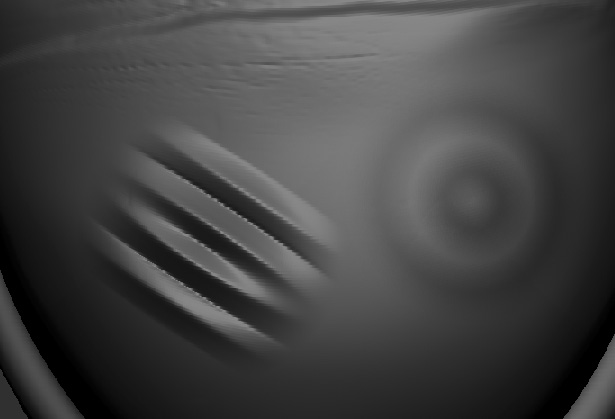
DragRect.jpg

Checking my ZBrush 3.5 - both the normal stroke and alpha stroke apply the same shape when I try this test. What has changed and how can I get it back to how it was in ZBrush 3.5?
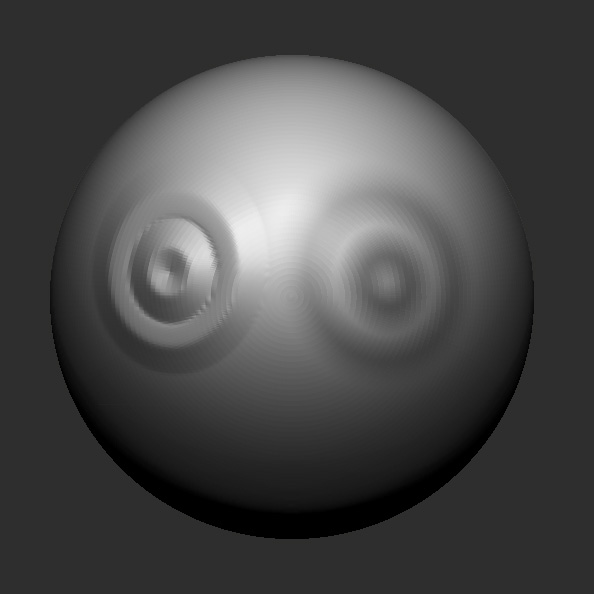
Well, after playing round with all the stroke settings I still can’t find anything which applies the stroke in the same way it worked in ZBrush 3.5.

Here are the same strokes - applied in the same way to a mesh in 3.5

DragRect3.5.jpg

OK - very strange. I closed down ZBrush, re-opened it at the brush now behaves as expected. No idea what had happened with my brush setting but as it was my first time using DragRect + alphas in ZBrush 4 I thought they must have changed the functionality. Now to find out what setting must have changed so that I remember not to turn it back on by mistake!

It looks like the age-old IT support solution of “turn it off then back on again” really does work :slight_smile:

There’s a Reset All Brushes button at the bottom of the Brush palette for when you think you’ve inadvertently changed a setting.

Cool - cheers Marcus I will keep that in mind if this sort of thing happens again.