Hey!
I am currently working on a model and want to use displacement maps to render it in maya.
Renderer is 3dlight. I am creating the displacement maps with Zbrush 4.
So here is the problem:
I get weird effects on some round shapes.
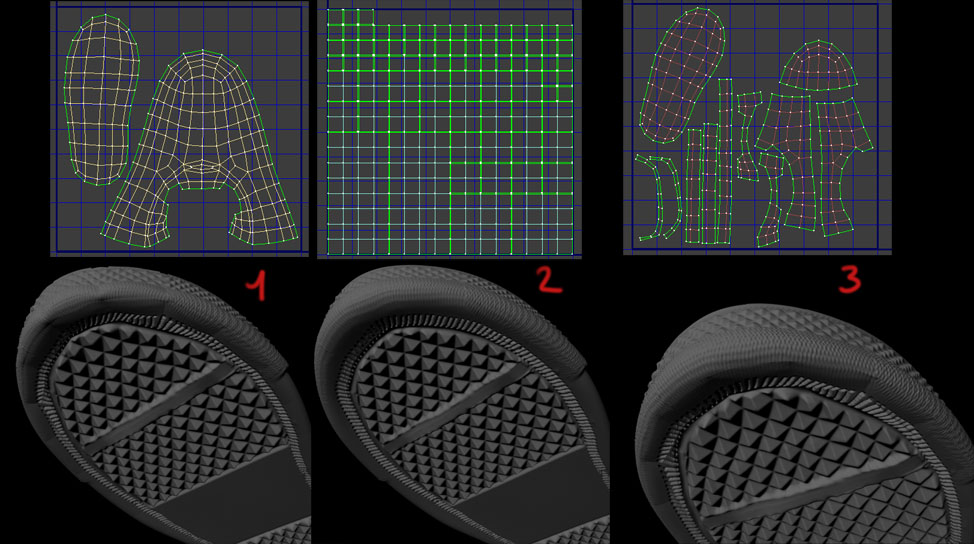
I did several tests with different UV layouts and it looks like its an UV problem.
If I use PUVTiles in ZBrush I get perfectly fine results. But this makes texturing harder.
If I create the UV layout in an external 3d package (maya/max) nice and even, I get weird cuts and shapes.
Maybe someone had similar problems or knows how to solve this problems.
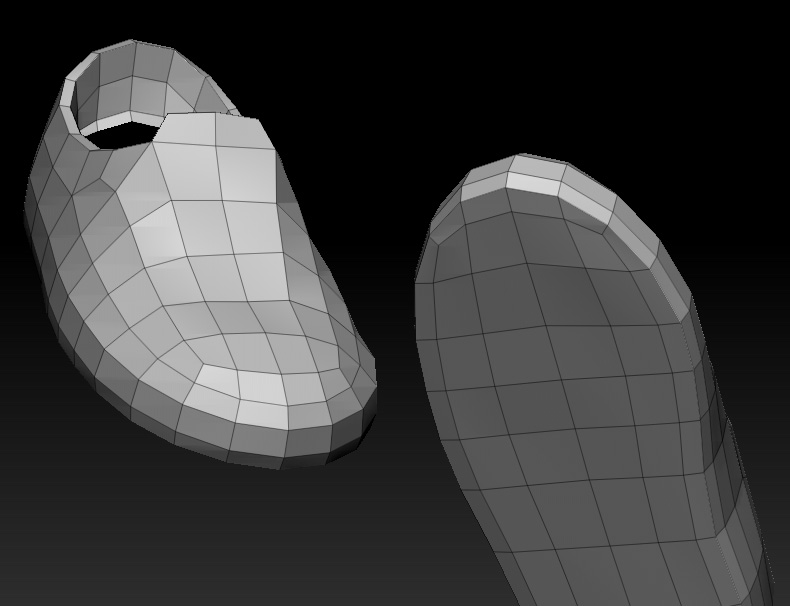
I added screenshot of the sculpt, lowpoly mesh, and the UV layouts with renderresults.
1 and 3 is UV layout by hand and 2 is UV layout with PUV.
Thanks for your time!

Attachments