ZBrushCentral

Zbrush --> 3DS Max - Best Detail Reproduction

Does anyone know of a good tutorial for capturing Zbrush detail on a low-poly (60k) character in 3DS Max? I have a model with a lot of sculpted fur, however when I bring the normal map into 3DS Max, I haven’t been able to even come close to reproducing the level of detail from Zbrush. I have primarily been using normal maps rather than displacement maps, however I’m certainly open to the best overall method. I have to keep in mind that the character will be animated and morph targets are going to be applied.

I have generated the normal map in Zbrush using tangent and tangent/adaptive. I tried adaptive by itself but the subsequent map didn’t look anything like a traditional normal map.

I’ve applied my normal bump at about 1.0 with the bump setting at 50. Since normal mapping is a light trick, I also included 3 point lighting using omni’s. Unfortunately, I’m still not seeing any real detail from zbrush. When I increase the bump amount, my detail looks really distorted. I must be doing something wrong but I don’t know what that might be. I see plenty of models brought over from zbrush to 3ds max that still retain some amazing details. I believe my normal map is 2048 x 2048.
Can you post a screen shot for comparison?

yes its tutorial from eat 3d, “Old Damaged Pillar” http://eat3d.com/pillar

its the best tutorial i have ever seen for 3d Max pipeline

Tutor himself use mudbox instead of Zbrush … but that does not matter at all …

because you are interested in what he does in 3d max, and how he create maps from high poly , and fix the issues with Normal maps … that is what you need to learn …

I was reborn after watching it

I spent weeks trying to get Normal and displacement map look good in max then I learned that every normal Map once automatically created in eather Mudbox or Zbrush needs a lots of work and tweaking in order to look ok in 3D max … and the tutor takes you trough every step … and show you how to fix all this problems and issues with seems and makeall your maps look good in 3d max …

I highly recommend it

Tutorial is about creating elements for game environment but it can be applied to anything

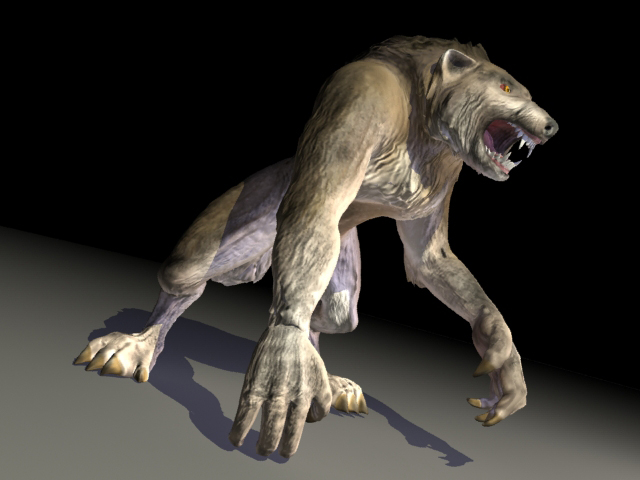
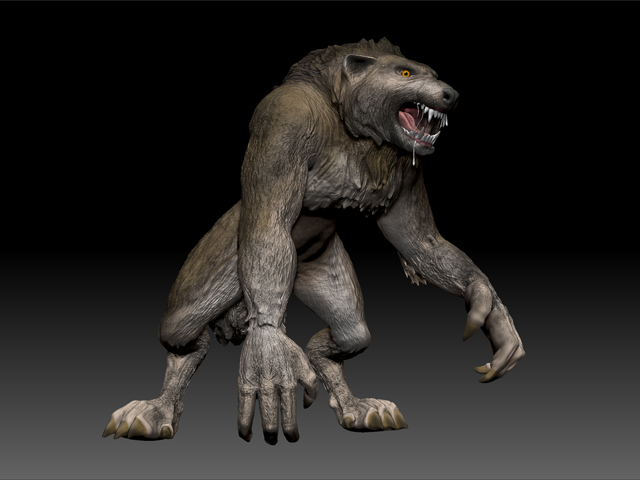
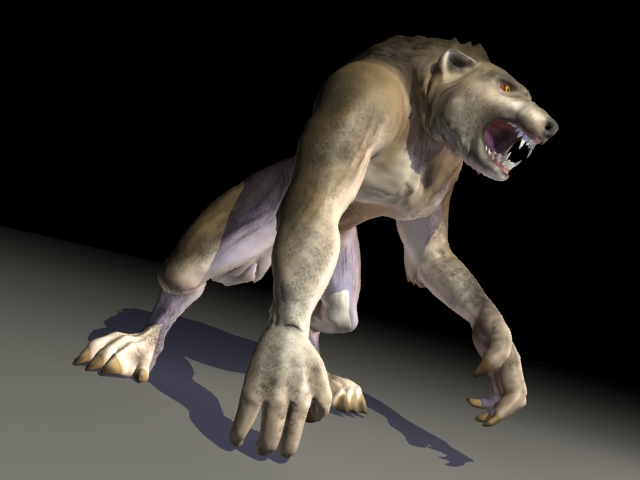
I apologize for not responding to this sooner. Thanks for the advice. I’m posting the images that were requested. They are as follows:

1. Zbrush Render 2. 3DS Max Render w/o Normals 3. 3DS Max Render w/ Normals

Attachments

WerewolfMorphTest3.jpg

Werewolf_MorphTest.jpg

Werewolf_MorphTest2.jpg