ZBrushCentral

Zbrush 3.5: Who changed the Polyplane??

After giving Zbrush 3.5 R3 a try, I realized something peculiar while working in the Projection Master: the good old Polyplane tool has been ninja altered.

In 3.1, you could drop into Projection Master, select Polyplane 3D tool and easily apply texture and alpha effects in your lefthand menu:
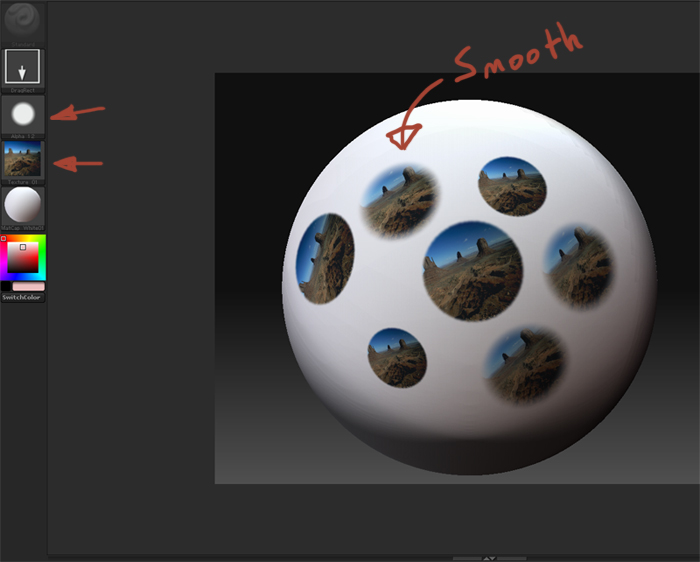
Polyplane3.1.jpg

Not only do I have to go to Tools>Texture now to apply the texture to the Polyplane, but the Alpha section no longer has any effect. Those who would suggest that I use the Simple Brush should be reminded that unlike the Polyplane, the Simple Brush does not allow you to rotate your strokes.

I would appreciate anyone’s help on this matter. If there is a way to apply Alphas to 3D Tools in Projection Master, please tell me.

Attachments
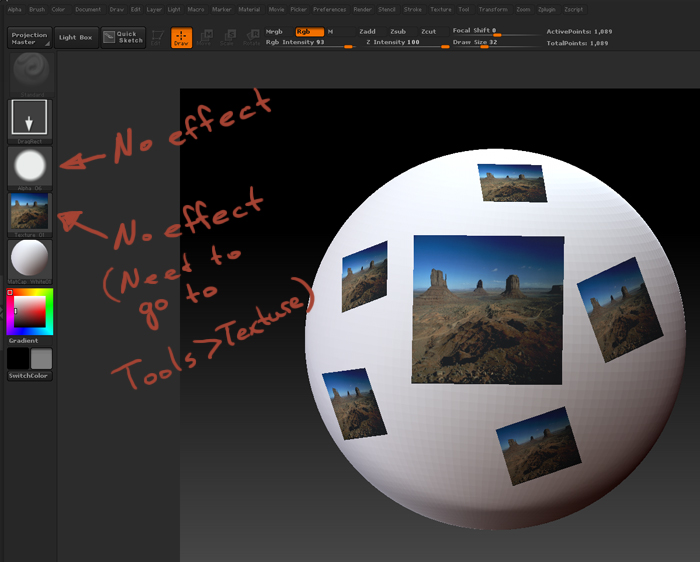
Polyplane3.5.jpg

Same problem as well. I made a post 10 mins ago about it. Im telling you projection master is not working like it did in 3.1. It must be broken or something.

The issue seems to be more to do with the Polyplane tool than the Projection Master itself. In Zbrush 3.1, other 3D tools like the Star, Sphere, and so forth will not be effected by Alpha channels. The polyplanes (including Circle3D) were an exception in that they were essentially the rotatable Simple Brush.

It may sound ridiculous when I say that I’m using Zbrush 3.1 right now instead of the latest, bran spanking new version simply because of this little change, but there it is…

Use the Directional Brush instead. Set the Stroke to DragRect, switch off ZAdd, switch on Rgb. Before picking up from Projection Master switch to the Layer Brush so that the Directional Brush’s settings are preserved.

Thank you, this will do then.

Now if only we could stop projection master from crashing randomly, then projection master might be useful one day.