ZBrushCentral

Zbrush 2 delete hidden problem

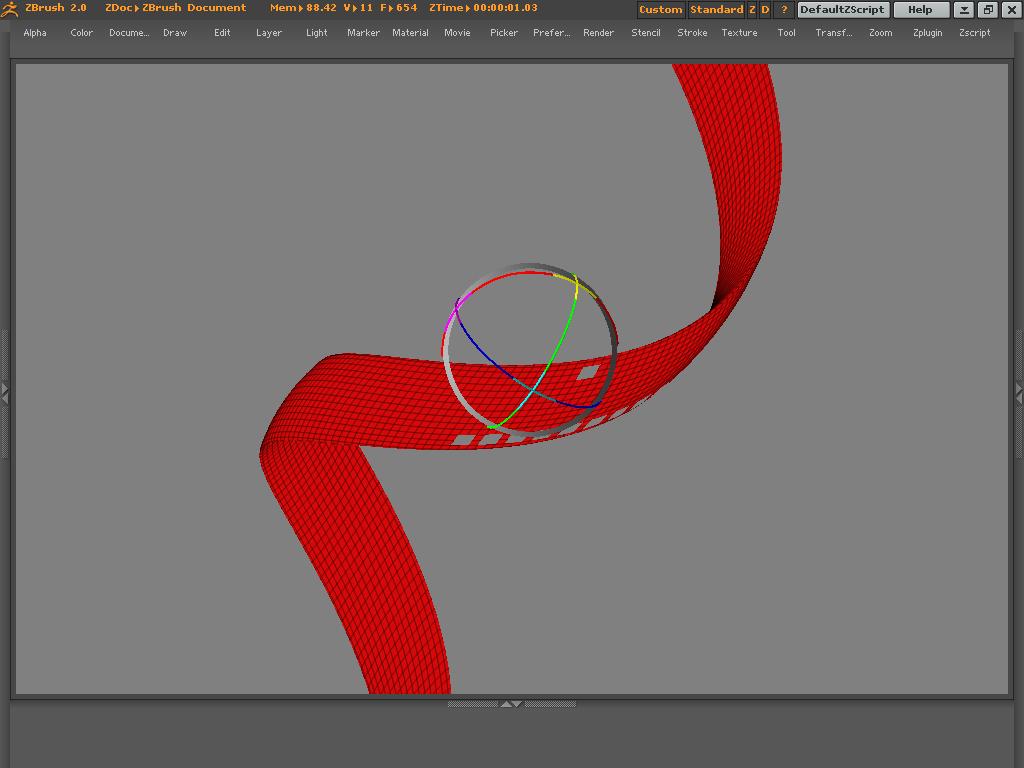
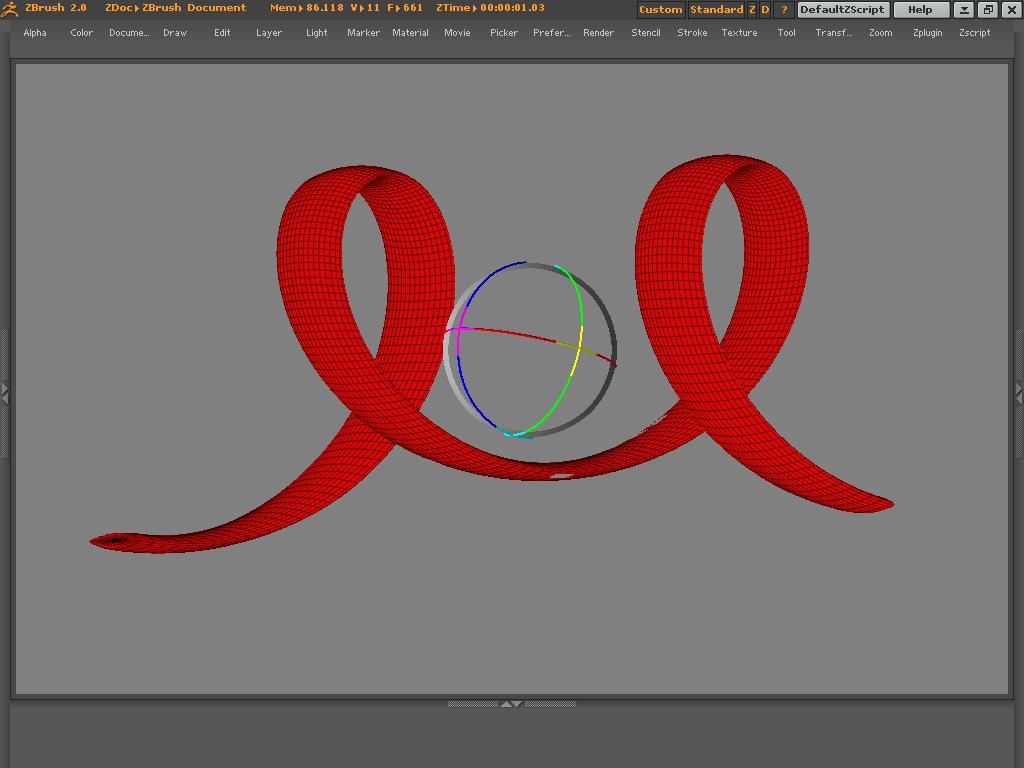
Hello , please refer to these images and advice as to what can be done. I am making a film strip , what i do is as follows: i made it a 3d poly mesh
with fram option one i am selcting some cells and then hide it
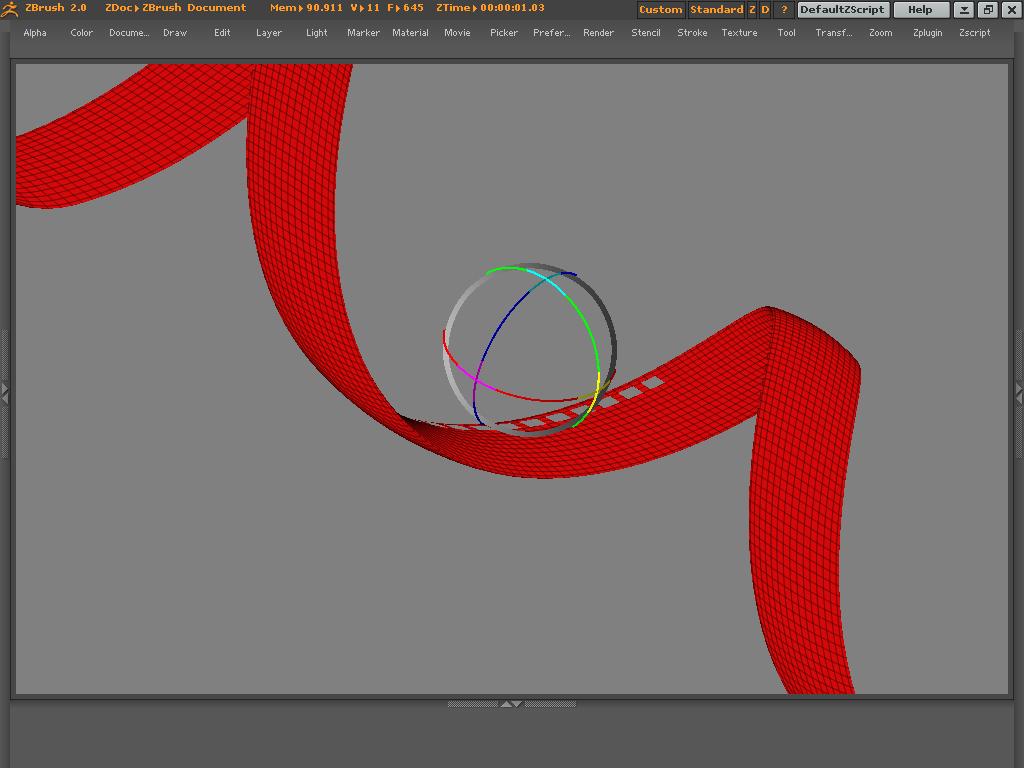
then i delete hidden. but then the hole isnt always appearing in an uniform format on both the sides of the strip, what should i do ???:cry:
The base is made form a helix, then i deflated the z axis to make the strip thin.
Please help FIlm Strip 1.JPG
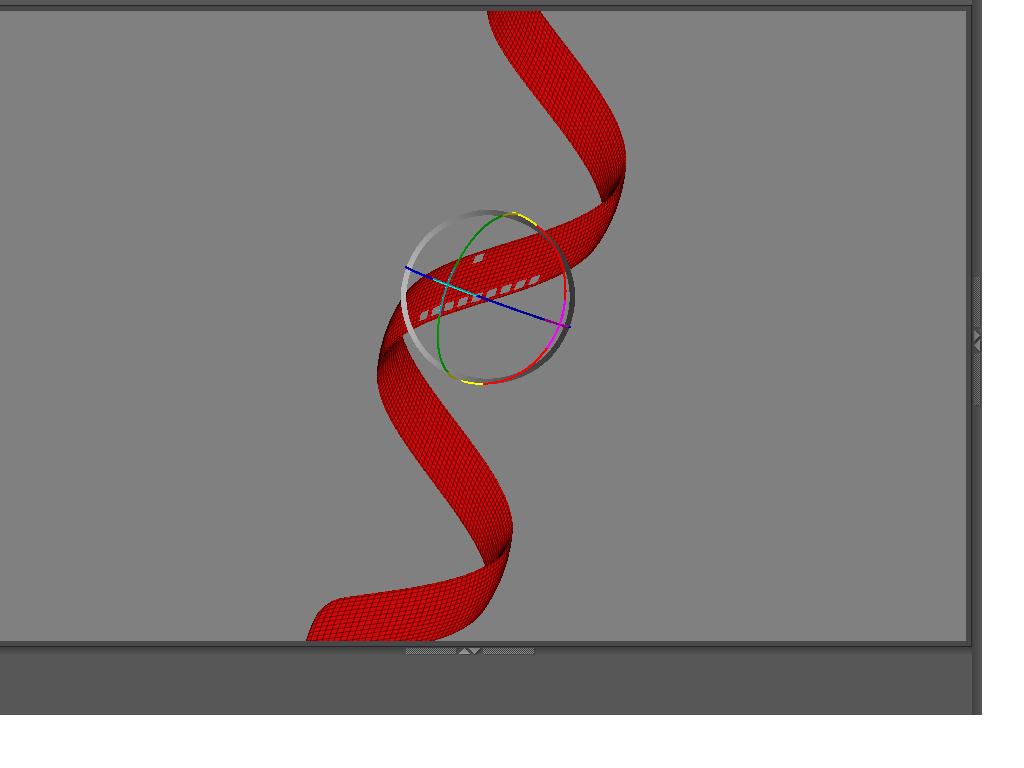
Attachments

FIlm Strip 2.JPG

FIlm Strip 3.JPG

FIlm Strip4.JPG

In reference to the third image please note that i have made a hole in one side of the mesh but it hasnt appeared on ther side…
Thats exactly what the problem is…

Thanks in advance

Tina

Its a little confusing to me when you say other side, do you mean as in left/right sides of the strip or front/back.
From what i can tell your strip is looks like its made from a cylider or tube, so its actually two surfaces front/back instead of a single sided piece like you would get from a polyplane3d.
In your current model you’ll have to select all the holes on both sides. this is tedious and ineffecient.
heres how i would make this. first i would make the strip flat from a polyplane, i would then apply a texture or alpha with the repeating holes, i would then mask from intensity, which creates a mask from the texture/alpha, then i would hide pts, then do my delete hidden, of course the mesh would have to be slightly higher in divisions than what you have right now but it would only be one single piece. after all that, clear mask then do your twisting.

Hello, Thanks friend…

But it isnt made from cylinder it is made from a helix.
Anyways if i restart from a plane how would i twist the film strip??
i actually tried intially with a cylinder ut twisting got terrible
And what i mean is the holes arent appearing at the front and back side equally

thanks

Tina

Okay, either way its a hollow mesh, meaning you have in your case, 2 surfaces front/back, so you need to select on both sides.
if you were to remake it from a flat surface you can use Deformation:twist
try some experiments

You could create a black & white texture of the holes you want and then apply it to the strip using planar UV mapping. You can then use the texture to mask the mesh - Tool>Masking>Int, and create the holes by pressing Tool>Masking>HidePt (note this hides unmasked points so you may need to invert the mask first). You can then delete the hidden polys, providing you are at the lowest level.

haha marcus that is almost exactly what i suggested. hopefully she’ll figure something that works for her.

Yes indeed spaceboy, :slight_smile:
but there should be no need to make a new mesh. The texture should wrap neatly enough on the existing one if the proportions are the same.

Hello, thank you very muchhhhhhh, i had infact done something yesterday, i mean, i did the dump act of literally selecting each cell and then deleting it…

well, am definitely gonna try your suggestions today, ill post it as soon as am done!!!

Thanks either ways, ZBrush is rocking !!!

[ a lil secret, i have Zbrush 2 & 3, but then am so possessed with version 2 that its been two months since i have version 3 & i still havent opened it

!!]

Tina

Looks good. Now you’ve just got to add in the frames! :wink: