ZBrushCentral

ZBr 3.5r3 retopology woes

Hi. Using 3.5r3 on precision 690, 8 gigs RAM, OS: XP64

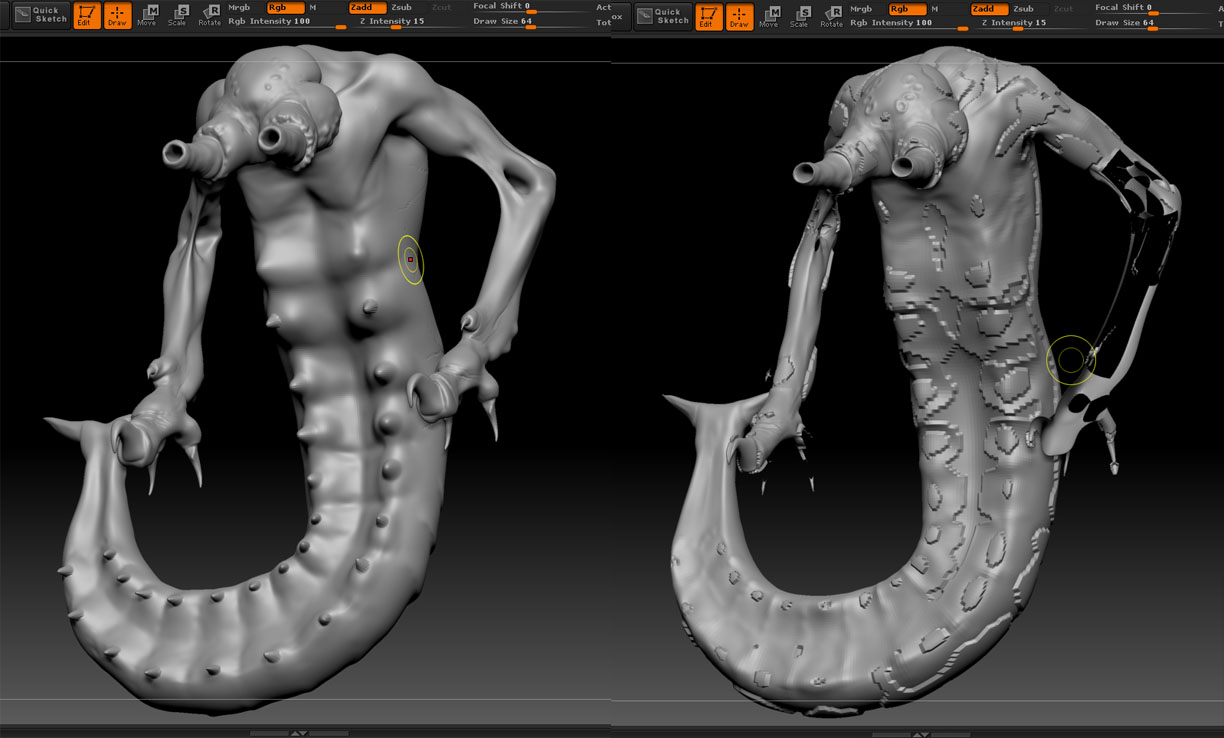
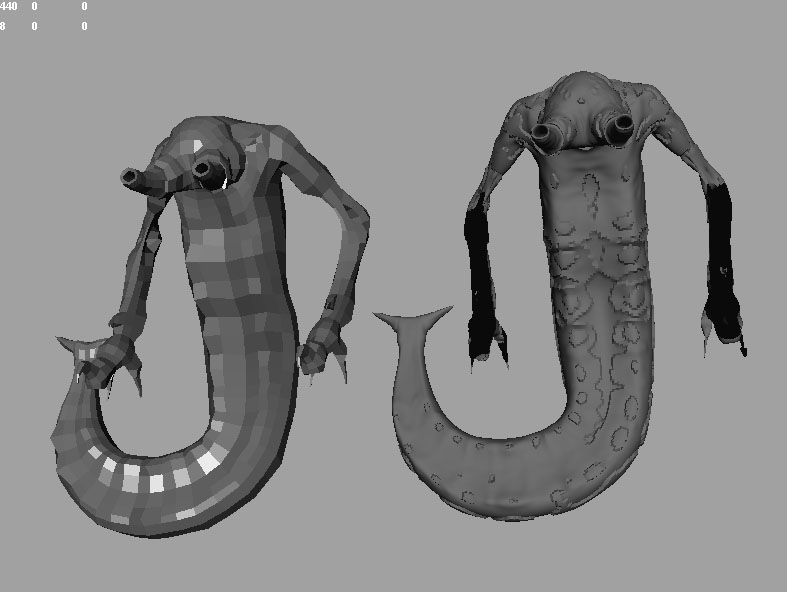
I have a character I have begun recently. I built the mesh in Maya then went in to ZBR to sculpt. after working on it for some hours I decided I needed to retopologize a section on the chest area to get rid of a “Pole” in the topology that’s in the way. OK, so I took my tool, went to lowest sub-D, cloned. Took a ZSphere, went through the rigging and retopo steps to draw the new topology. I wanted to keep the high rez details so followed Scott Spencer’s tutorial (from his 1st book) on this. However, the new skinned tool is a mess (see attached pic #2).

I tried several times, playing with the various sliders in the adaptive skin and projection settings, but nothing helped. I exported the tool in to Maya to examine it and found the normals misaligned. This I was unable to fix in maya using any of the normals fixing tools. I also checked the pre-retopologized mesh and it’s normals are fine (as you can see in attached pic 1)

So, anyone know what I did wrong and how to fix?
Bad retopo image 1.jpg

Attachments

Bad retopo image 2.jpg

Can you post an image of your Retopology? Would help a lot, because i am sure, there is something wrong there. Projection is always a bit tricky, so it is essential where you put your edges during the Retopolgy process.

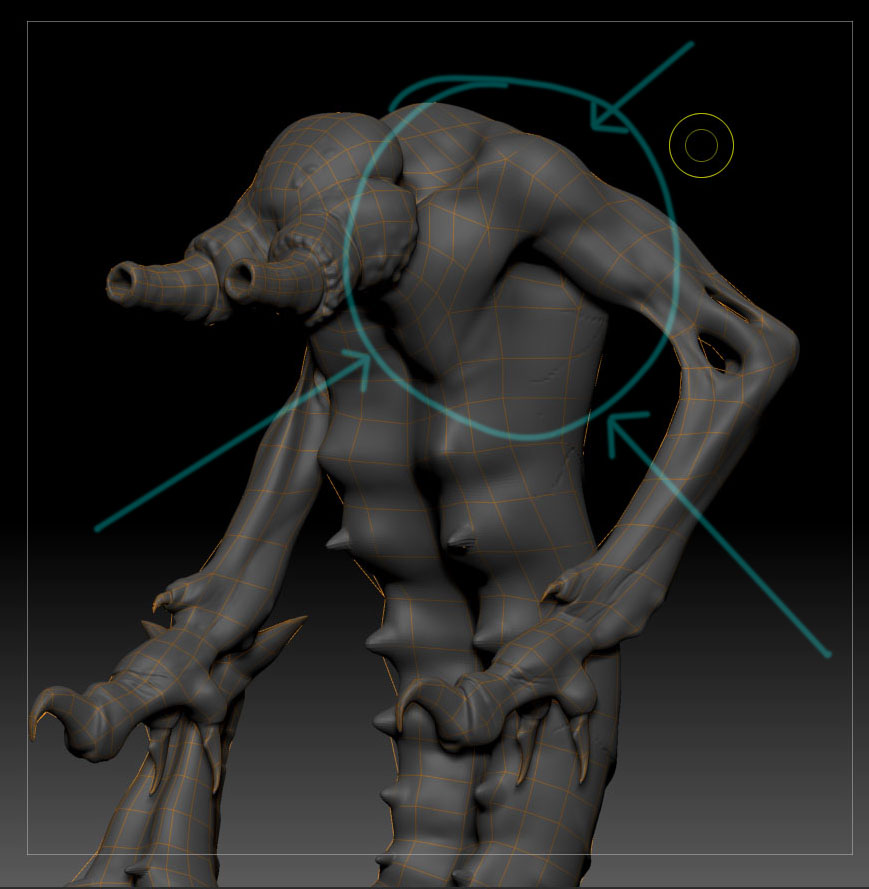
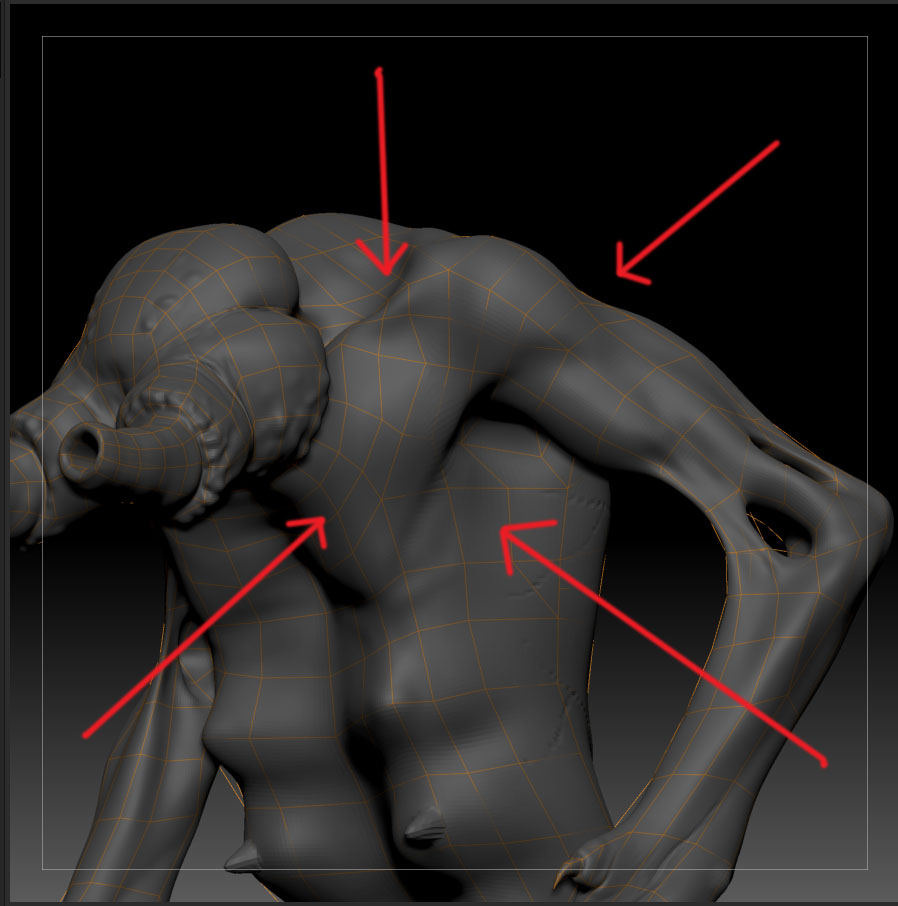
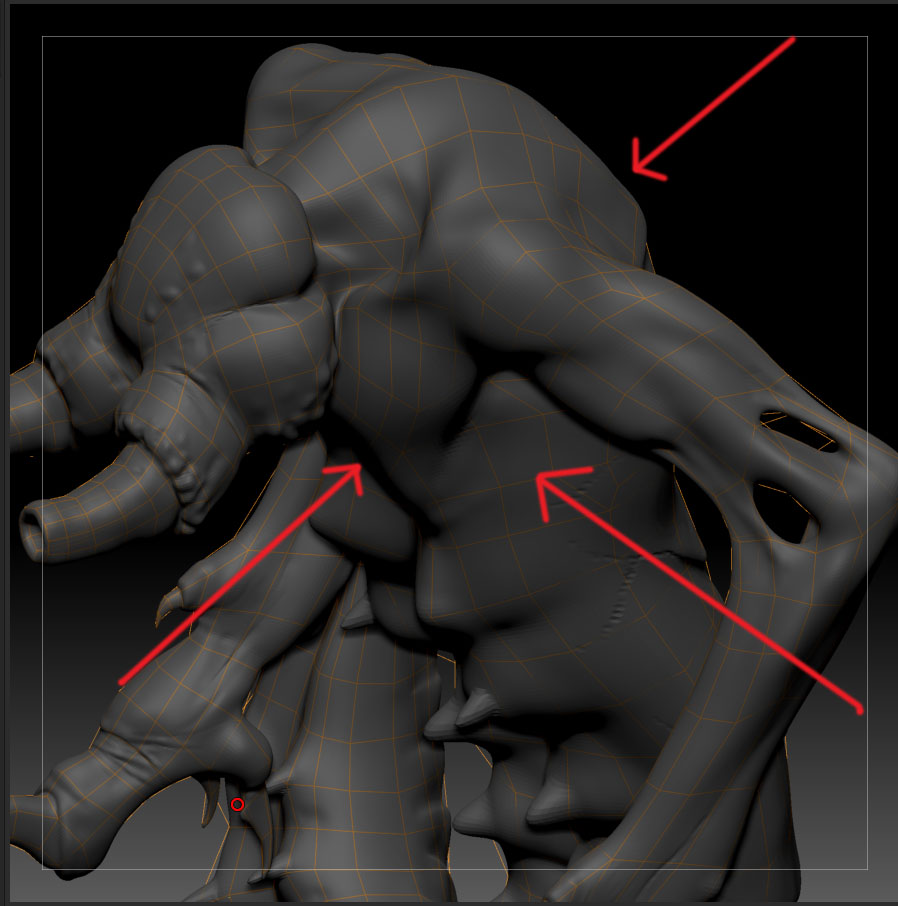
Hi. OK, here are screen shots of the retopologizing. Shot one (with blue arrows) shows the tool before I started to methodologies. The second pics show the new topology. I only changed enough to remove that “pole” in the chest area, which involved only a little work around the chest, shoulder and around the latisimus area. The rest of the tool was left with the original topology, yet the whole tool wound up looking very strange (see original post.

Any ideas?

Bad retopo image 3 copy.jpg

Attachments

Bad retopo image 6.jpg

Bad retopo image 7.jpg

Any help?

One mopre thing – I hadn’t created UVs for this guy when I did the retopologizing. Could that be the problem?

Hi there,
sorry for the late answer. Now from looking at your retopo, it seems to me that you have a couple of issues.
First off as you have been using parts of the original topology it looks like, especially in the chest area, that you just don’t have enough topology information to do a proper projection (e.g. the “nipples”)

Also you topology lines don’t really follow the shape of your model, which doesn’t help at all.

Now Projection within ZB is always a tricky thing, that requires quite a bit of trial and error. Sometimes you just need to move a couple of points, sometimes you need to add a lot more geometry and sometimes you just simply made some mistakes that you need to figure out. Play around with the Projection settings and see if that changes the result for the better

In case that doesn’t work, you can always send me the (retopo) model, so i can figure out a little better what the actual problem is.

Hope that helps.

Hey, it definitely helps.

Yeah, the nipples (they will ultimately be spikes) I was originally going to add as subtools but then just sculpted them out of the original mesh.

I also rushed through building the base mesh to get in to sculpting, not realizing I might be setting myself up for problems when it came time to rebuild some of the topology.

You have been very helpful. I will keep playing around and see what I come up with.

Thanks, Tristan