ZBrushCentral

ZB and Poser OBJ loading Issue - need help

Hi,

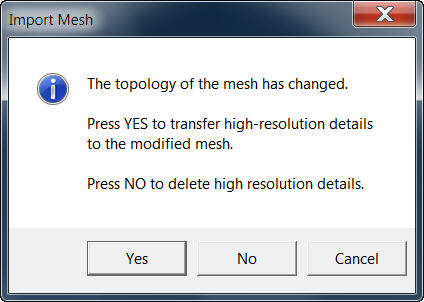
I just made the leap and decided to buy ZB. Everything installed fine but I am having trouble now with my Poser OBJ files that I was working on in ZB 3.1 version. The error I am getting on ALL files I saved under ZB 3.1 is shown in the screenshot below.

If anyone can please tell me how to solve and also post an update to importing/exporting a Poser OBJ file for what has changed from 3.1 to 3.5R3 it would be appreciated. I am REALLY trying to figure out what is going on and how to import/export without the “poser scaler” plugin because this is a BIG part of my workflow.

Any help appreciated.

Attachments
ZB_Poser_Problem_1.jpg

Before importing, select a primitive tool like the star. After that click on import and you should be able to load your obj without trouble.

Hope that helps.

I have no “star” tool that I can see listed in 3.5R3. What I tried was the default sphere that loads, then import. No matter what I try though, it still gives me the same error message shown in the screenshot of my first post.

Still REALLY need help with this to figure out what is wrong. I can not use any of my OBJ files from ZB 3.1 until I know how to fix.

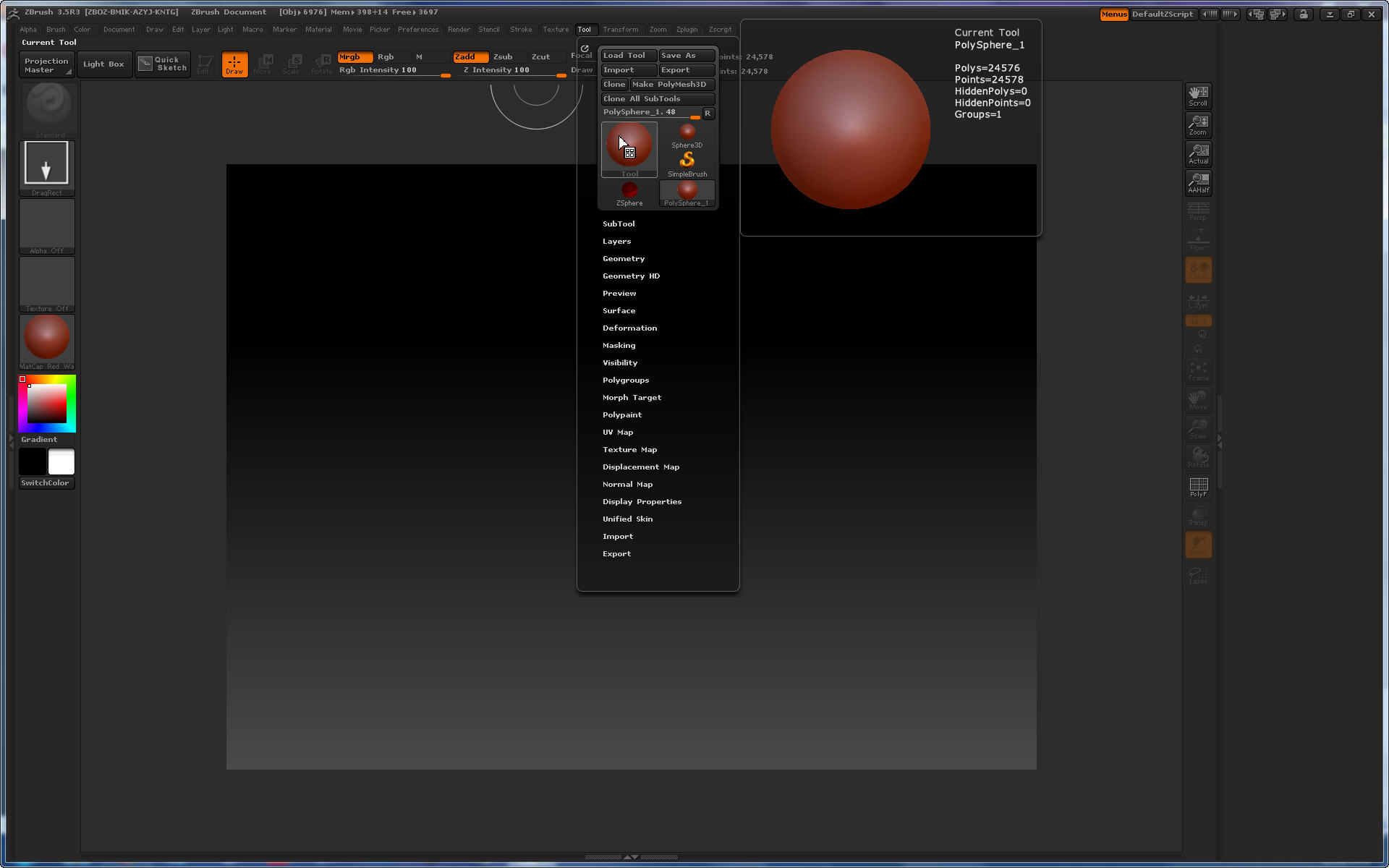
Here is how my ZB 3.5R3 looks showing the tool selection.

Attachments

ZB_Poser_Problem_2.jpg

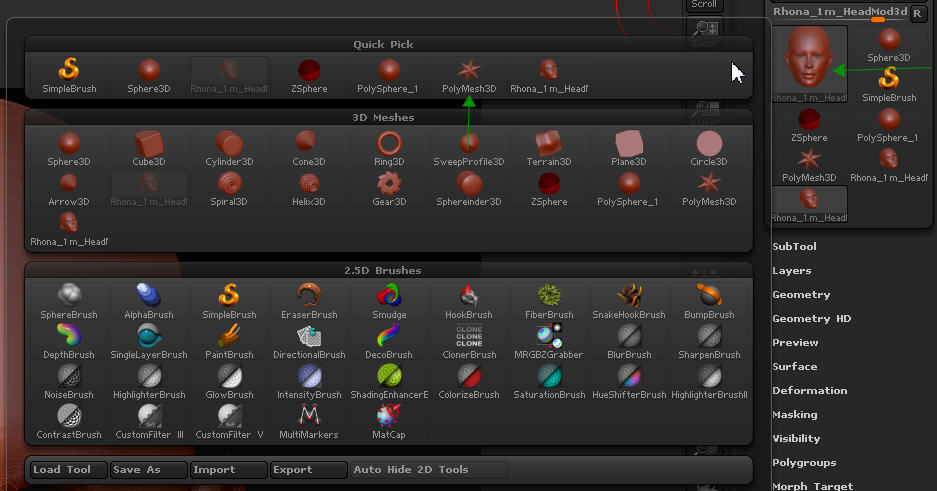
You really should be able to just click on the active tool’s thumbnail in the tool menu to have the menu pop up where you can then select the polymesh3d tool (the star) which is the starting point for an obj import. Also note that if you’re using 3.1 and are working on something you intend to move back into poser in the form of a morph target, you really should use the Poser Scaler scripts to do your import. I use Zbrush CONSTANTLY for tons of Poser related development so if you have any trouble and need some help, I’ll do what I can.

UPDATE: See my post below, it is working now it would seem.

Thanks for the help, it’s really appreciated.

I should have mentioned that I was using “Poser Scaler” when using ZB 3.1 and everything worked just fine for me as you state. However, when I try to open any OBJ I worked on in ZB 3.1 it gives me the error shown in the screenshot of my first post. I have not tried to do a straight import OBJ from Poser yet as I was continuing to work on my sculpting from ZB 3.1.

It may have to do with the fact I was using “Poser Scaler” in 3.1 but in 3.5R3 I am not and just trying to import the file. Before I would import it using Poser Scaler. I was told by a ZB Moderator it was not needed in 3.5R3 because the Poser Scaler plug-in was no longer required due to ZB being better and scaling up/down as needed unlike 3.1 version that required the Poser Scaler plug-in.

I am new to ZB and may not be doing everything correct. Although I worked just fine on some OBJ files in ZB 3.1 using Poser Scaler. If you can post the exact steps to do an import that may help me verify some steps. Otherwise I am at a loss and may need to open a support ticket.

Sixus1,

I was right, I was in fact missing a step. After reading your post, I found the “star”/polymesh3d tool. What was wrong is I was looking for it in the menu bar that opens when you first launch ZB that is located below the title bar menu. When I clicked on the tool on the right column panel it gave me a whole list of tools and I was able to select the right one then (see screenshot).

So, the good news is everything seems to import now OK. If I understand correct, there is no need to scale down either, just chose “export” when done working on it?

If you have any other advice it would be appreciated. I am new to ZB and could use some tips on what the best brushes are to use when sculpting a Daz mesh and any other basic advice.

Thanks everyone for the help.

Attachments

ZB_Poser_Problem_3.jpg