ZBrushCentral

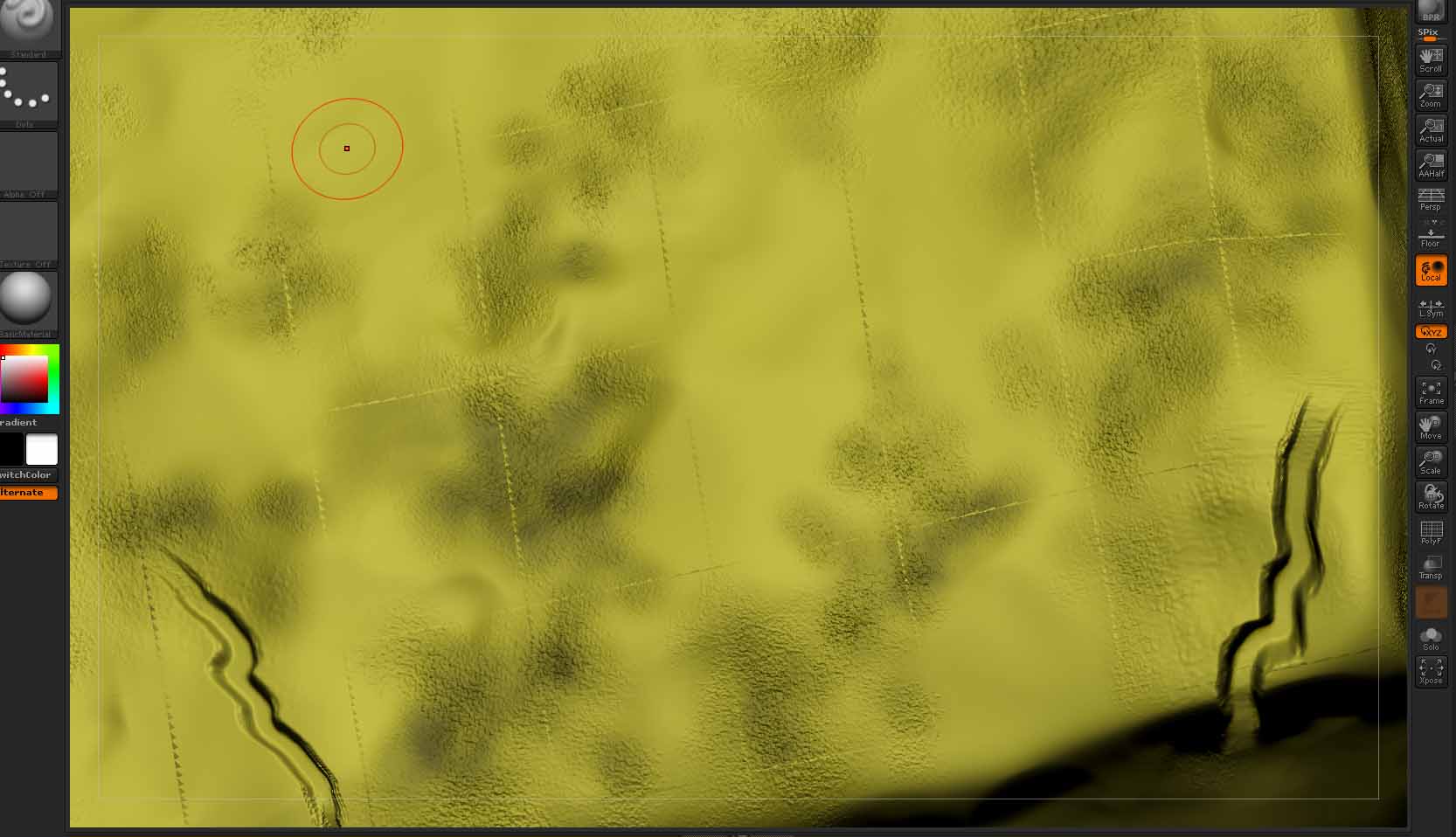
Zapplink dropped to canvas and see a strange grid distortion on the applied texture

I use photoshop w/ zapplink
After painting onto the object, dropping it back to the canvas in Zbrush , the applied texture appears to have this distorted grid pattern.

I’m not sure what’s causing it, but i’ve tried it a couple different times.
This object and it’s UV’s are brought in from 3dsmax via obj export.
I have not had this problem before… anyone seen or know how to address this?

Attachments
Zapplink_glitch.jpg

Do those lines happen to correspond to the topology of the mesh? If so, I know quite a few people have a problem with individual UV faces getting flipped when working with Max. If that’s the case it wouldn’t surprise me if the projection painting is seeing every edge as unconnected borders, and these artifacts are appearing because there’s no room for padding.

On the other hand, if this is from 4R5 then the issue could be something entirely different as many people are getting an error message just trying to use Zapplink.

Your spot on w/ the matching topology, took it down to subD lvl 1 , and they line up perfectly.

So as I suspected it’s SOMETHING to do with the UV’s, but I literally have over 50 models imported to zbrush from 3dsmax and never saw this…

i’ll just wipe the uv’s and re-do it, not a complex model thankfully… i’ll update is recreating the UV’s in max helps.

So here’s what I’ve done…

Cleared UV map on base mesh in 3dsmax,
through a standard planar map on it
exported via obj using no profile

The problem reproduced.

Tested AUVtile Mapping in ZB, no problems.

Cleared UV map on base mesh in 3dsmax ,
put a planar map on it again.

Exported to .obj using Zbrush export profile in the obj exporter.

Problem reproduced.

I’m really not sure what the issue could be,
like I said I’ve brought many models in from 3dsmax and never seen this before.

If anyone has any suggestions I would really appreciate it.

Are you collapsing your stack?
Is there are a reason you’re not using goZ?
You can try this to see if it fixes your issue: in your Zbrush.obj exporter settings turn off all “optimize” check boxes.

Good Point, no reason not to use GoZ.
I tried turning off optimize settings, this seems to match the default Zbrush obj export profile
no change.

GoZ , and voila all is working fine.

I don’t use goZ all the time, because I like to store my export files in a backup location. old habits.

you can still access your export files to another location you just have to dig through the goZ folder to find it. Or just save a .max file of your files after goZ.