ZBrushCentral

Zapplink creates unwanted dithering

Hi, so I’m using Zapplink today. Great product, with one problem; After I paint in photoshop and go back to zbrush, zapplink creates some kinda dithering line around the object from the angle that the pain was projected. this happens everytime I paint in photoshop and import back to zbrush. At first I tried to avoid painting close to the corners of the mesh, but it still does it no matter what… Is there any way to avoid this? Because right now it’s ruining my texture as I’m paint on it.

Thanks!

i have no clue what a dither is…

lol, artefacts… like a weird noise pattern around the object from the viewpoint it was projected. Sorry I didn’t make that clear.

Are you using Projection Master to drop the model before using ZAppLink? If so, then you’re using an incorrect workflow. ZAppLink handles dropping the model and picking it up again automatically, and adding PM to the mix will cause problems.

If you’re only using ZAppLink, we’re going to need to see what’s happening.

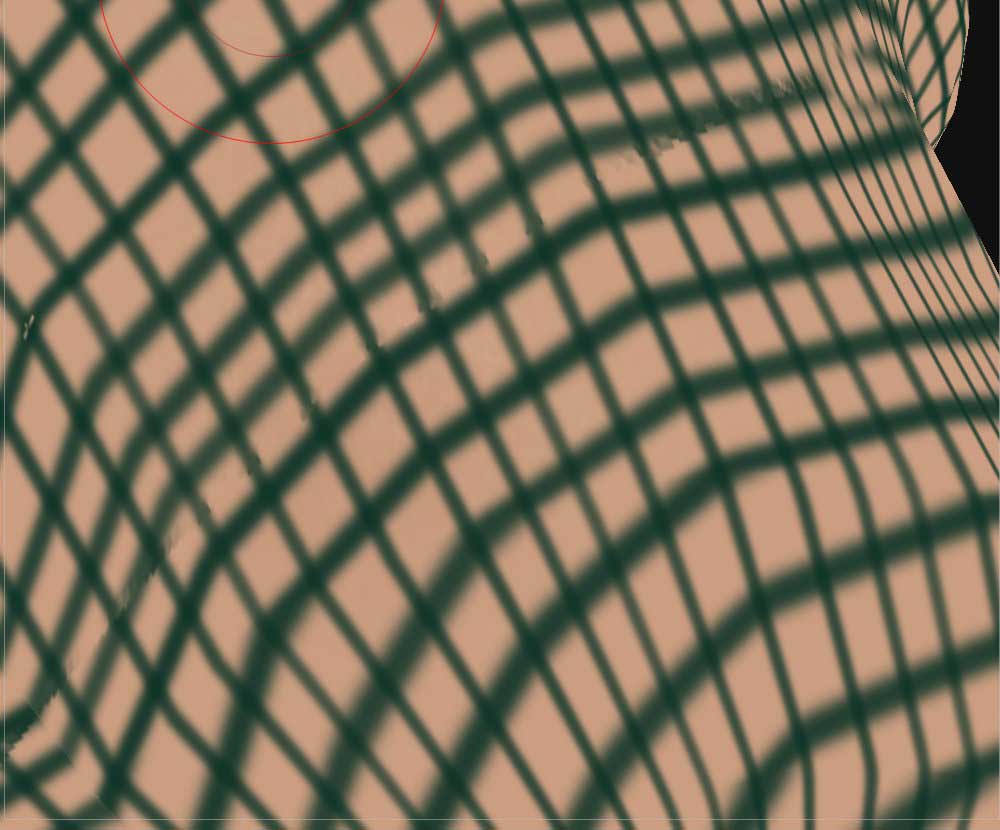
thanks for the replies. Here’s a quick example I just made. see that line going across the mesh(not the green lines, but the noisy line)… Isn’t supposed to be there. In this case part of the model was hidden. So, for example, If I hide the torso of a character to paint the insides of the arm, I would get an artifact where the arm was split from the torso…But I usually have things like that happen in the insides of a model or hard corners where two parts of the model are overlapping when projected.

It’s not too bad, I can always clean it up later. But it’s kind of an extra step that slows down my process…

No, I don’t use projection master :wink:

Attachments

Capture_442.jpg