ZBrushCentral

Z Spheres Losing Symmetry

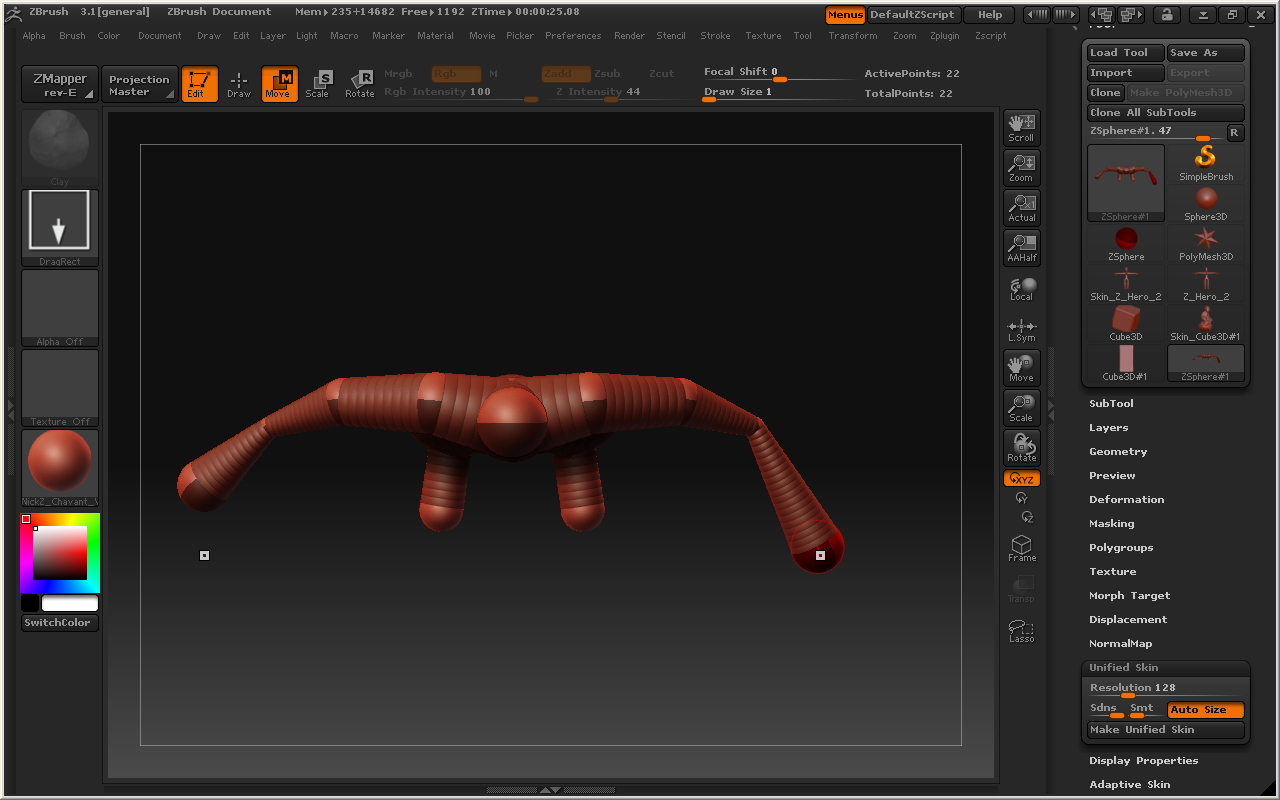
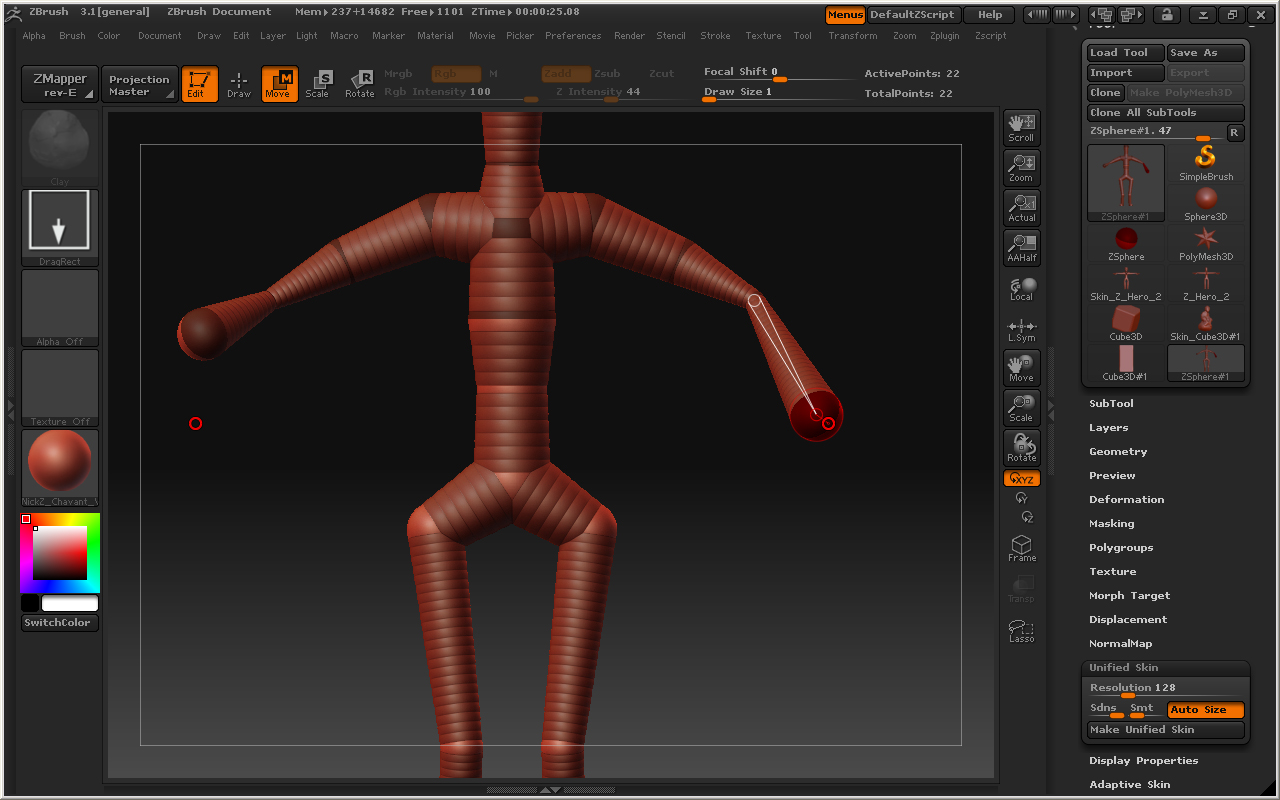
Every now and again while I am working with Zspheres, my mesh will suddenly lose it’s symmetry and I will no longer be able to fix it. I have tried to realign symmetry and that doesn’t work. It seems to happen most often when I am working on hands, but sometimes it just happens randomly. Any suggestions? ZSphereError_Front.jpg
Attachments

ZSphereError_Top.jpg

Hi “Lartist…” I have teh same strange problem,
http://209.132.96.165/zbc/showthread.php?t=71640

Now I know its “not only me” Hope somone could solve this…,

Best

I have had that exact same problem. Often times it seems like it happens because the sphere gets turned to a position that isn’t its original axis and then it begins acting funny from that point on. I checked out the Zsphere section in the support area and there was something that talked about the coordinates getting thrown off if there is a lot of time spent on the Zsphere model. There was a script there, but when I downloaded it, it was in a text file format and I’m not very familiar with how to work with the zscripting. Have you tried the script out?

Hey! Great!
do you have the link?

I think its as easy as dropping it in the ZPlugs, ZB reads the .txt files as scripts.
Maybe this will solve my problem too.

Best.

I’m afraid that the zscript commands for ZSpheres do not work in 3.1, so any script or plugin won’t work. (And incidentally you load a zscript text file thru the ZScript>Load button, plugins need to be compiled as ZSC files to load automatically, as well as being coded specifically as plugins.)

Thanks for the info man. Darn thought I saw bit of light there… :slight_smile:

Best.

OK, you might try this script. Please be warned that it may not work with all models and could ruin your model, so back it up to a separate file and follow the instructions.

  1. Unzip to your Desktop and place the RestoreSymmetry.zsc file in your ZBrush3\ZScripts folder. This file should NOT be installed as a plugin.

  2. Start ZBrush and load the script thru the ZScript menu Load button. The buttons will be in the ZScript window at the bottom of the UI. Press ‘H’ or drag up the handle to get them to appear.

  3. Be sure to press the Help button and read the instructions. Pay particular attention to backing up your model and reloading it after using the script.

HTH,

Thank you for your help Marcus, I’m downloading the script now to give it a shot. I read in the post that had the text file, which I’m assuming is similar to the one you just gave us, that the loss in symmetry is due to the coordinates being thrown off because of the time you are spending on the model and the number of moves you make. Is there any way that I can avoid this, like a “clearing my cache” kind of deal? Just curious. Once again, thank you for your help in this matter. I’m going to go check out the script and see if it works! Thanks!

Thanks a lot man!
I’ll try it too. Else I have to “finish” the ZS:s and try to correct it when its
adaptive/polymesh.
Really appreciated dude!

Best.

Whiiiii! It worked Super Great, 1000 thanks man, marcus_civis!

KHAlexander,

That’s great. :slight_smile:

Lartist_,

I’m not sure how to avoid this happening. Be sure to never switch off symmetry until you’re done with it. It might help to save your model and then reload after a restart or initialize [Preferences palette], I don’t know.

I guess that the problem results from the way computers store numbers- there’s a degree of error with most data formats, and the more you change those numbers the greater the error. (Basically what davey is saying in his post.)