ZBrushCentral

Z sphere rigging help

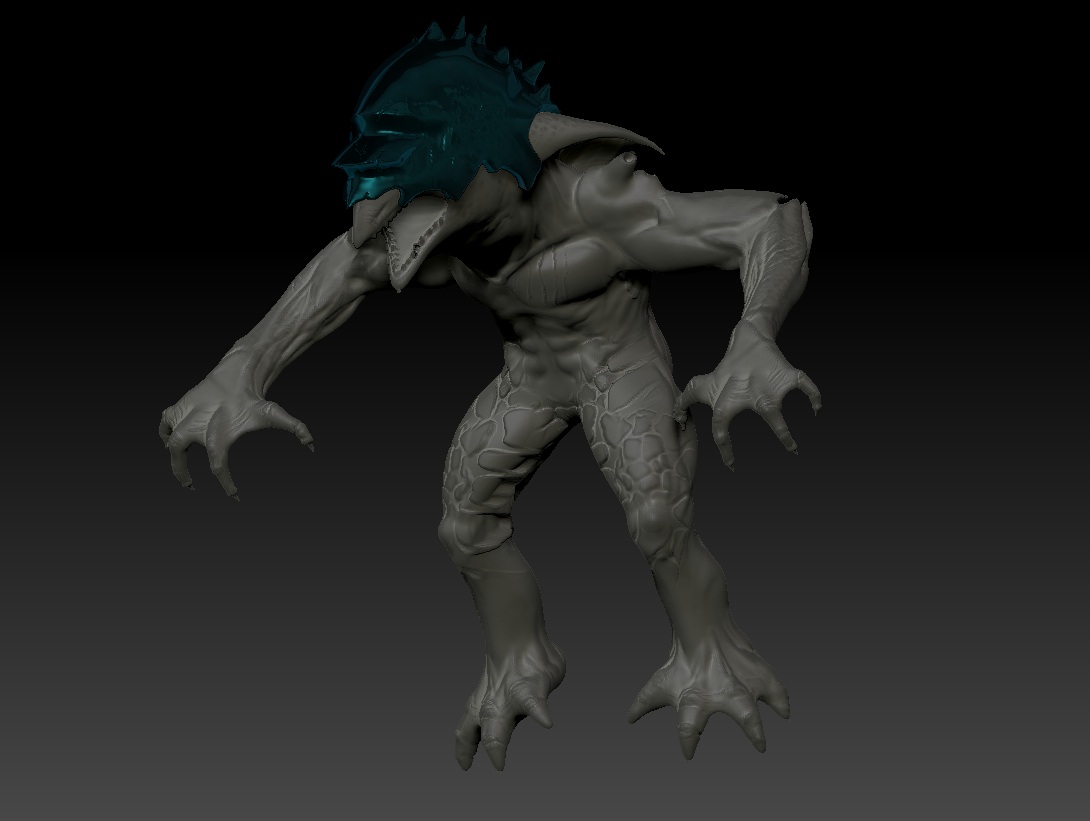
Hello I’m new to zbrush and 3d modeling in general. I’ve learned a lot so far from the impressive amount of tutorials online and have seemed to get my self pretty far with my first model/tool but I think I’ve made silly errors along the way. I started with the 3d polymesh sphere and have managed to sculpt it into a pretty decent goblin and do some texturing thanks to the awesome dynamesh; though, at the time didn’t really quite understand the significance of my poly count rising and rising as well as having no lower subs…until I got to the point where I had planned to pose my model with zspheres and rigging. So I then cloned my model, made a subtool of it (getting rid of dynamesh), decimated one to a lower res, then opened a zsphere and binded the high res mesh I had cloned to it followed by selecting topology and choosing the low res mesh, turning edit topology on as well as projection, then going to adaptive skin and finishing by making an adaptive skin. All this I had finally had success with, now having 1-7subs to go through, but when I now go to rig it with zspheres on the lowest sub once i bind the mesh and go to pose it…poof its gone. I’ve been able to figure out what silly errors I’ve made here or there along the way, but this ones go me stuck. This happens with transpose master (i do have subtools) as well as just rigging it with zspheres (not using the plugin). Is possibly cause I made it an adaptive skin saved it as a ztl then opened it and clicked make polymesh 3d then went to rig?

Got a lot more planned for this guy just wanna make sure I’ll be able to pose him before I spend more time. :confused:

feel free to PM me some C&C as well, image attached.

Attachments
bcgoblin.jpg

after reading your workflow twice not sure if i totally understand, but not knowing your machine specs or polycount
of model ?
binding a high poly model can be taxing on the cpu, so your trying to pose the low poly with the high poly
appended as subtool ? then project the high poly details to it ? which i have never heard of being done in ZB .
when rigging you select zsphere rig >> rigging >> select mesh (your model) >> bind mesh.
with subtools your better off with subtool master plugin or merge visible (subtools) pose with either transpose
or zrigging then split to parts for texturing or assigning materials ect . see my thread on zsphere rigging http://www.zbrushcentral.com/showthread.php?107385-Z-Riggin-(rig-updated) .
edit topology and projection are for use with the retopo tool and not with rigging , what your trying to do can be done
with a single mesh
with different detail levels in layers tho but with subtools ??? i personally havent used that method yet, there were some tuts here on zbc
awhile back - different levels of damage on a battle shield in layers but dont have the page - link , hope that helps !

I have win7 64 bit 4gb ram and zbrush 4r5. I originally had a poly count close to a mill which was to much on my system to rig with zspheres so I did what I listed above -which was- clone my high poly count model (so it wouldn’t be in dynameash anymore) then decimate the clone down to a low poly count around 15,000. I then cloned my original high poly count model again. I then opened a zsphere and clicked select mesh and chose the high poly count model and clicked bind. That’s we’re I got into projection. I then went to topology and selected the low poly count mesh as the topology, then turned edit topology on, and then clicked project.
lastly I went to adaptive skin, turned the res up,and made an adaptive skin. My result was an adaptive skin with several subdivision levels. I know how to rig and pose with zspheres but my issue was that my original high poly count mesh had no lower subs and they couldn’t be reconstructed cause of dynamesh. So I had to go through that process in order to have lower subdivisions in which it wouldn’t be too taxing on my system to rig and pose and then when done with the posing just go up in subdivisions. At least that was the plan till for some reason when going to pose it after rigging the mesh just disappears when I move the zspheres. Was/is there an easier way to accomplish this?

Edit: to clarify what my subtool is (only have one) its the helmet in the pic above. That’s all. Feel may have been distracting describing my most likely messy work flow.