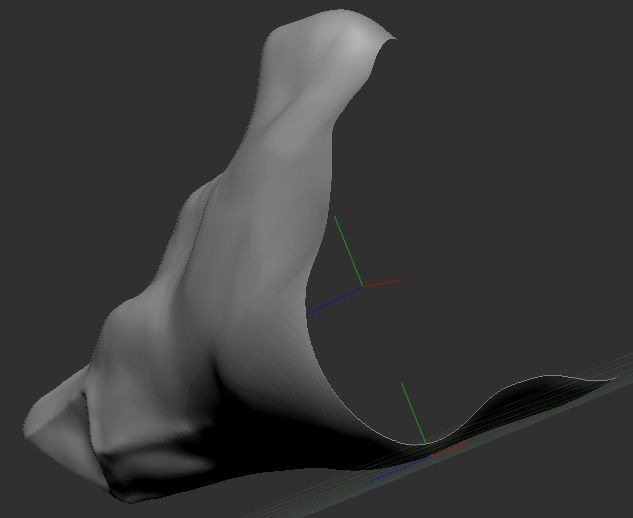
I started the model below from the DynaMesh_Sphere_128 project within Zbrush (I don’t like the polygon order of the default primitive sphere PM3D Sphere3D). I sculpted mostly with Standart, Move, Slash3 and Smooth brushes, applied Dynamesh when needed, increased the dynamesh resolution too.
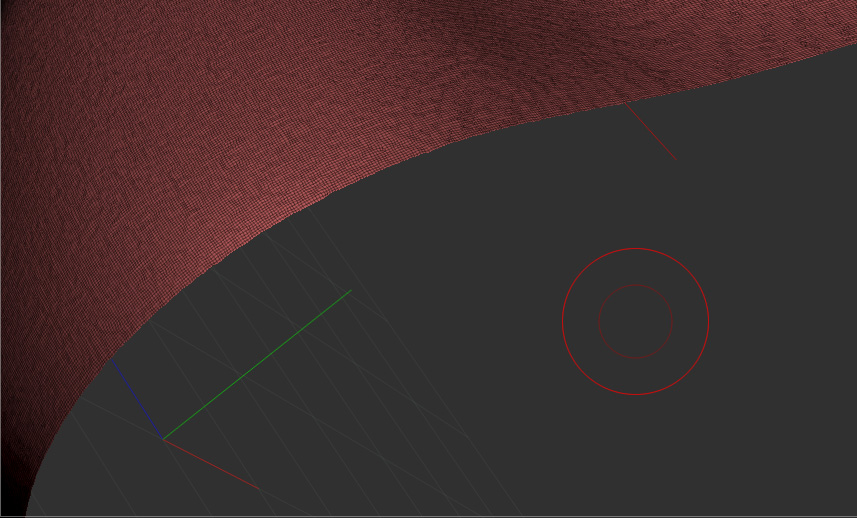
It worked fine for a while, then I realized much later that half of my model was missing, when the Dynamesh resolution was at 408. Looking closer (as seen at the second screenshot) I see that after a regular complete row of polygons the rest was vanished. Looking back to my autosaved scenes I found out that the model was still OK at Dynamesh resolution 264.
I’d like to know whether I have done something wrong or whether there is a known bug of Zbrush that caused this problem. (or whether the rest of the model is actually not deleted but hidden??)
Thank you for reading.