ZBrushCentral

Woman Head WIP

Hi everyone,
Here’s my first post and I wanted to have your opinion about this in progress work.
Base mesh done in 3dsmax then reshaped in Zbrush.

Thanks

hu…where is the ‘Place this image in your post’ button, can’t find it so i can’t upload any image

please help

a tease eh?:wink:

in the same window where you type your messages below you will see a few buttons…upload image or file, delete image or file, learn more. They are directly above the submit reply button.

Actually, my image was too large but no error message appeared
then after downsizing it, it seems to work.

Anyway thanks Animnuts here’s the image[WomWip01.jpg]

That’s a good looking mesh so far!

do you have pics of the mesh from max and what ya did in z so far? I know it would help some folks!

I look forward to seeing where ya go with her…a good base for old or young…the world is your oyster here.

Thanks for the reply
Well, for now I used Zbrush to quickly change the proportion of this head
because it’s really faster than tweaking vertices with softselection in Max
Still need some tweaking here and there (maybe the chin is too big, for example )
I also need to go back to Max to remove ngons & triangles and after that I’ll work on finer details such as subtle wrinkles, skin pores etc… and of course not forget to break the symmetry

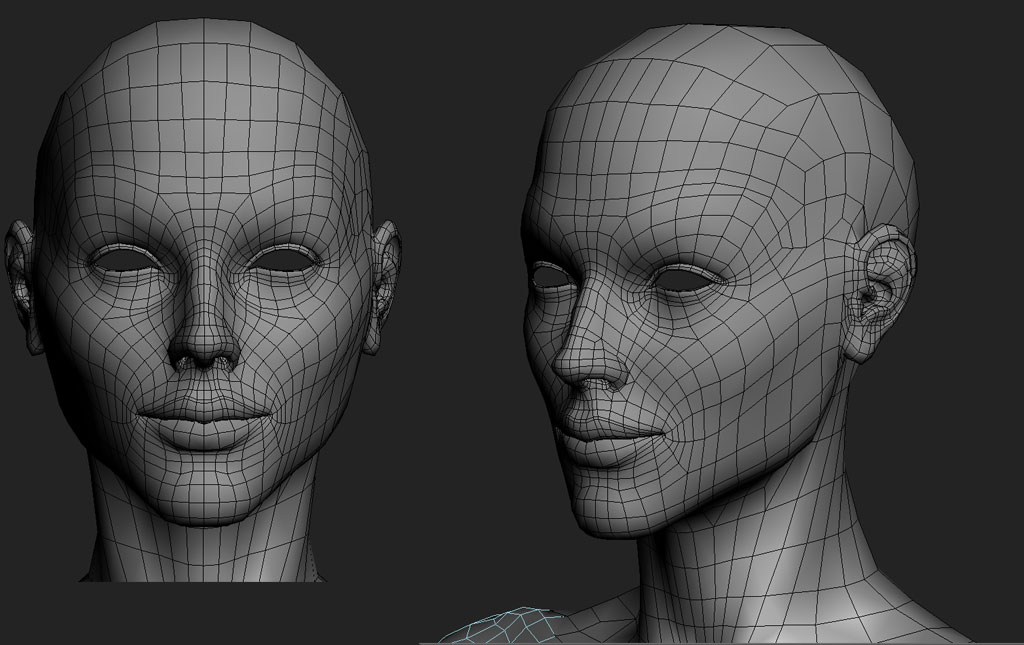
here are the wires… you can see what was wrong and needed to be changed;)
[WomWipWire.jpg]

hi again,

you have some interesting loops around the eye and leading to the corner of the mouth which makes me curious as to the start of the model…cubes?, sphere? It’s something I always am curious about…how folks start some do this some that…and it always amazes me at how they arrive at some cool model from such simple beginnings. I learn alot from it.

WOW. That IS a nice model!. I fully agree with aminuts. My head-modeling-phobia is slowly degressing after watching all the nice tutorials and generously shared information.

Quick question… are you on a poly budget or what is the reasoning to keep the top and back of the head low poly compared to the rest. Will hair, hat, or helmet ‘disguise’ the lack of smootheness?. It’s the first head mesh where I notice it and looking at it it makes a lot of sense to me but I have to ‘guess’ why you chose that geometry.

Thanks for sharing!
LemonNado

Thanks,
Yes indeed , the simplicity is the key to get a nice working realistic head.
the rule is pretty the same for any kind of head (man, woman, older younger…) that kind of topology is also optimized for facial animation, it follows the muscle structure of a human face: concentric around the mouth and the eye.
Personnaly, I prefer a lot more to begin with a sphere primitive (around 12 segments) with the pole oriented along the axis of the ears.Then I cut in the edge loops for the eyes and the mouth and start building the overall morphology trying to keep the mesh lighter as possible.
Then I add edgeloops where I need it most, around the mouth for example because it’s the most deforming part of the face.
Concerning the top and back of the head, yes, it’s useless to add more detail in my case because I want her to be hairy. so those parts will be covered.
Normally I also hunt every single triangles ans ngons when I deal with organic modelling, but sometimes like here to avoid adding edges I let some of them.
Hope it helped;)

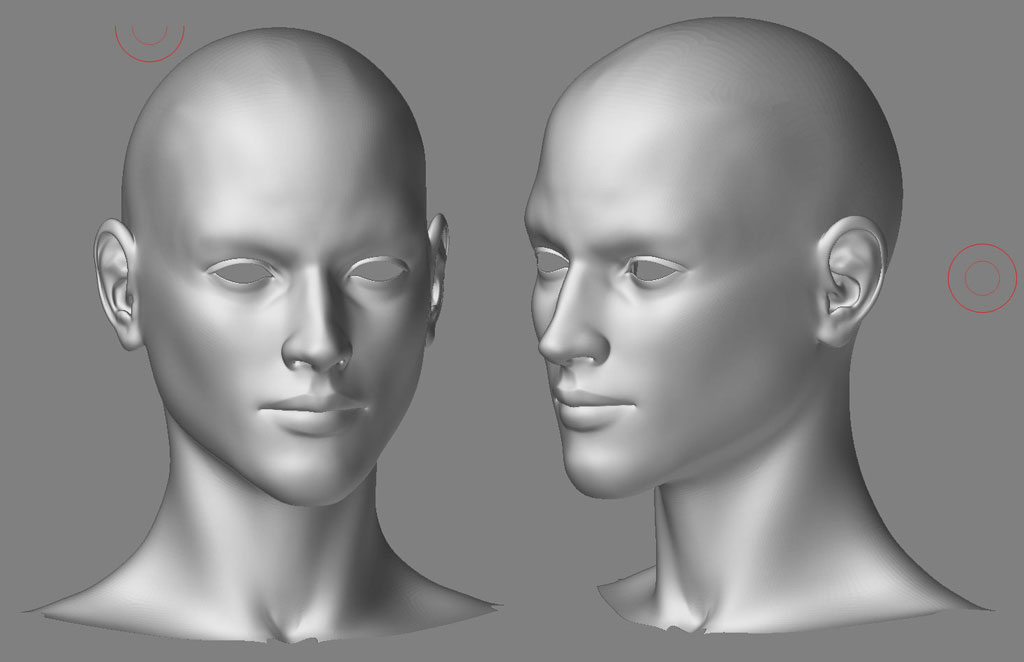
Nice modelling. One thing that bothers me though. The upper part of the ear seems to be a bit out of proportion… its more noticable in the first picture posted, on the face to the right.