ZBrushCentral

Wierd UI Glitch

for some reason when i’m working on zbrush, after going to another window, and resuming back to zbrush’s window, it begins to…double it’s display? like whenever i hover my mouse over a part of the UI, it’ll preview the actual window’s display location. Notice how on the right the Brush stroke (dots) is normal, but me mousing over the brush type made it have a UI glitch and display the actual location of the brush type UI a bit to the upper right of the original…anyone know how to fix this? could it be my screen resolution is too large?

Attachments
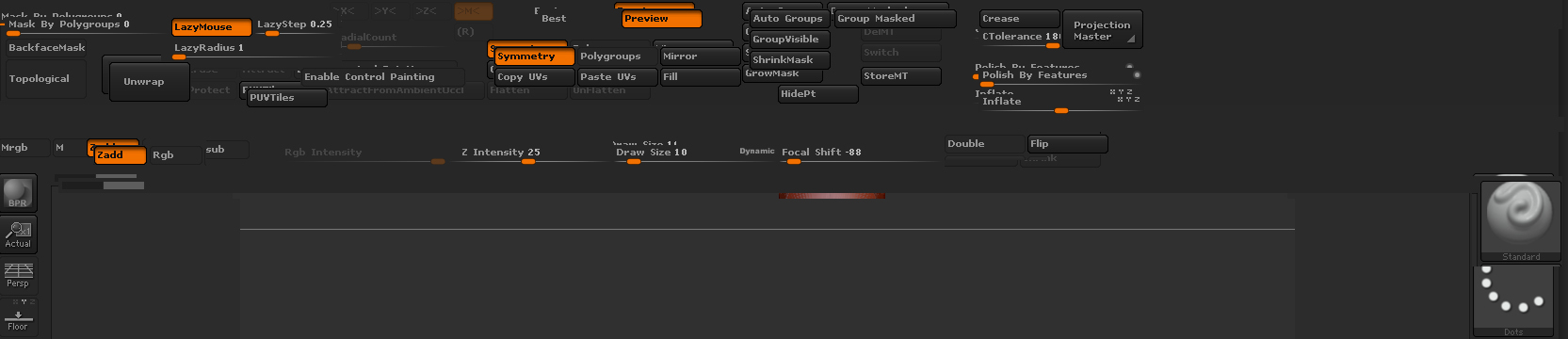
zbrushissue.jpg

it’s not your screen resolution.
Does this happen on the default UI, or just your custom?
OS? System specs?

It happens on the default UI also. After saving a Ztool, it glitched the UI so i had to continuously switch between windows to eventually have the glitch not happen.

I’m running a Windows 7 Home Premium 64-Bit

8GB Ram

Intel Core i5 (4 CPUs)

Nvidia GeForce GTX 770

Hmm…all sounds good to me then.

I would deactivate and uninstall Zbrush, Restart, and reinstall Zbrush to see if that fixes it.

If that doesn’t do it, I am clean out of ideas, so I would put in a support ticket if I were you.

I’ve seen something like that which I attributed to refresh rate(guessing at that). Maybe video card drivers? Similar computer here but 550TI graphics card.