Hi, can anyone tell me why this “stretching” is keep happening when im painting my hardsurface models?[attach=182420]l46vu.jpg[/attach]
http://piclair.com/data/l46vu.jpg

Attachments
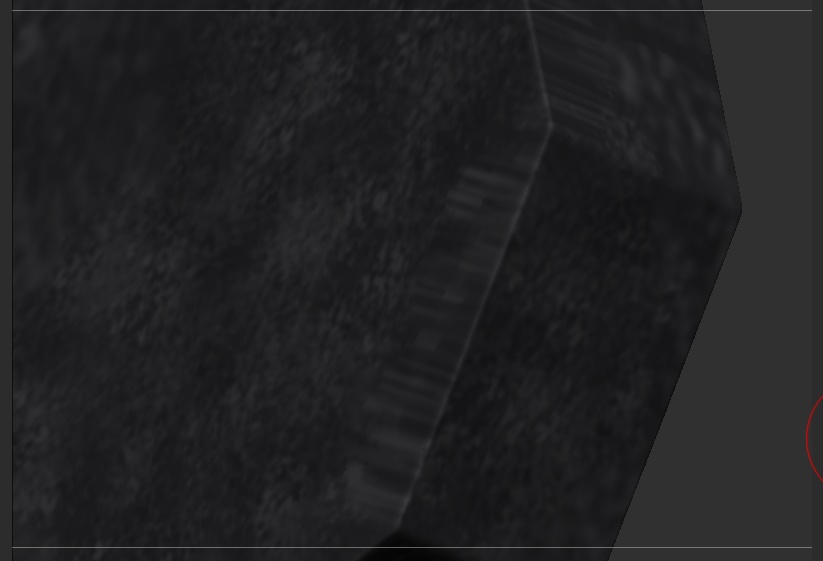
Hi, can anyone tell me why this “stretching” is keep happening when im painting my hardsurface models?[attach=182420]l46vu.jpg[/attach]
http://piclair.com/data/l46vu.jpg
Press shift + F to check and see if your topology is stretched right there. Perhaps you have a long poly face that isn’t very squared, which will affect the polypaint as well.
The topology is fine, its happening when im painting with the color spray tool…when im painting on the small part it is stretching out to the big part whenever im getting near the edge.
Anyone?, I really need this to work.
It’s probably dependent on the angle the tool is at in relation to your view, as I run into the same issue with geometry when using a Wacom tablet to sculpt - if you go around an edge, you’ll get some strange things to happen. I’d suggest masking off that area where the stretched polypaint is occuring, and then retouching it from a different angle after you get the side painted.
it’s the fall off on the brush. every brush will do this when you hit a major glancing angle/normal. If you want to avoid this you’ll need to hide the geo that you don’t want to get affected and everything should be fine. If there is a need to have the texture flow along this edge you’ll just have to take care to make sure you’re using a small brush and not hitting a major glancing angle…I try to keep it under a 45 degree one myself.