 Help please. The rest of the body is hidden and I need more detainl in the face. I go to lowest subdivision and divide. When I then go to a higher res to look at the face it is all crinkley!
LOWRES:
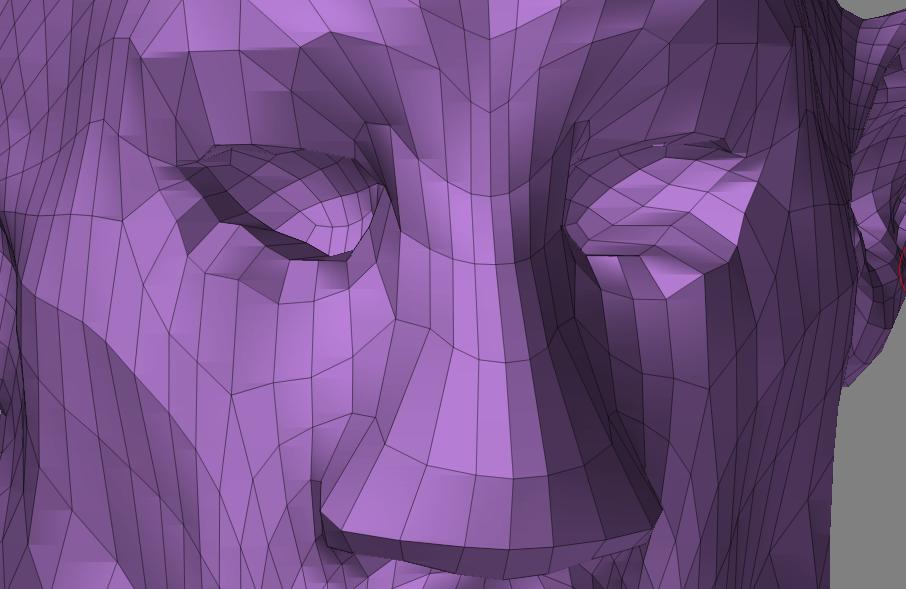
Attachments
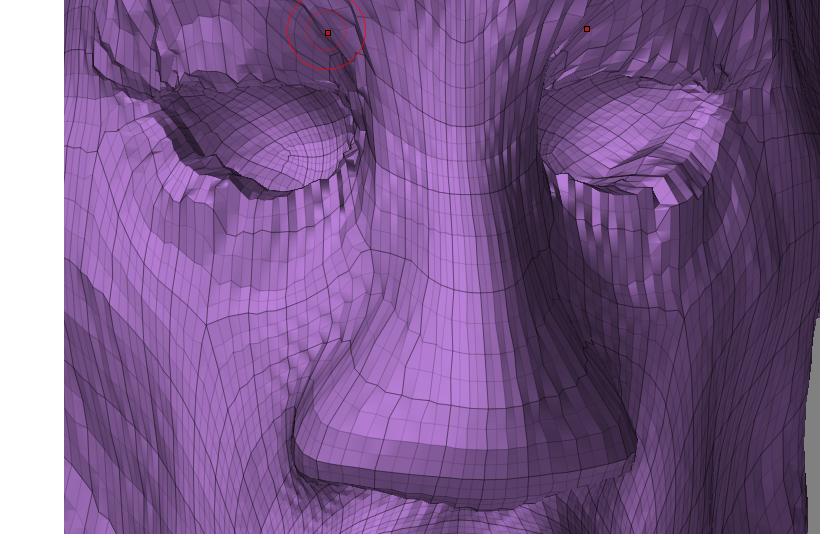
Help please. The rest of the body is hidden and I need more detainl in the face. I go to lowest subdivision and divide. When I then go to a higher res to look at the face it is all crinkley!
LOWRES:
When you sculpt a high resolution mesh, it relates to all other subdivision levels of your mesh. When you partially subdivide your low resolution mesh, two things are happening: 1) the number of points is changing dramatically, and 2) triangles are being introduced (which smooth differently from quads). Both of these effects interfere with edits that you’ve made to the high resolution mesh.
It’s best to make partial mesh subdivisions before you subdivide the mesh rather than after. And especially before you start sculpting.
I think I got it… Thanks!!
Hello all.
Hey Aurick, I did a search so I got this a bit late but I am interested in what you mean by a “partial mesh subdivide”. Could you elaborate please? I’m going through a few of these same issues and like to get it resolved.
Thanks.
In this case he meant subdividing a portion of the mesh when the rest was hidden.
I see.:idea: Thanks. I’m a newbie at Zbrush and wasn’t aware that you could do that.