ZBrushCentral

Who can help me with Complex Question?

I have a model with multiple parts a face, a body and limbs.

Each of the parts has its own set of UVs and maps. I need the entire model as one single sub tool with all of its textures and maps baked into it flawlessly. The problem I’m having is this:

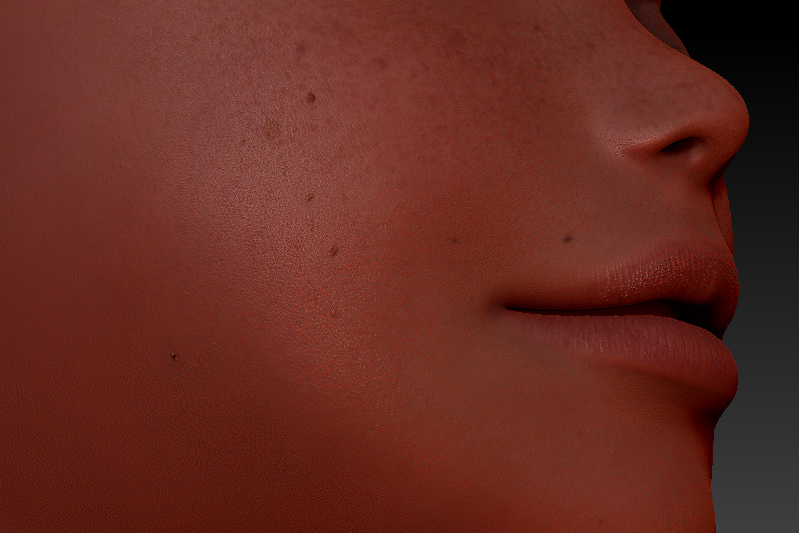
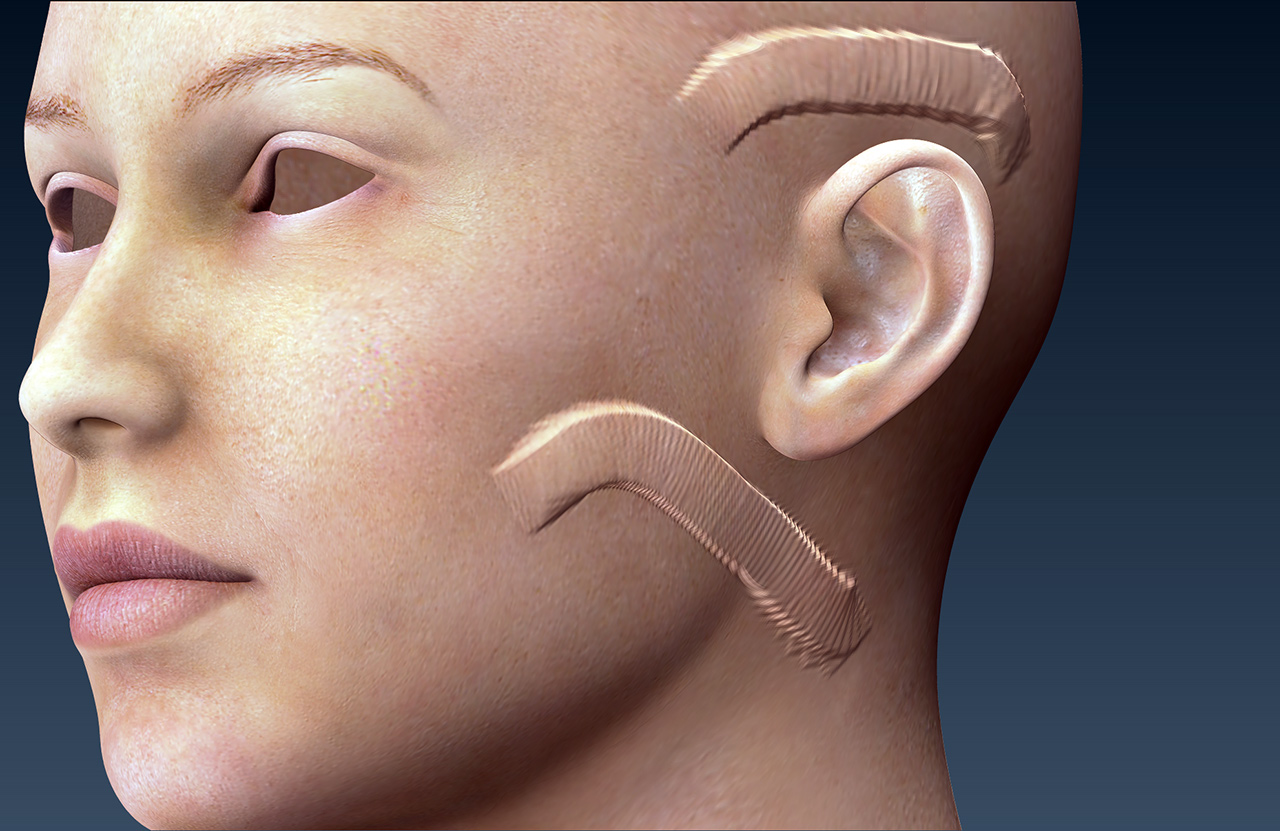
Before I can merge the parts into one sub tool I need to apply the textures and alphas to the sub tools individually, remember they all have their own maps so in order to get every model part looking like this:

I need to raise their poly counts to somewhere around 9 million each so they can retain the details on them. Zbrush does not like merging 9 million + poly sub tools into one another so I can’t simply detail them and put them together.

I don’t know how to go about solving this. I know how to apply the texture as poly paint and the alpha to the surface of my model but I don’t know how I can merge my model together with all the applied textures and alphas since my Zbrush will explode. Also since Zbrush doesn’t support more than one texture on a single sub tool I’m at a huge loss as I’m unable to simply apply each map to the single sub tool and again, even if I could, the model wouldn’t be able to be 50 million polys.

I apologize since this is very complex and hard to word. My last thread had people confused on what I was trying to do. Any way anyone can help would be greatly appreciated.

Attachments

13856486084_ae0d22b535.jpg

13905294903_bb189363ba_o.jpg

Hold on, I think I’ve got a video…

A video?

You don’t say why you need to merge the subtools. Are you using the merged mesh in another program? That sort of background information may be useful in deciding the best way forward. It’s not clear what you are trying to achieve, either in ZBrush or elsewhere.

I’m making a character. It all needs to be one piece so I can sculpt on it in its entirety. I can more easily sculpt on the character if it’s all one piece. If it’s not one piece I’ll be sculpting on the edges of each sub tool.

OK, but are you staying in ZBrush or is the character for use in another program? What sort of sculpting are you doing - is it only very high resolution detail like pores and so on or are you changing the overall shape and proportions of the model? Answers to these questions will help to determine what are the best steps for you to take. For example, if you are changing the overall shape of your model then that is best done at a low resolution. You can probably use Transpose Master to help you with that.

I’m staying in Zbrush for now. I later want to export it for 3DS Max where it can be rigged. This character is a base mesh for what I need created. This mesh is what I want specifically for the girl I’m designing. I want all the pores and details to be on the character I’m making. I will be changing the model to look more realistic and more relevant to my art style, so in a way I will be changing the silhouette of the character but not entirely.

A good way to describe this would be to picture the model as a base mesh for creating morph targets. Although the shape of the model is changing, the pores and details will be the same on the surface sort of like a UV - which I eventually want to do is UV it. Basically I want to keep all the details and pores.

Picture this. I have a character I imported with textures. I want that character to have better topology and I want all the maps included with it. I want to fix the topology of the character as well as make my own adjustments, then export the new version out of Zbrush perfectly with the same level of detail as it started out with, only with better topology and changes to its shape. I hope this helps

Why are you editing out the names of the Daz3d texture maps from you screen captures?

Because I don’t want me people knowing the exact things I’m editing.

So you turn to a community of 3d artists to get a walk-through on how to rip-off other 3d artists’ work?

Thanks, that’s useful. Here are a few points:

  • The model will already have UVs as it has texture maps. If you change the topology you will need new UVs and the old maps won’t work any more.
  • You can transfer details and polypaint from one mesh to another but they need to be quite close in shape for this to work well.
  • If you eventually want to rig and animate the model in another program then you need to plan your work accordingly. For example, you might need a single mesh rather than one split into separate parts. That will affect how you do things in ZBrush, and what is possible.
  • If you are using someone else’s mesh and texture maps then you will need their permission if you wish to combine their work into your own.

What you are trying to achieve is very complex and wouldn’t be certain of success. It would be much easier for you to start from scratch building your own model, creating the high resolution detail and polypainting from photo reference or whatever.

9 million each ?!?

You shouldn’t need more than 1-2 million per subtool.

This is head + torso 1.3 million total:

Think of it as using the premade meshes in Zbrush, it’s the same concept. Even professionals never start from scratch. Everything out of DAZ Studio is Royalty free and most of the DAZ Content is made in Zbrush. Sure what I’m trying to do is more work than actually making a model from scratch but that’s the fun in it! I am successfully able to transfer the details to the individual parts but I’m not able to do then assemble all the parts together in a high-res enough mesh. The face I posted is 8 million polys. Each of those pores requires such a high poly count. That picture I posted has been perfectly zremeshed and I transferred the details over to it perfectly. Iv’e done so with every part. I’m just having an issue putting them all together since a single subtool would require too high a poly count. Really, ideally I’d be able to transfer over the UVs if that were possible I’d be able to just apply the maps to my remeshed version and merge the parts without needing a super high poly count.

Also, yes, the model needs 9 million to transfer over the displacement maps. Any less and I won’t have such a detailed crisp face like the one in the picture I posted.

Needed vs. Wanted…Maybe your workflow needs a bit more analysis. You do need a certain amount of points to represent a model but at this stage you should prioritize where, what, when and how. Results are what really matter.

I might disagree with you on that. Suppose this is my way of learning it. It’s all of the little menus, tips and tricks that I learn that prove to be the most valuable to me in the long run. It’s not through starting from scratch that I find to be the most beneficial to my cause. Professionals work under time constraints and even they don’t make everything they work with. Heck, Zbrush comes with premade characters and base meshes for use. It is a very elitist attitude that people have stating that all content needs to be produced from the ground up. At the end of the day, if I’m enjoying what I’m doing what else matters? I’m certainly not walking over anyone using the content that was designed for the exact purpose that I use it for.

Anyways. Is there a way to transfer UVs?

Daz studio models are royalty free for use in still renders and animations. An additional license needs to be purchased for use in video games. Your collective threads suggest that is your end goal. That you scribble out the names of the Daz3d textures you are using suggests that you know you are doing something wrong.

I don’t plan on putting this in a game… what kind of information have I given to suggest that as my end goal? All the images provided depicting mechanical parts were displayed for example purposes for what I’m attempting to accomplish for my current character and my questions regarding separate material IDs. I blocked out the DAZ names because people do nothing but frown about DAZ users. You think you got me all figured out huh, Joe?

To be completely honest, I don’t know exactly what this character is going to be. I’m just messing around in Zbrush, learning the program and bouncing around to different projects.

Anyways, do you know how I can convert polypaint and displacement maps as UVs?

This page shows how to transfer high res detail to a mesh with new topology. The technique will also work with polypaint (make sure Draw>RGB is on).

http://docs.pixologic.com/user-guide/3d-modeling/topology/zremesher/transferring-detail/

Having transferred the detail and polypaint you can create new UVs at the lowest subdivision level. Then you’ll be able to generate the maps you want for the new mesh and UVs.

Actually, I need to make UVs out of my current mesh. How do I do so?

See here (UV Master is probably the way for you to go):
http://docs.pixologic.com/user-guide/3d-modeling/exporting-your-model/uv-mapping/
http://docs.pixologic.com/user-guide/zbrush-plugins/uv-master/