ZBrushCentral

What just happened!? Stumped with a weird transparency issue.

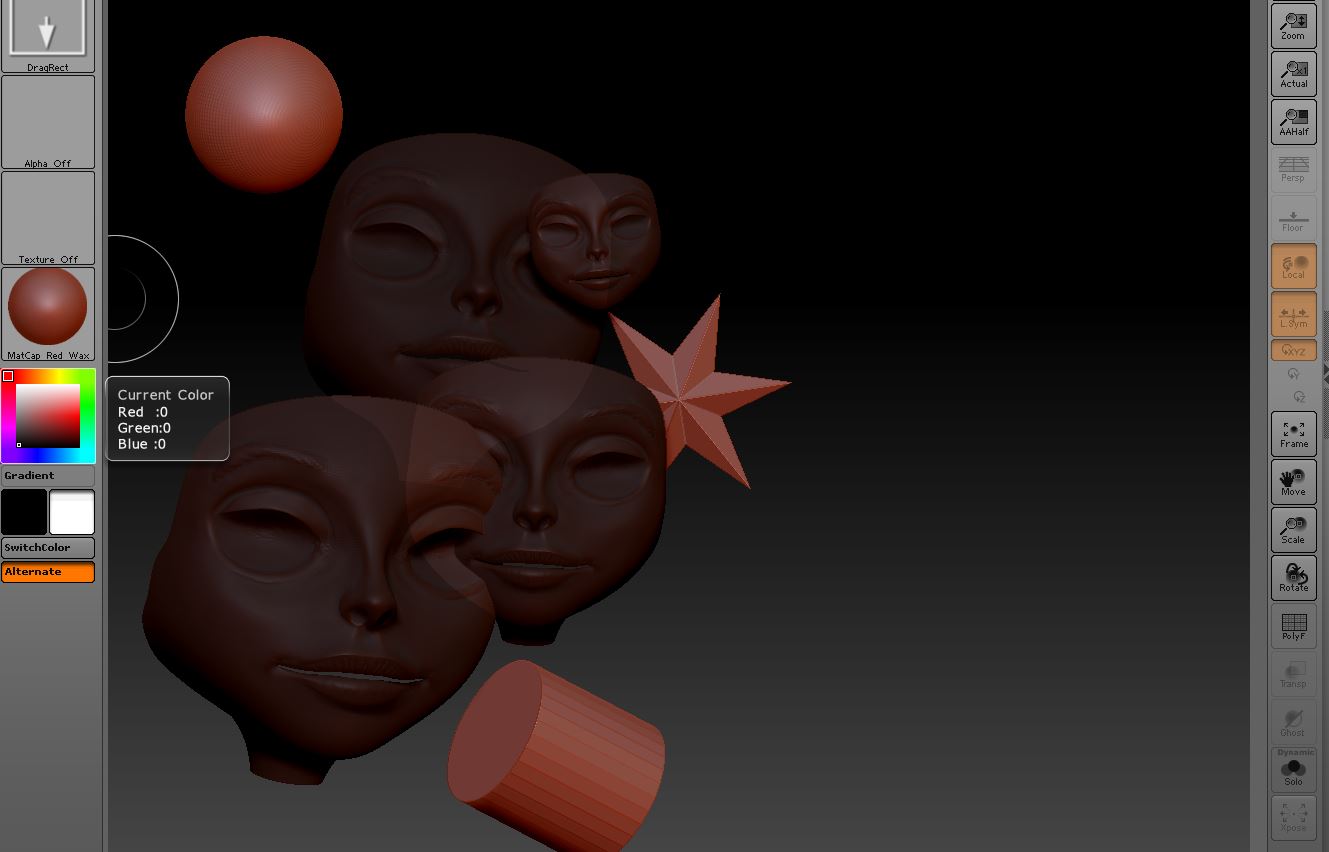
Not sure what I did to cause this.
Everything in this image has the same material applied. For some reason the face tool is about 50% transparent. Neither the Tranp. button nor the Ghost button is active. Not sure if I hit a hotkey I’m not familiar with or what I did but I’m stumped.
Anyone ever seen this?

Thanks!

Attachments
TransIssue.JPG

Ctrl+n to clear the canvas. Draw out 1 new instance and hit T for edit mode. I think you have masking applied.

Thanks Doug. I can tell you it’s not a mask issue, that was one of the first things I though too. The tool is completely editable it’s just semi-transparent.

Did you try to fill it with the flat color material? If it’s a subtool and you have transparency on. Also in Material :small_orange_diamond: modifiers:small_orange_diamond:transparency, settings. I can’t see enough of your settings to tell for sure. :wink:

Drop out of edit mode, clear the canvas, and make sure the RGB intensity is set to 100 before drawing the tool back onto it.

That was it Cyrid! Thanks for the help.