I have no idea what is causing this but here are some screens. I am retopologizing the eye brows of my character and for some reason when I preview the adaptive skin even at a low resolution it has weird “chain” type holes. I have tried going over the spots with holes by shift clicking one intersection and connecting to another in different directions but I continue to get the same type of results. I have added in another loop in the middle and it causes holes as well. Help would be greatly appreciated.
[[attach=126135]Rig.jpg[/attach]]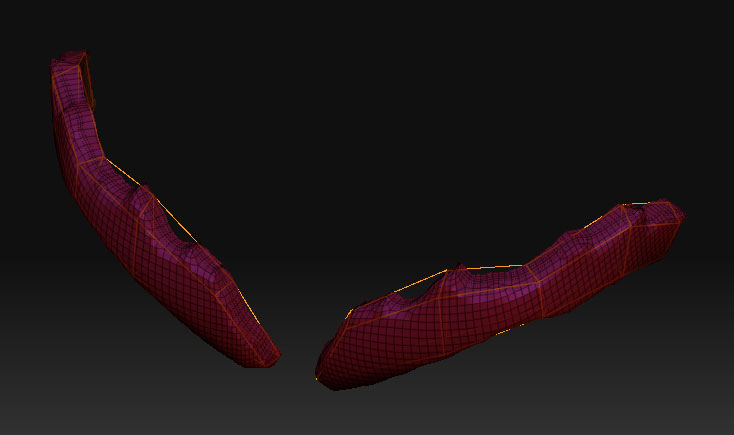
[[attach=126136]Adaptive.jpg[/attach]]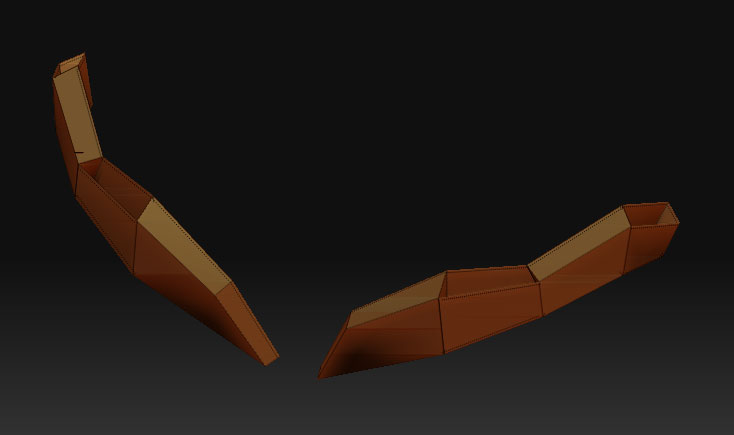
[[attach=126137]Adaptive_subD.jpg[/attach]]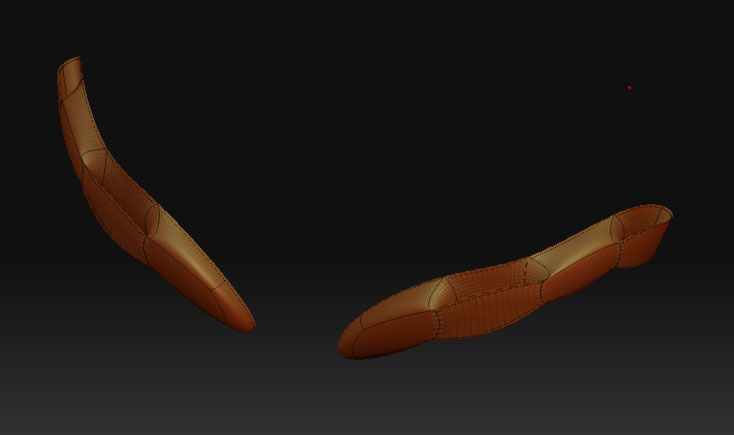
[[attach=126139]Comp.jpg[/attach]]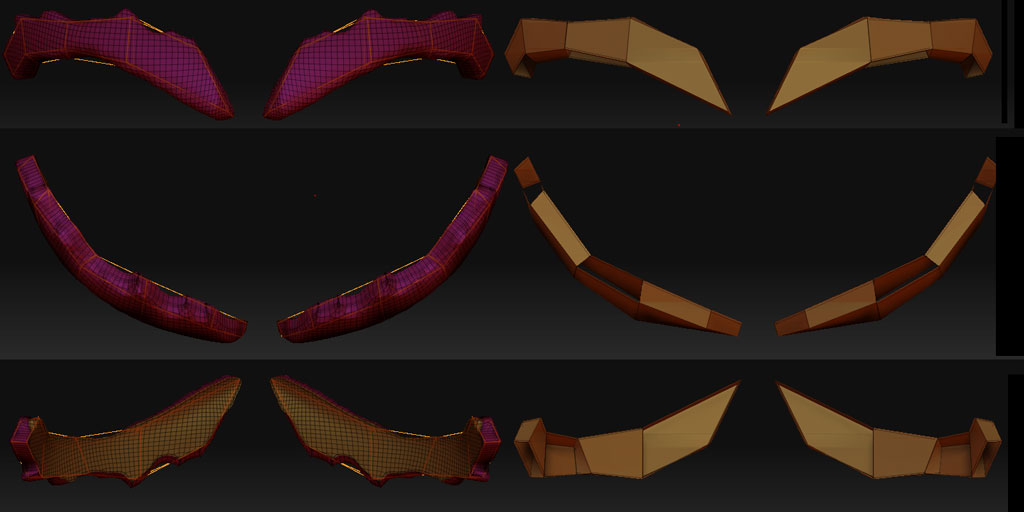
P.S. I made sure projection was turned off
Adaptive mesh building can’t handle 4-sided. It can’t tell inside from out.
You have to go up to six sided for it to work properly (five-sided?)
Wrong forum BTW 
G.
Sorry about the incorrect placement, but what do you mean 5 or 6 sided? i thought that causes BAD geometry and pinching? Is there a work around for this?
I found out something interesting, This is caused by the order you draw your quads. I made the same exact cage in a different order and it worked perfect. What I did was somewhat planned but I dont know the exact cause of the issue. I drew the rings before connecting them, opposed to creating square by square.
In my conclution, the order of your retopologized cage DOES matter and can produce different results.
If anyone can point me to a previous thread or something that explains this in detail I would appreciate it. Thanks all!
Sorry. I meant greater than 4 sides in cross section (think hexagonal pipe
constructed from quads)
The issue crops up in the topology lab thread somewhere.
http://www.zbrushcentral.com/zbc/showthread.php?t=44876
G.
A rather rushed demonstration…
Attachments
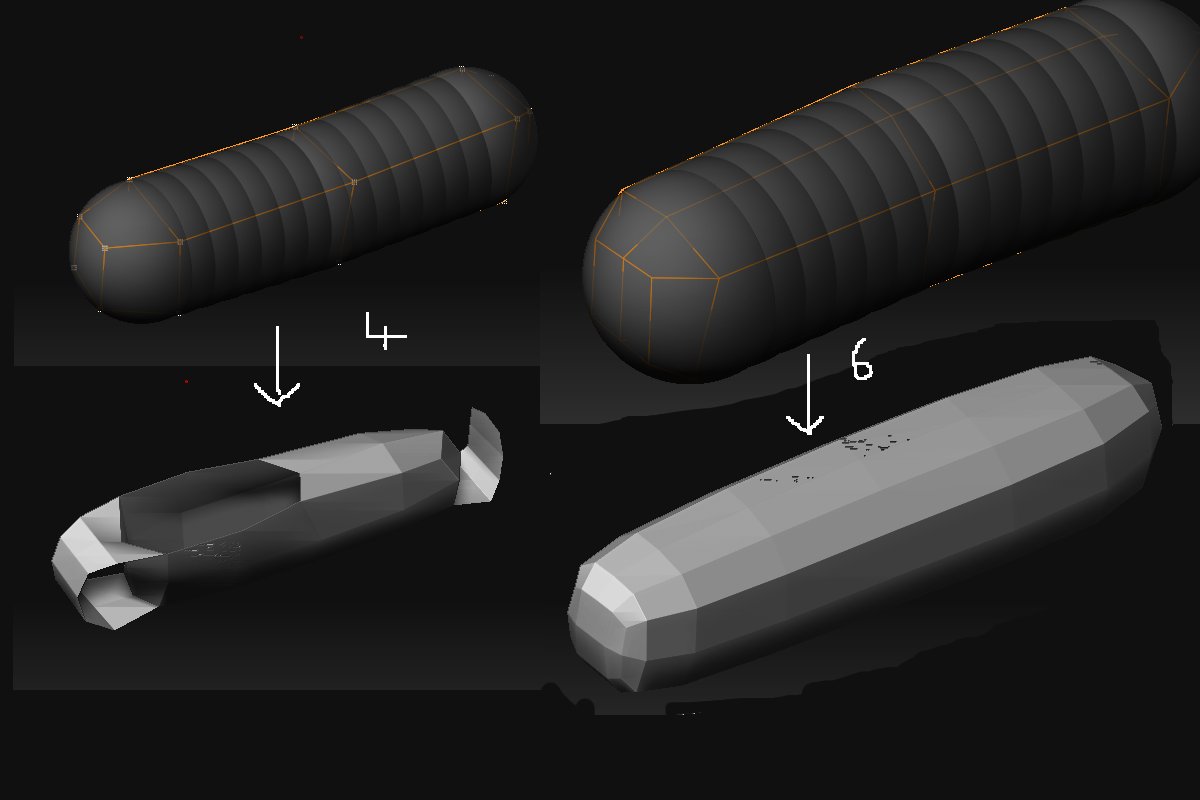
show how does more sides make a better mesh? Im not sure what you mean exactly sorry for the thick head. Maybe go a little more in detail on order of creation or what causes that. Thanks for your help so far. It makes sense I just dont know what to take from the image.
I think what Grey is getting at here is that to make tubes (or anything tube-shaped, like a leg) the tube has to have more than four sides, preferably at least six. By having a more gradual exterior surface (that is, fewer sharp corners) the adaptive skin algorithm which produces the geometry won’t get confused and flip parts inside-out.
Essentially, by adding more sides to a tube, you’re giving the part of Zbrush a better “clue” as to what is the outside and what is the inside of your wireframe cage.
HTH,
-K
Thank you for the information. I somehow managed to make the shape with the same number of points as the first attempt but in another order. It was a trial and error process for now untill i understand it