ZBrushCentral

Weird seems along polygon edges.

Edges from my base mesh are showing up on the normal map that I generate with Zmapper. They appear as creases across the surface. Iv attached an image showing them. I also used XNormal to generate a normal map and had the same problem so I’m guessing its something to do with the model.

Im using Zbrush 3. Any help would be appreciated. Thanks

Attachments
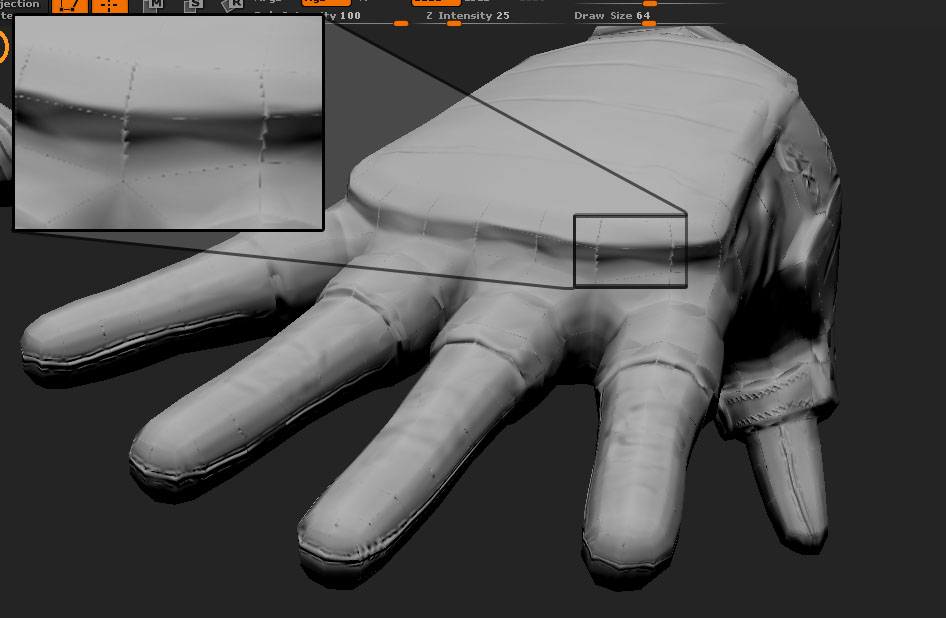
zbrushProb.jpg

what type of UV unwrapping are you using? It appears to be either AUV tiling, either that or your UVs are broken at each edge and are not welded anymore. A tangent space normal map works best with as few seams as possible.

What application are you using to unwrap and render the normals in? Just zmapper and xnormal? or are you using another application to render the final product?

Also, if you can post up an image of your UVs that will help to determine the problem.

Also, in Zmapper what configuration or settings are you using to generate your normals? Same goes for xNormal.

i think i got the same problem… been messing around with it for 4-5 months…
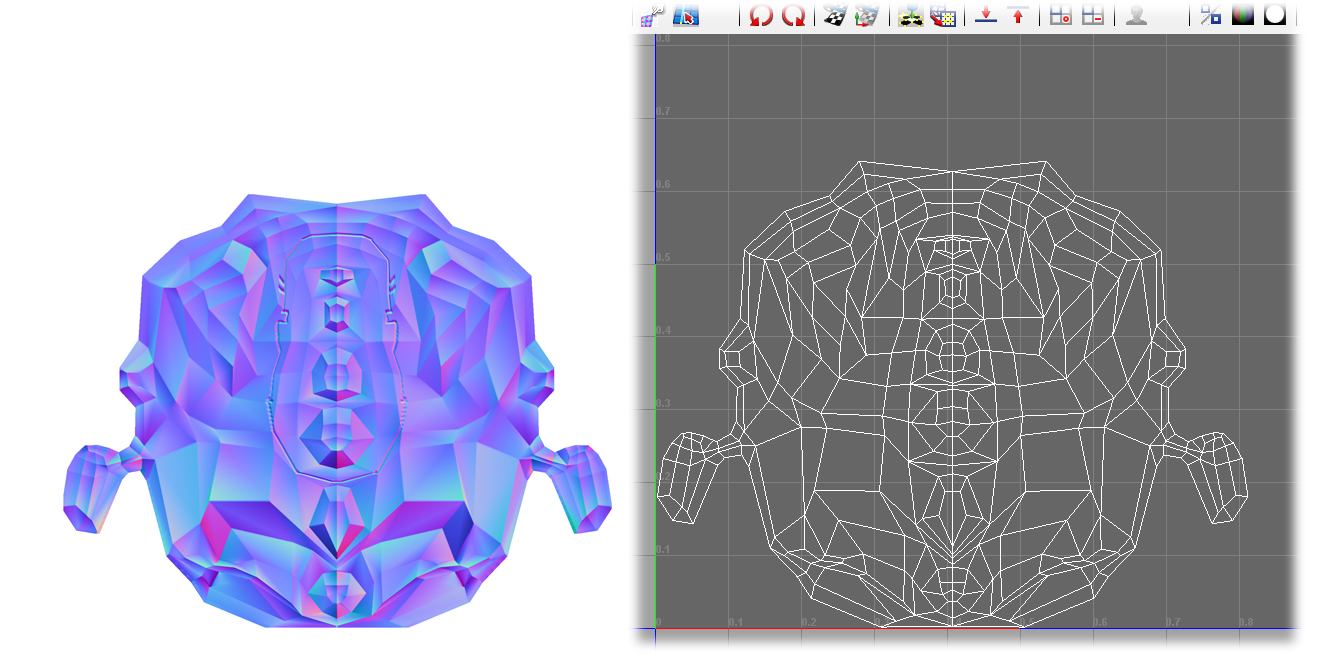
but, here is my uv and normal map.
i simply have no idea why it’s “baking” my base mesh.
would be great if anyone had the answer.

btw. if it’s not the same problem you got #0, plz say it, and i will leave your thread alone :wink:

Attachments

normal fuck up.jpg

sorry for not replying sooner.

i took a closer look at my normal map and UVS and for some reason it seems my normals had screwed up. Almost like they had each rotated, or just been jumbled, either way I re-did the UVS in roadkill and it worked like a charm.

MFconcepts I would say check your UVS to but they look fine. Im not too familiar with the settings in Zmapper.