ZBrushCentral

Weird scale issues!

Hi, I’ve posted this question before, but I’d thought I’d try again to see if I can get anyones idea’s on what I’ve done wrong, and how I can fix this problem:

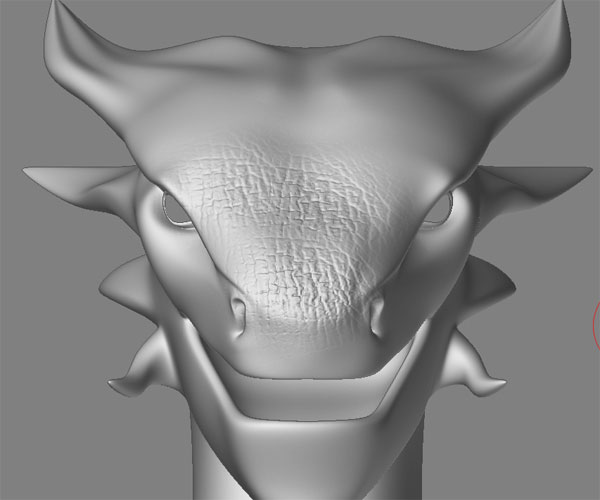
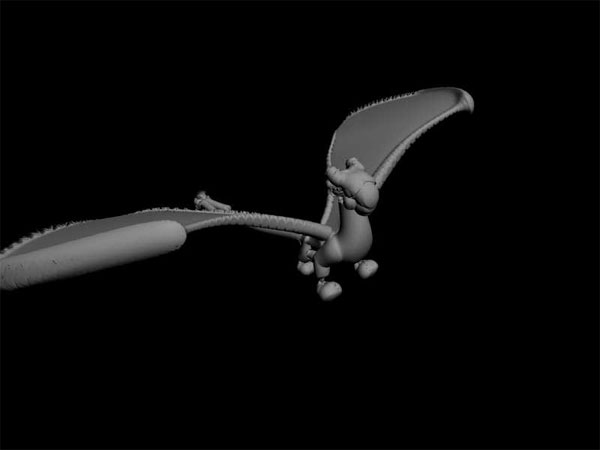
I have this mesh:

BaseMeshWire.jpg

6: multiple DE options
8: multiple OBJ export options both in Max and Maya

The really strange thing is that when I delete the wings and just import the body as an OBJ into ZB the scale is fine.

So why, oh why do the wings cause this scaling issue I’m having???

PLEASE , PLEASE can someone HHHHEEEELLLLPPPP me out with this one. I will send the file if some one is willing to take the time to have a look at it and tell me what is wrong with it or what I’m doing wrong. Unfortunately my mouse and keyboard are not shock proof, and I’m scared that I might move on to more expensive hardware to throw out the window, at extreme moments of frustration:roll_eyes:

Sorry for the long post but I thought I need to be precise in the steps I have taken so you know where I’m at.

TIA,

Scratchy.

Attachments

ZB_Scale.jpg

Box.jpg

displace.jpg

Here is one work around I’ve come up with, but it still doesn’t answer why the original mesh doesn’t work. And it is not really the way I wanted to go with this mesh.

I’ve made the body, and each wing seperate objects. When they are imported into ZB to work on seperately, the scale is perfect.

This really has me baffled.

Any idea’s? Anyone willing to help out a fellow ZB’er?

TIA,

Scratchy

Here is the whole mesh .max file if anyone can help out and take a look. Thanks for your time.

Attachments

Dragon_01.zip (97.4 KB)

OK so I’m speaking to myself again;)

Can no one help me out with this?

Scratchy.

Now this is really weird!

Here is a test I’ve done with a very basic Max mesh with similar proportions to the one above. I am getting the same results with the scaling. I have also made the same simple mesh in Maya and get the the same results.

Is this a known issue?

TIA,

Scratchy.

Attachments

Test_01.zip (2.87 KB)

Hi.
I am interested but dont know where there is a problem with your mesh.
According the second screenshot in the thread you have painted some deformations on the mesh (right?) For me this looks fine.
:question:small_orange_diamond:question:
greez
kel
.

Thanks for helping out, it’s appreciated.

In the second shot you can see that the brush size is really small 1px, but I’m getting a brush size that is more like 8px. This makes putting any fine detail on the mesh impossible, unless I size it up using the deformation tools. Which works but corrupts the displacement map back in Max.

Strange?

Cheers,

Scratchy.

It sounds like you’re not sizing it back down before creating the map.

Every time you apply Deformation>Size at 100 you later need to undo it with Size -50.

Thanks for the reply aurick, your advice and help are very much appreciated.

Unfortunately I am resizing the mesh -50 per 100+ as per your instructions from the second last time that I posted this call for help.

This still doesn’t explain why this particular mesh imports into ZB out of scale and why the lowpoly test mesh, that is a similar shape, has the same issue? And why when I delete the wings and import the mesh into ZB the scale issue is fixed. If I detact the wings from the body as seperate entities and import the meshs seperately in ZB the scale is fine for all objects.

Here is a shot of a test I just did of what the mesh looks like in ZB (this must be the 300th time I’ve tried this). I’m following your instructions to the letter:

zbresize.jpg

Obviously you can see that this is not working with this mesh? And it doesn’t work with the basic test mesh I made up.

I have tried using GUV and Max Unwrap, with no improvement in either case (this mesh is GUV).

I’ve made other meshes, using the same steps and settings I use to create my displacement maps ,except I didn’t have a scale issue with any of those and they worked perfectly. So why does this shape (this is the only reason that I can think of, and I have reproduced this problem with similar shaped meshes both with Max and Maya) cause the funky scaling issue?

Thanks again for your help in advance, I would really like to find out what is going on with this.

Scratchy.

Attachments

Bloated.jpg

Update: after a fresh install & authorisation of ZB I still have the same problems with this mesh. I’m thinking now that the problem lies in my install of ZB.

I have created another basic mesh with a similar size and brought that into ZB with no scaling issues? This has got me? Nothing special about the original mesh.

Thanks everyone for their invaluable help. Especially buckie and sampson, you guys ROCK;) .

Cheers,

Scratchy…