ZBrushCentral

Weird pattern on color fill

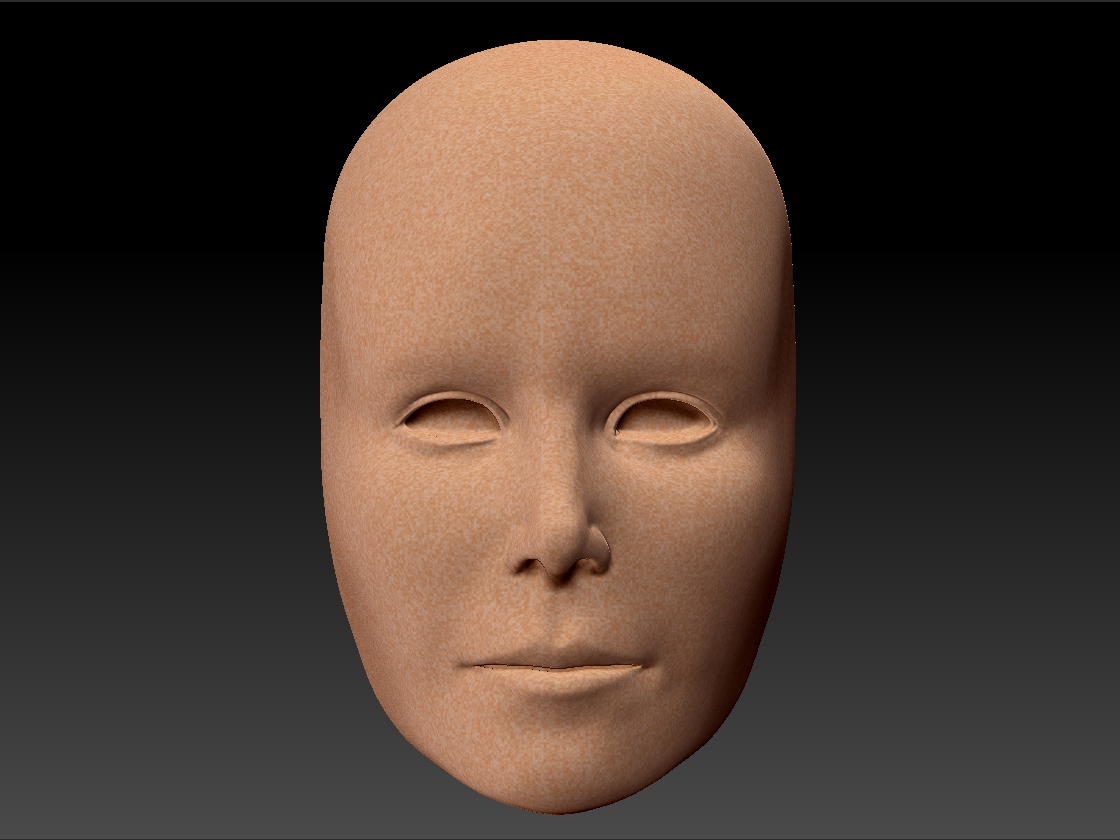
I am trying to fill an object with a flat color, but it is coming in with a weird stippled pattern (see image below). The pattern appears at the same size no matter what division level I am at when I apply it. This hasn’t happened with any other subtools on the model. Any thoughts on what might be causing this?

Attachments
weirdTexture.jpg

are you using layers?
are you on your highest subD level?
do you happen to have different materials applied?

There are no layers, this happens no matter which SubD level I’m on, and it is the same material I have on the rest of the model, MatCap White.

Surface Noise is a likely candidate. Until it is applied its resolution is independent of the geometry/subd level, and I think by default it might have some color blending enabled on the noise.

Yes, Cryrid, Thank you! It was the surface noise. I applied it to the mesh and that solved the problem.