ZBrushCentral

Weird normal map seams

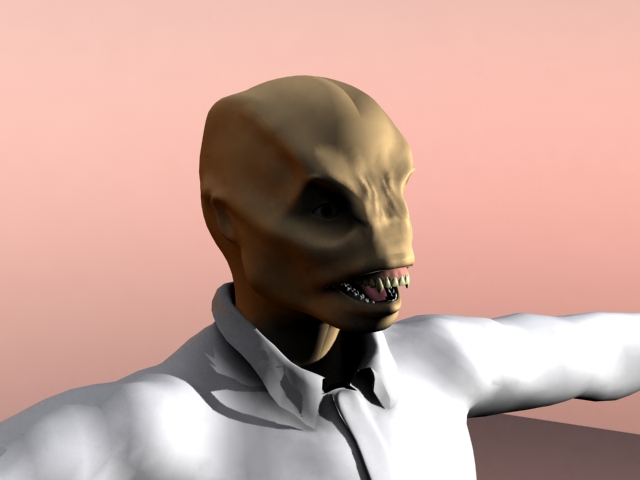
When generating a normal map, then trying to use it in Max 9, if I use the tangent space option I get a really wussy map, while if I use the world space option, I get a nice strong map, but anywhere there are seams in the UV mapping I get really odd and annoying shadows that shouldn’t be there.

Anyone know a solution?

Attachments

NormalMapProblem_tan.jpg

NormalMapProblem_def.jpg

Oh BTW – look up at the top of the head right about where the hairline would be if a Wevil had hair to see the improper shadow I’m talking about.

how are you generating the normal map? Zmapper? what settings are you using?

try to find the “3dsmax8modifiedE” config file and generate your normals using those settings, then apply the normal map. As normal maps are based on your UVs posting up an image of your layout would help as well. From the looks of it there just isn’t a tangent blend at the seam of your UVs.