ZBrushCentral

Weird Double

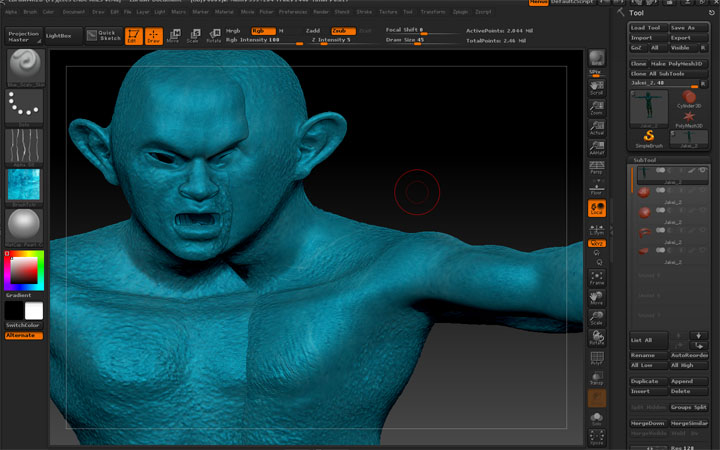
Hi all, I´m just ask here advise on a minor problema I´m running into quite often w/new ZB 4 r2b

When I´m painting with my wacom tablet, it sometimes creates a double of the mesh I´m painting on into the tools palette, and I have to New Document + clickdrag the mesh all over again.

Anyone knows this issue on the wacom?

Attachments
Untitled-2.jpg

It looks to me like you may be inadvertently creating a snapshot of your model onto the canvas. The hot key for that is Shift + S. If that is what is happening you can clear the snapshot with Ctrl + N.

thanks for the fix:+1:

:+1:
great. ctrl+N worked. Still quite annoying bug.

I’m not sure it’s a bug; my left hand is always working the hot keys Ctrl, Shift, Alt along with other keys as I’m watching the screen while my right hand is working on the tablet. So when this happens to me I just assume I inadvertently hit Shift + S. The Snapshot feature is very useful and I use it “on purpose” :wink: quite frequently while sculpting.

It’s a known bug that is already scheduled to be fixed in the next patch.
http://www.zbrushcentral.com/showthread.php?165513-Questions-and-Troubleshooting-for-ZBrush-4R2b&p=925866&viewfull=1#post925866

Glad to know it’s not my left hand operating on it’s own volition.