ZBrushCentral

weird displacement map export

Been trying out zbrush for the first time and came upon some issues while exporting a displacement map with MD2. It seems the contrast of the generated displacement map is way off.

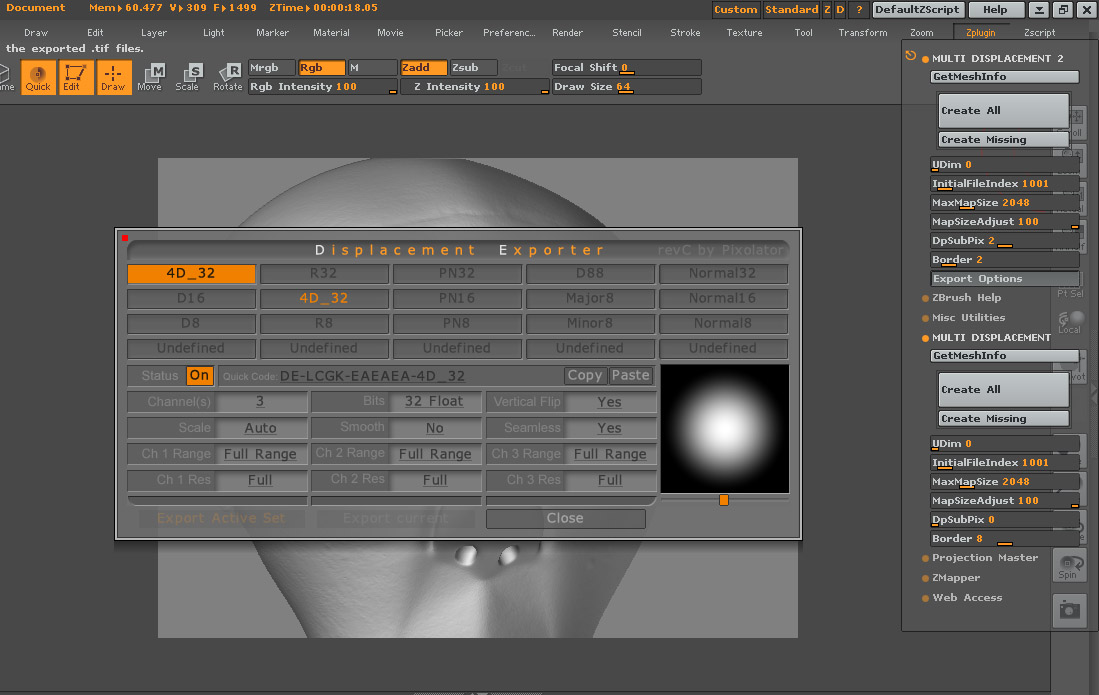
My settings
Zbrush
-model subdivision 6
-32 bit RGB: DE-LCGK-EAEAEA-4D_32 (also tried other supported formats)
-dpsubpix 3
-border 2

I know there are some sharp edges in there which need to be smoothened, but that seems to be the least of my issues.

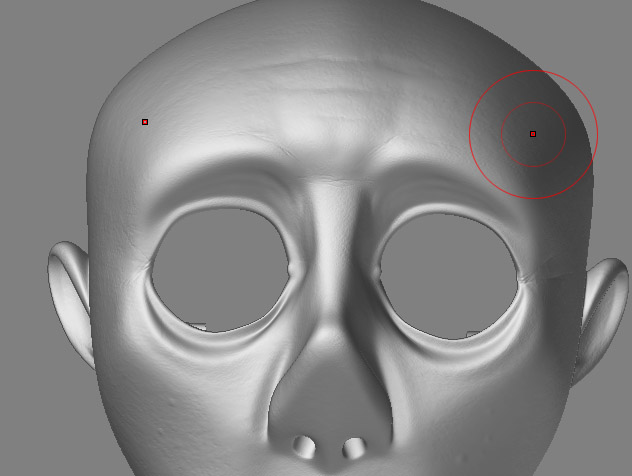
Here is a zbrush preview of the model.

What is causing the weird displacement map export? I haven’t changed any default settings or anything.

Attachments
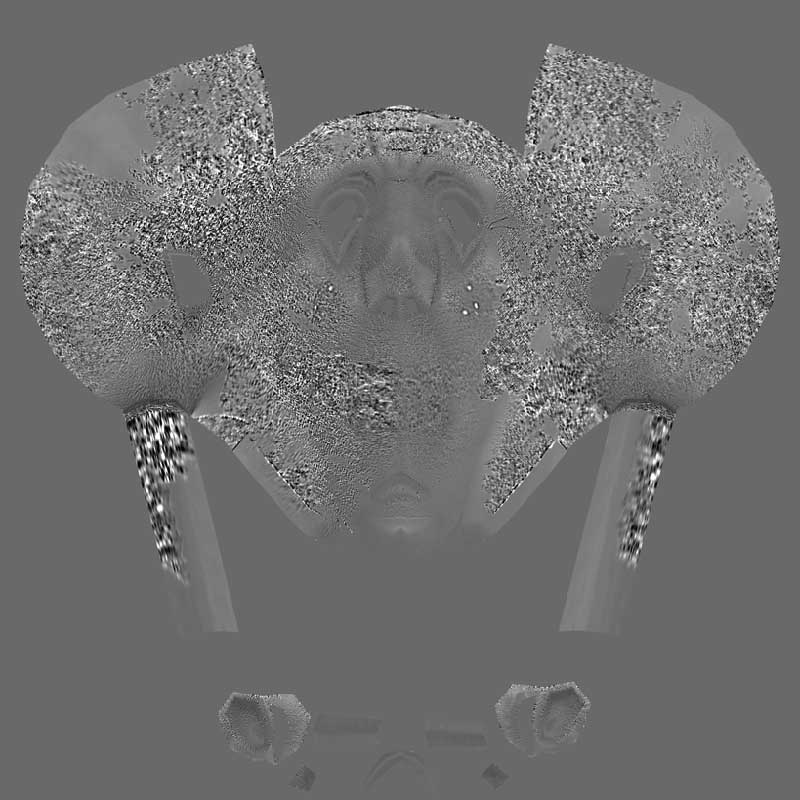
ZTexture01.jpg

zbrush.jpg

can you describe your process for creating the displacement map?

Sure

I Imported a obj with proper uv map.
When I was done modeling at subdivision level 6, I went straight to DM2 and used the following settings while in edit mode (not sure if that matters :wink: ).

None of the lower division levels were deleted (not sure if that matters :wink: )
http://www.zbrushcentral.com/zbc/attachment.php?attachmentid=32151&stc=1

That’s about it…usually finishes within about 6 minutes.

Attachments

export.jpg

your “displacement” map should be generated when your model is at sub d level 1 not 6

I’ll try that. Thanks for the suggestion.

Well, the map looks decent now. One remaining thing is that it doesn’t seem to output the same level of detail as the zbrush model.

Should it render out all details, regardless of the subdivision level?

it is usually somewhat hard to tell just by looking at your displacement map like in photoshop how many details are actually there. Displacement maps are usually fairly faint and you cant really judge it fairly until it is applied back on to your model in whatever app and rendered out

Thanks for the info…I guess several test renders with different strength settings will prove you right :slight_smile:

Another thing to remember about zbrush’s displacement/difference maps is it does make a difference what sub d level you are on.

basically what zbrush does is it looks at your mesh on whatever sub d level it is on and then looks at the highest sub d level you have and then when you create a displacement map/difference map, that’s exactly what it does, it creates a grey scale image of the difference between what ever current sub d level you are on and the highest.

so if you created your map at level 5 and 6 was your highest, that would be a good way of making a bump map that is only really high frequency detail that you would only have on your last level. Thus creating a displacement/difference map between the meshes at level 5 and 6.

Hope that somehow makes sense :lol: