ZBrushCentral

Weird brush behavior comparing to v3.0 (answered)

Brush behavior is changed since version 3.0 and I having hard times adopting :confused:, would appreciate a link to some explanation or tutorial about differences and changes in brushes from 3.0 to 4.0, if such document exists at all.
It feels different thats for sure, but I can’t figure out what exactly and why.

Here is my biggest 2 troubles atm:

In version 3.0 I could select Smooth brush(for example) and change its intensity, now I need to hold Shift to do the same or I will change intensity of standard-mode brush, thats okay
 kind of.
The thing that really bugs me is masking - I need to hold Ctrl and almost every other key I press after that is treated as hotkey. For example I want to disable/enable Lazymouse while masking - Ctrl + L opens some “load
” dialog and I need to toggle Lazymouse via menu.

Another thing that slows me down a lot is masking strength/intensity. I just can’t configure it to have nice 100% masked stroke. No matter what I tried I always end up with opaque stroke and need to make a couple more strokes at the same spot to acquire desired results. Found 2 options - disable Tablet Pressure sensitivity and press really hard which feels uncomfortable(almost as if I trying to engrave my tablet) and my hand tires quickly.

I wasn’t a pro while worked at v3 and now am feeling like a total noob.
Even simple tasks get from creative process to fighting with the tool :rolleyes:

Thanks in advance.
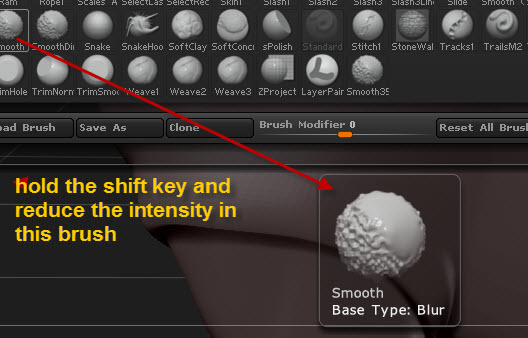
1.-this is a good option for the smooth: Smooth Blur Tool
smooth blur.jpg

Attachments

sharpen mask.jpg

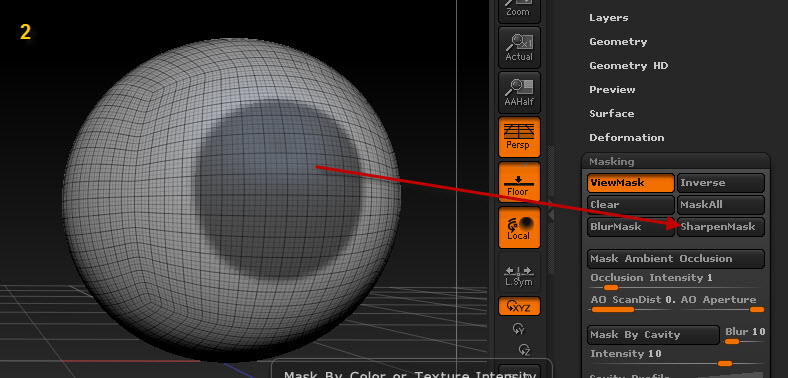
You can also sharpen your mask holding ctl + alt and clicking on the model, (the opposite of softening it by just holdling ctl and clicking on it), so if you brush the mask on with a soft edge can tighten it up.

This macro will toggle the LazyMouse button for the selected masking brush. Put the file in the ZStartup\Macros\Misc folder. If you wish, assign the Ctrl+L hotkey to the “Mask LazyMouse” button in the Macros>Misc submenu. You’ll then be able to select the LazyMouse when masking by pressing ‘L’ just the same as when sculpting.

Thanks for replies. Probably me english confused you, here what I meant
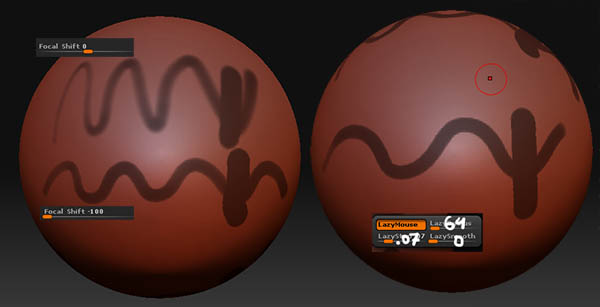
ZBrush v3, I could have nice sharp and opaque line by just lowering FocalShift(vertical line is max pressure)
zbmask_v3.jpg

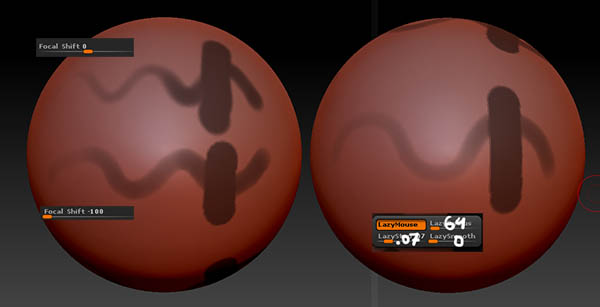
Found a solution! At first I thought Preferences / Edit / Masked Object Dimming would help, but that is only for visual density of the mask, how dark it appears. Anyway, here is the real deal: Brush / Tablet Pressure / RGB Intensity [curve] non-linear pressure changing is caused that weird uncomfortable feeling for me. And I can have these settings independent for masking and sculpting. Thus no switching back and forth and screwing all settings. Maaan, I love this software! P.S. [marcus_civis](http://member.php?u=20323) it sound just like what I need, but I can't figure out how to assign hotkey for a macro :o Tried [Hotkey Editor](http://www.pixologic.com/docs/index.php/Hotkey_Editor) and it shows no conflicts and still load UIConfig overrides my bind (made in Custom section by hovering and Alt over Mask LazyMouse button)

Attachments

zbmask_v4.jpg

dimwalker,

That plugin is for an earlier version of ZBrush and should not be used with ZBrush 4. To assign a hotkey in ZBrush 4:

  1. Ctrl+Alt+click on the button.
  2. Press the hotkey you wish to use.
  3. Press Preferences>Hotkeys>Store before exiting ZBrush to store any new hotkeys you’ve assigned.