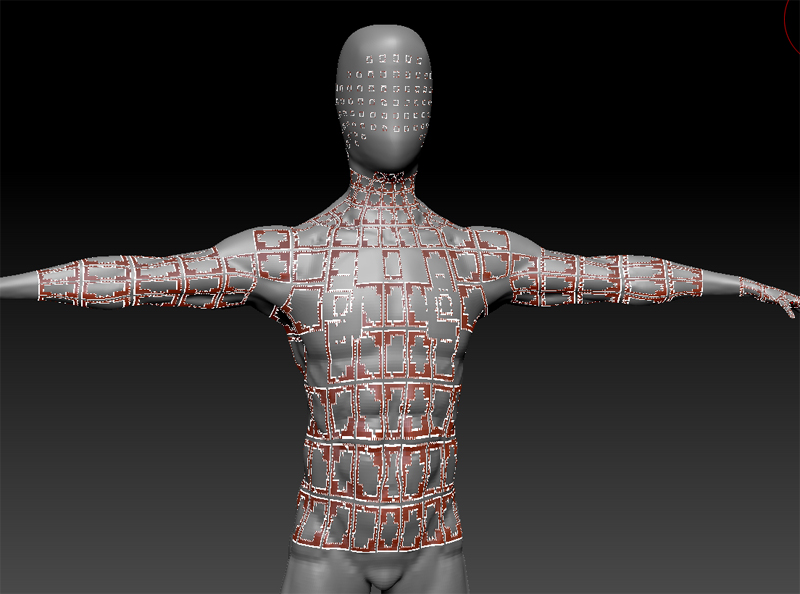
I got these artifacts after smoothing my model at lower SubD level, then switch back to higher SubDlevel. Any idea how to get rid of them? It only happens with Smoothing at lower SubD level (doesn’t matter how low, if my highest SubD is 7, it and I smooth at 6, the artifacts happen).
When I use move/standard brush at lower SubD level, this error doesn’t happen. Only Smoothing cause this.
I tried changing Render from Preview to Fast, no luck.
Any idea how to get rid of it?
Attachments