ZBrushCentral

Weird artifact

Hi all.

I was adding a subtool to negative out the area to fit the eyes perfectly but got these weird artifacts. Most of them smoothed out and vanished ok, however this one refuses to go away. Is there a way to select it and delete it?

I’ve got backface on, but tried smoothing with it off and that little triangle just hangs on for dear life. I’ve even gone to the inside hoping to pull something out but still little triangle…just keeps hanging on.

Any ideas?

Thanks!

Sean

Attachments
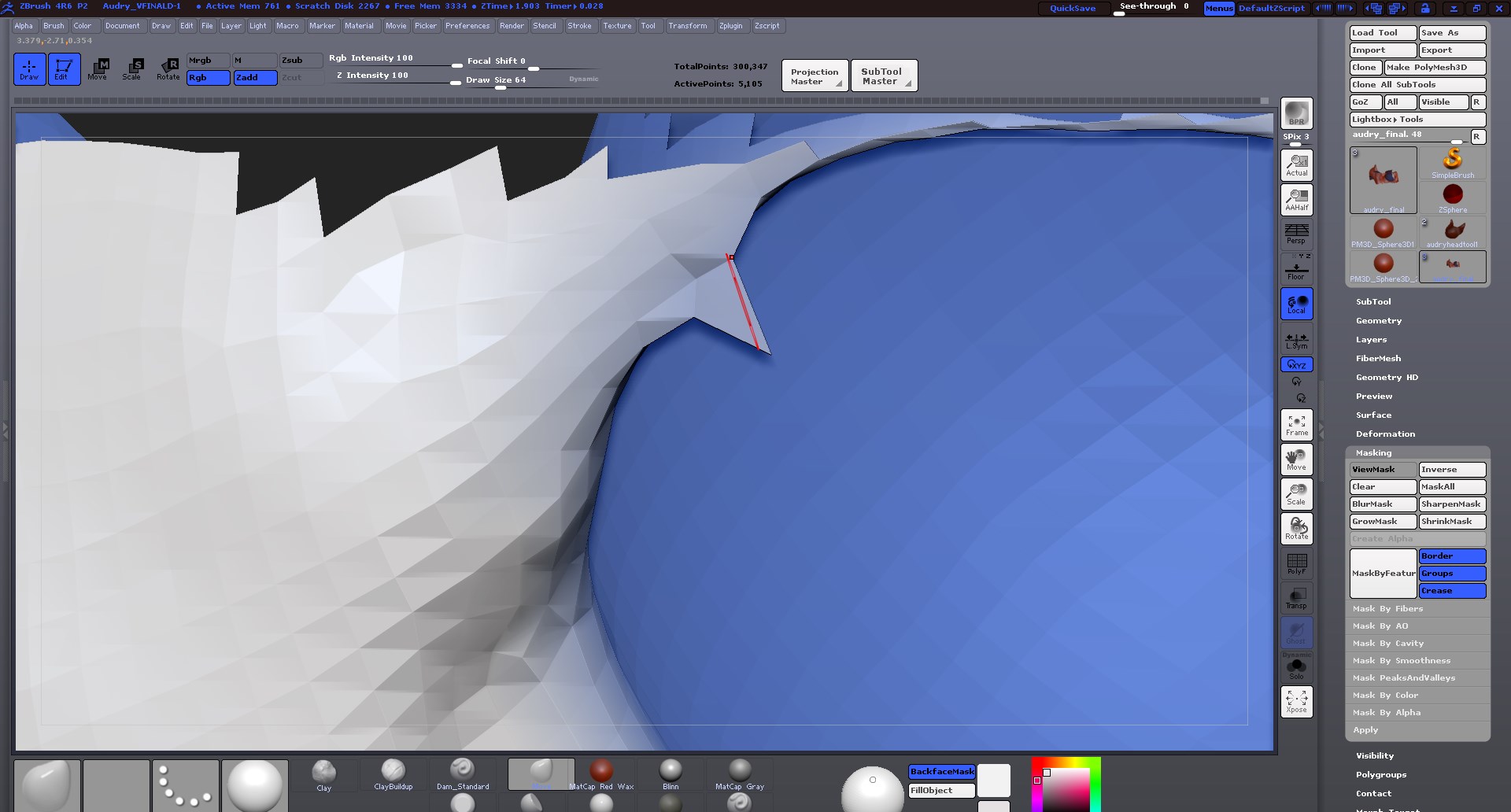
2013-12-18_18h42_16.jpg

mask it, then use the move brush to put it back in place.

If that doesn’t work, inflate all of the mesh around it, then dynamesh, then put everything back in place.

Hi BC, thanks…

I had tried some methods of masking and trying to move it alone back in place but it was being a stinker, so I had thought hiding the piece and then just filling the hole, but couldn’t really figure a straight forward method of achieving that, so I actually did your second thing, inflating and turning dynamesh back on to get rid of it.

Thanks again for the advice. I’m sure others have come across this from time to time.

:slight_smile:

Sean

Sometimes smoothing will get rid of them but when it doesn’t you can make the draw size real small and get on that one vert to drag it back into place. Usually requires rotating model to see from several angles to confirm it’s location in space.