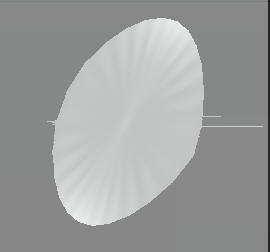
Any idear what causing this, or if this is a known bug to be fixed. I cant do any texturing at all from zb3.5.
Here is a quick paint over showing polypaint, then the resulting texture.

Attachments

Any idear what causing this, or if this is a known bug to be fixed. I cant do any texturing at all from zb3.5.
Here is a quick paint over showing polypaint, then the resulting texture.
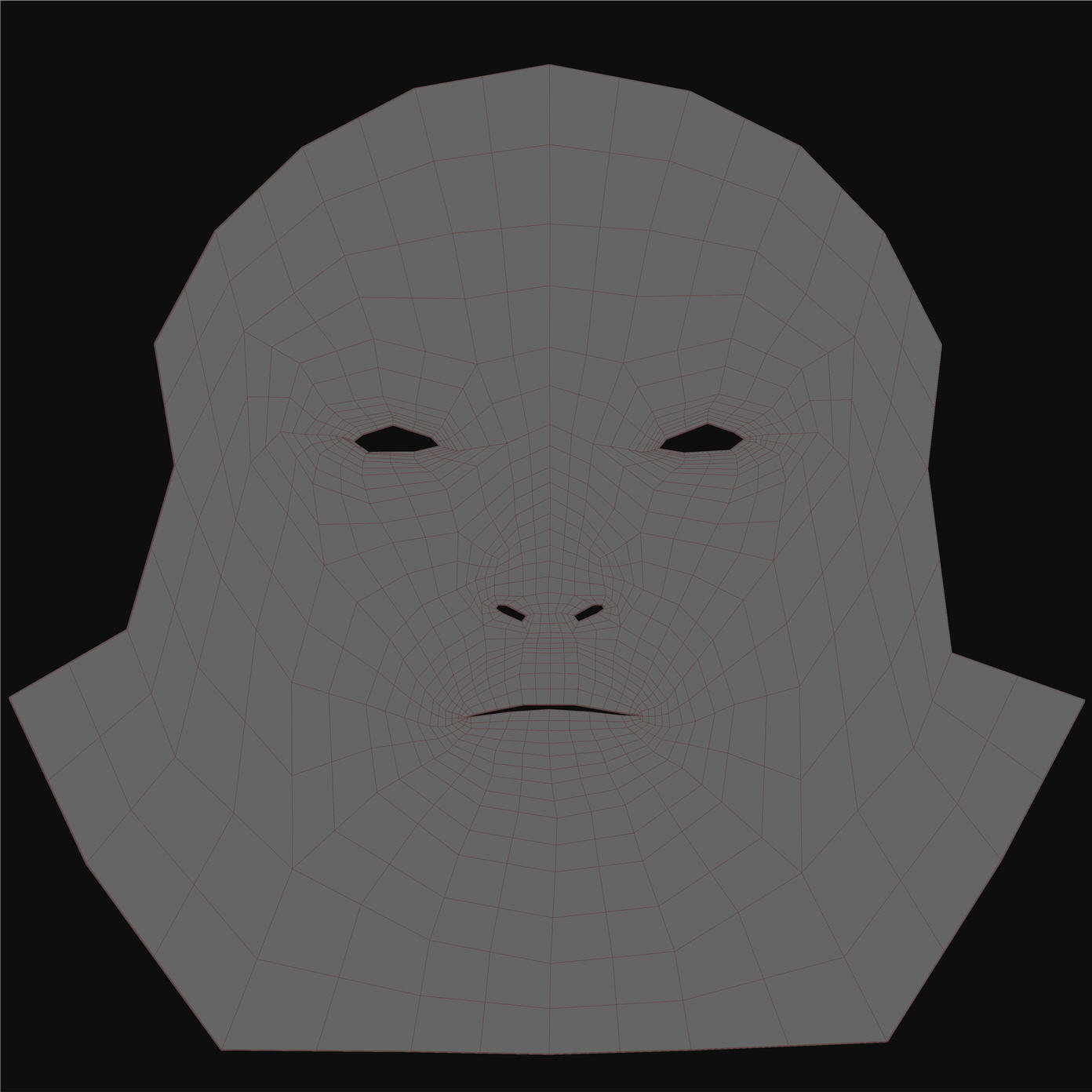
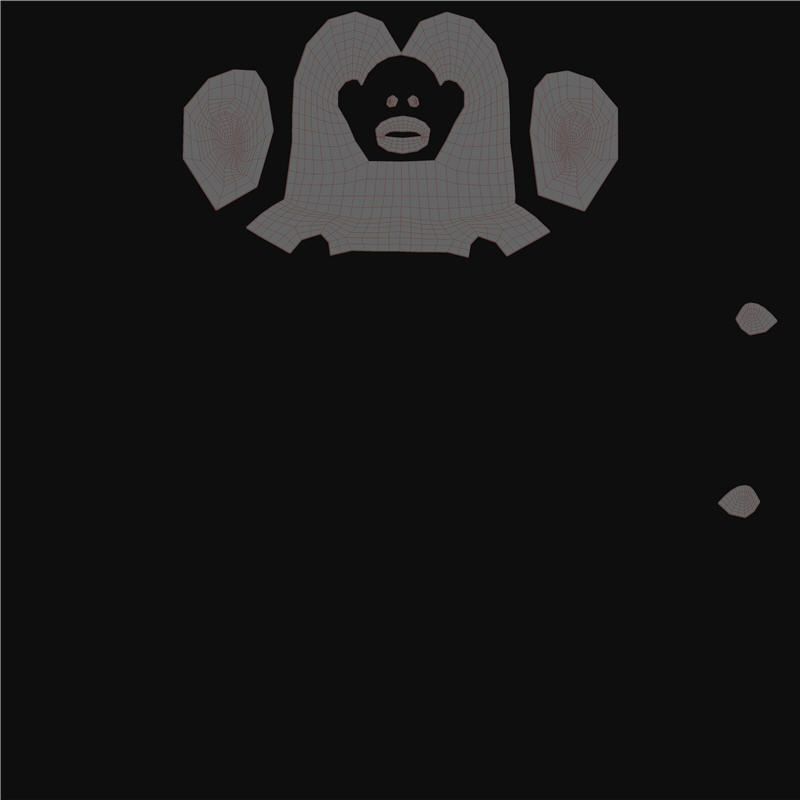
Please post an image of the UV map.
This is a model that has two Uvs applied that accupy the same Uv space, which has a Uv group applied. Of course I hide each polygroup before making the maps.
I have deleted the body half by delete hidden. The Uvs shown are what are left for this portion of the head, this works fine in v3.1
So first UV is the face, then second Uv is rest of head, blank area is where the body would have been. Im guessing that delete hidden is messing up somthing in 3.5, but is fine in 3.1.
you can try to break the model at the UV seems for each part of the model and then generate the textures for each piece. You’re not supposed to have to do this with Z3.5 but I haven’t had any time to mess with texture generation yet so I could be way off on this one.
my 2cents
The preferred method is to use “Split Hidden” .
If you upload (or PM me) the low res mesh, I’ll take a closer look at the UV and see where the problem is.
Thanks for the sugestion but these Uvs where done like this so I can get maximun pixel data for the face. Ffor this quick skin test im doing have had to use PUV tiles, which does work. I guess that this is a Bug that needs addressing in 3.5.
Some times I havent got time for workarounds, and often get caught in the trap of spending my time producing screen shots, converting them into jpgs, uploading them here.
For now will gte back to what im doing. If you need any more info to try to nail this problem down let me know.
Split hidden, where is this, I will try this. When I got time il upload that base to you.
Thanks.
In SubTool.
I have taken the full character, and just hidden polygroup for body, and the streaks are still there in the maps, so this is nothing to do with delete hidden geometry.
I have the same model in ZB3, and it generates the maps fine, other than they dont smooth, but nothing has changed there in 3.5 for that. So therte is nothing wrong with the Uvs either.
So all in all Zbrush 3.5 is totaly unusable for to me. I will leave it on the side, and come back when another fix is out, till then ZB 3.1 is what il stick to.
I am getting this issue now too. Its weird because I’ve done 4 models in 3.5r2 (all base meshes created and UV’d in Maya) and for some reason this 5 model has the issue - Plus its not just on the poly paint transfer, but also the Normal Map and Disp Map. I’ve tried resaving the model, changing its UVs around and I even tried deleting my UVs and giving AUV a try and the lines still show up! I am at a loss since my last 4 models went so smoothly and now I cant get past this.
And yes, I have tried the model in 3.1 and the polypaint transfer looks exactly like it should.
Ok, I have a solution due to me being stupid/tired. As I was UVing I ended up moving everything to the (1,-1) instead of the (1,1) in the UV grid space. Not sure why this is an issue with 3.5, but as soon as I got my UVs to the (1,1) xy, my poly paint transfer went flawless, (Guess my brain doesn’t like working late…) Hopefully this solves your problem Tez.
Unfortunatly in order to have multiple Uvs, and have Zbrush make Uv groups, all uvs cant be accupying the same UV space. I have 4 Uv zones as well as the 1.1, and they all worked just fine in zbrush 3.1.
I too was getting the streaks through all maps as well. For the moment im having to use one single map for the whole character which is not ideal.
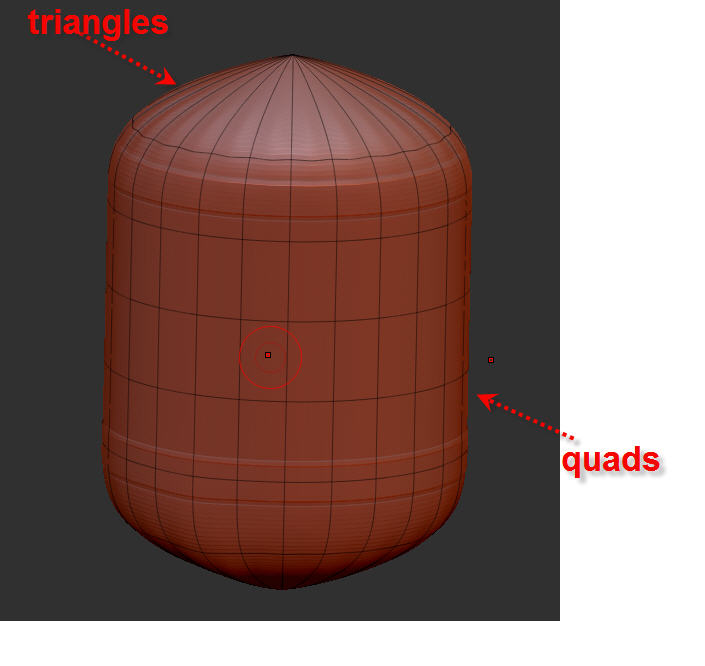
Here is a simple peice of geometry. It contains quads and tris.
Here is the file: http://www.mediafire.com/?sharekey=580c99159a101aef3b0405de809511358f8def4217ba45fa
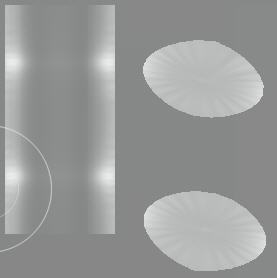
First we see the objest Uvs split into 3. Top, Bottom, and middle.
The Middle Uvs are generated fine, but the top and bottom ones have streaks through them.