ZBrushCentral

UV's from maya mess up in zbrush

hello ZC

I am working on this knife here and i am trying to optimise the UV’s with having more opbject on one. So i start unwrapping in headus UVlayout and then take them to maya so i can make all my objects fit on one UV map.
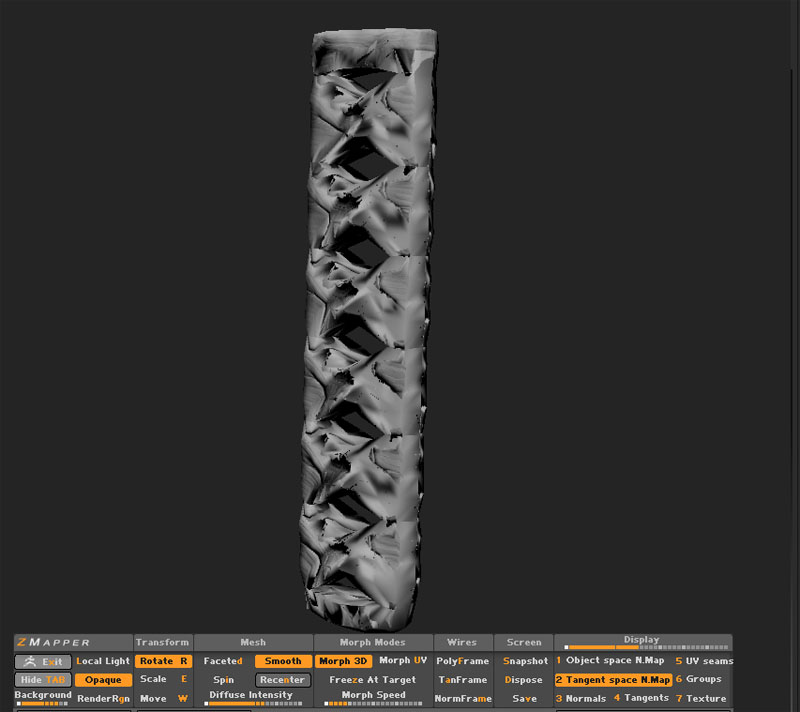
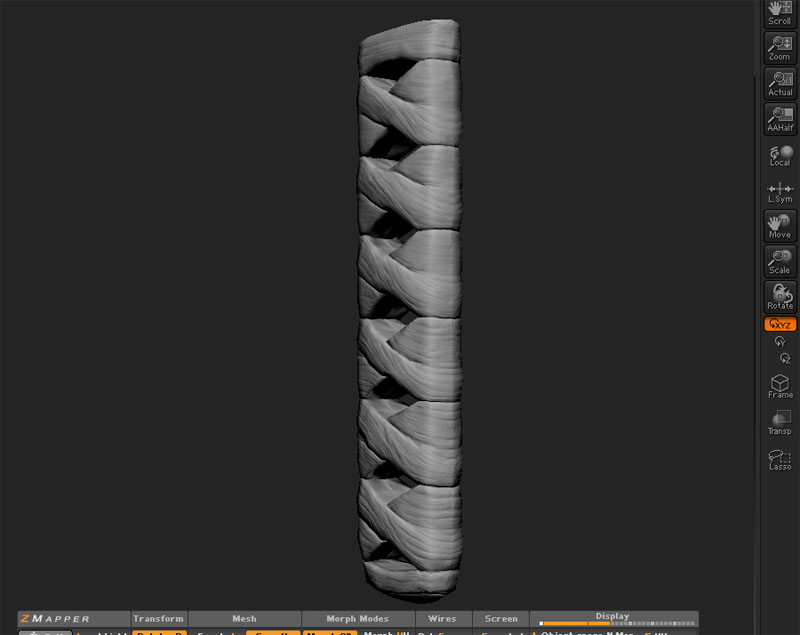
My problem is that when i use headusUvlayout UV’s in zbrush the map gets perfact but when i have importet the Uv’s to maya first and moved them around they mess up when i try to make the normal maps???

any answers anybody

1 picture is with the uv’s from headus UVlayout.
2 picture is after i moved the uv’s in maya to optimise it.

Attachments
post1.jpg

post2.jpg

Does Maya have a tool to check for overlapping UVs and other anomalies? It sounds like you have some funkiness happening on your UV layout. ZBrush is pretty picky about that stuff.

-Dustin

no the Uv’s should be fine is it the same uv that works in the first picture just move around in the uv space for better fitting i think if i try just to resave it in maya even without moving it it will do the same but i just need to check that out wheni get back to work!!!

dustinbrown i need to reproject all the detail over to the new meshes that was the only way to do it. i make some small bugs but i manage to remove them. so sadly i never found the error but hope to do that someday because anoying that i can not import UV’s from maya to zbrush???

http://www.game-artist.net/forums/work-progress/8061-japanish-knife.html