Hello!
I want to decimate the model of a flower.
It’s already UVed.
So I first click “Copy UVs”.
Then I use ZRemesher to bring the tri count down.
Then I click “Paste UVs”.
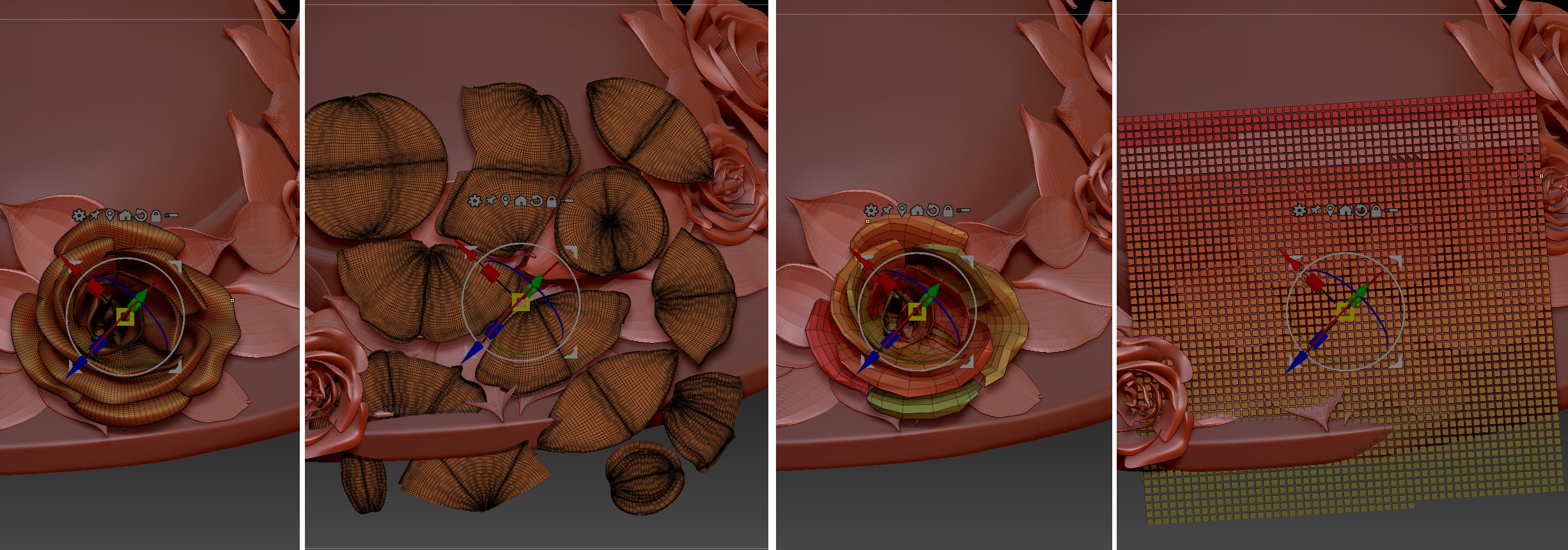
Now when I click “Morph UV”, the UV map looks really strange / destroyed / broken.
What did I miss?
I’ve attached a screenshot.
Perhaps I should explain what I need to do:
I have duplicated a flower subtool many times, and I spread it over a hat as an ornament.
I rotated the duplicates, and I scaled them so that one wouldn’t notice that it’s the same flower.
I would like to export all flowers together as “ornament.obj”, so I would need to merge them.
I need to export a high poly model and a lo poly model of it.
The high poly model of the flower subtool is already UVed.
My plan was to
-
merge the high poly flowers down having “UV” activated in the Merge panel, then export them as “ornament_hi.obj”.
-
copy the hi poly UV of one flower, then zRemesh each flower and paste the hi poly UV back onto the zRemeshed lo poly flowers.
I’m not sure if that’s a good / valid workflow…?
The reprojection of the hi poly UV onto the lo poly subtool resulted in this strange UV map.
Attachments