ZBrushCentral

UVMaster issue

Has anyone gotten this using UVMaster? I am working on a clone, and get this when I press unwrap.
I did have to do something unusual to this model. I had some non-manifold geometry on the inside that I had to delete in another program, and I re-imported and applied my displacement afterwards. I deleted the uvtiles I created to save the original displacement before using the plugin.

Attachments
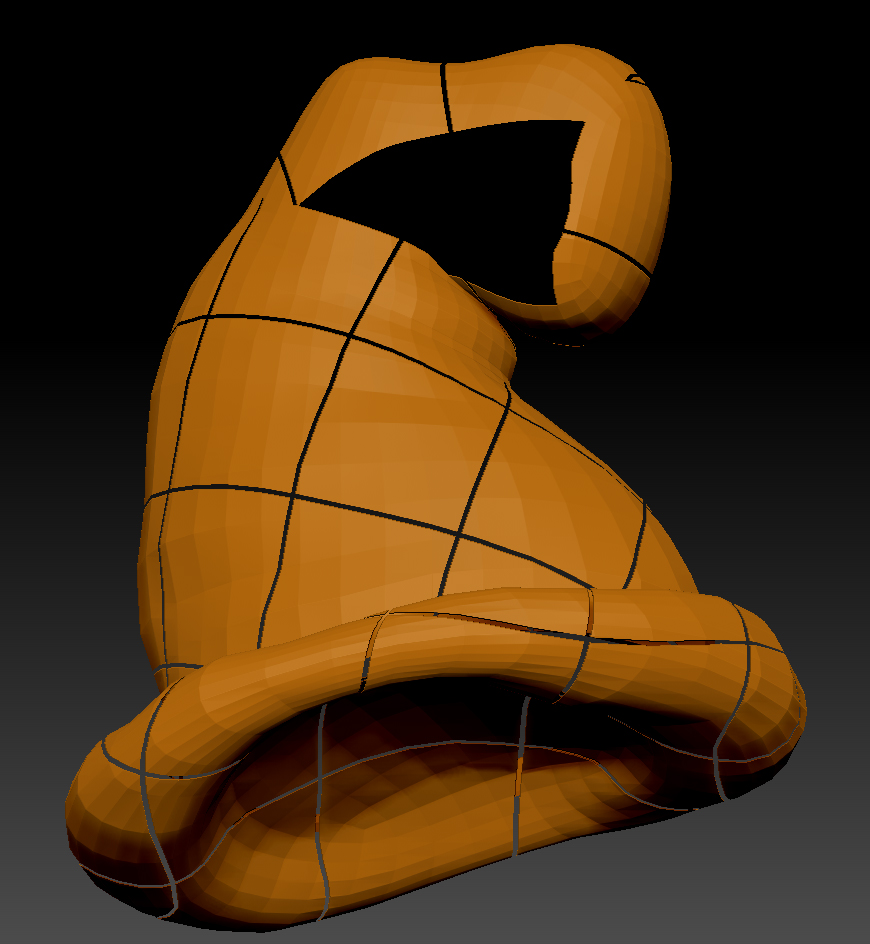
Hat _Errors.jpg

maybe the normals are flipped? anyway UVmaster is kinda horsepiss, it says it can do a lot but in the end it never perfectly does what you want, not even if you perfectly paint the seems with the protect/affect tools. I suggest skipping the tool altogether and use a real UVmapping app.
Zbrush is good in sculpting and painting detail, the rest sucks big time.

The normals are not flipped, if you look closely, the errors are not part of the geometry, they do not line up along the polygons. What you are seeing are “splits” that seem to correspond to the u and v direction of the map it is assigning. I do have UVLayout and will probably resort to that, I just wanted to familiarize myself with the plugin in case it came in handy.

To get better use out of UV master

  1. paint only suggestions for where you want the seems and protects
    “UV master doesn’t make clean enough unwraps (wastes to much uv space)”
    2)the only way to get “clean” UV’s is to make polygroups into islands. as seen in the video documentation.
    http://www.pixologic.com/zclassroom/homeroom/tutorial.php?lesson=uvmaster
    :idea: