ZBrushCentral

uvmaster help

hello
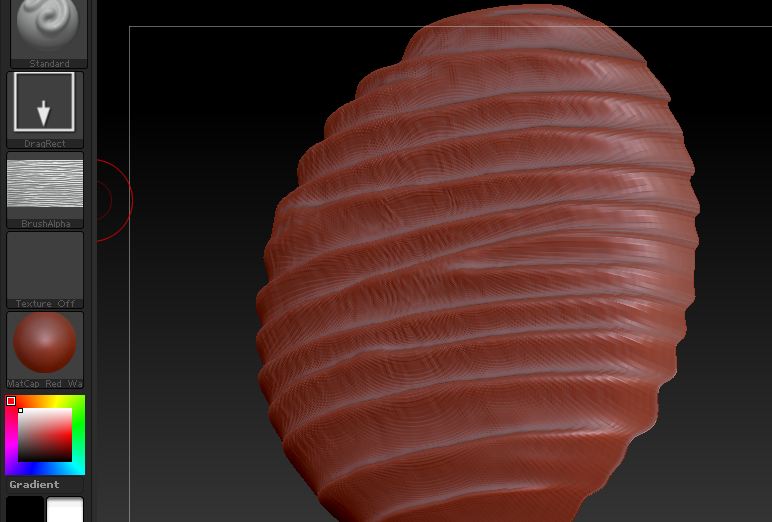
i am trying to create a uv map so I can modifiy my texture and import an alpha so my texture maps better
first shot is a regular alpha but it does not map correctly atthe ends
2nd shot is my uv layout…
now what should I do to export this in photoshop but mostly how do I reapply the texture to my model so it is mapped correctly…:o

Thanks in advance

Attachments
1.JPG

2.JPG

As you can see, when unwrapped the sphere is in a square grid - this is your UV space.
The simplest thing for you to do is to take a screenshot (as the one you posted here), then in photoshop make your texture and then import in Zbrush and load it from TOOL>texture on your model.

But, this is only if you are happy with the unwrapp that ZB is doing. In most cases it no use. So unwrapp it in your main 3dapp, export the UVs in photoshop and make your texture… and so on…

Thank you very much for answering, my 3d app does not do the unwrapp (rhinoceros 3d nurbs + tsplines)

In fact what I am really after, is a way to create an alpha brush that correctly maps the uv`s
:o

maybe a displacement map ?

Well, i never worked with Rhino …but, try learning some other app, or check out HeadusUVlayout, i think this will be very helpful to you!
As i understand you want to create detail on a sphere with a map, that you make - so you need UVs.
Well, this is the right and only way i believe. You need a good UVs, so you can easily make your map. You can still try with ZBuvmaster but i dont think it’ll do the job.