Hi! 
I’m quite new to Zbrush, so my questions are gonna be on the noob side
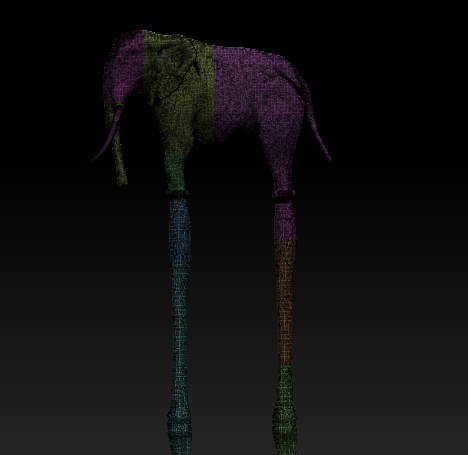
I’m in a process of making my first Zbrush model (using Dynamesh), something like a Dali-ish long-legged elephant that I plan to 3d print and animate in Blender:
What I would like to do is export a normal map from a model, and than polypaint it and export a texture, so I can add them in Blender. I haven’t UV unwrapped it and when I try using UV Master it displays an error. I’m guessing because of high polycount? I tried to make auto polygroups, but that didn’t help either. Then I made subtools from a bit random smaller polygroups and managed to unwrap it and make normal maps for each subtool, but now I have a bunch of lousy subtools.
My question is - is there a way to unwrap it as a whole model, without using subtools? Are there any different settings when exporting Normal maps for Blender software, or can I use default Zbrush settings? Do you have any advices? As I said, I’m new to this and can’t find a solution on net…
Thanks!
Attachments