ZBrushCentral

UV question/problem

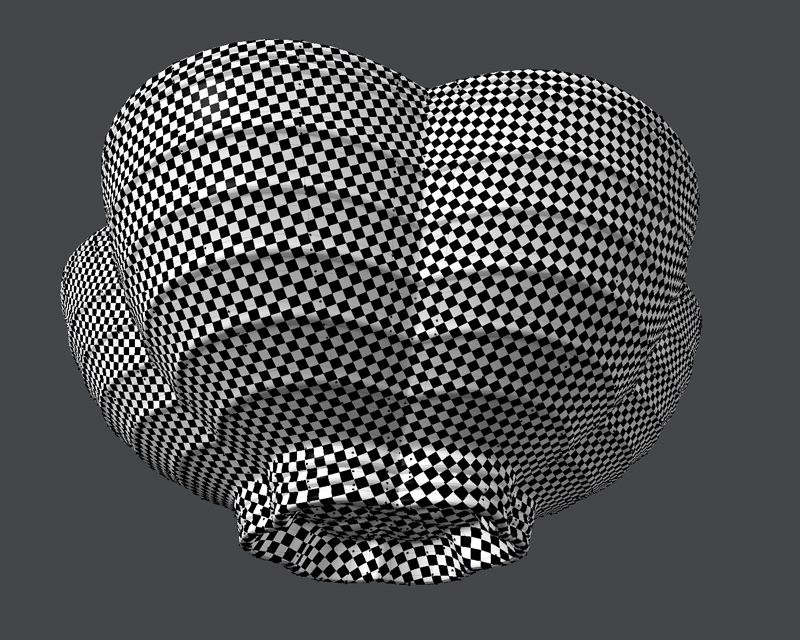
I’ve created an object with UVs in Modo. I apply a grid texture to check my unwrap everything looks really good and smooth. But when I bring the OBJ into ZBrush, divide the geometry several times and apply another grid texture to check the UVs again, they change and stretch the texture too much.

Is there anything I can do to stop this from happening?

The first image below shows my UV grid texture applied in Modo and the second in ZBrush.

Thank you

Attachments
UVfromModo.jpg

UVfromZB.jpg

I don’t use Modo, so I don’t know what you would call it, but I think you just need tighter edge loops in the stretched areas.

there are two options in the smoothing directly beside the “divide” button one is “SMT” for smart smoothing and the other is “SUV” for UV smoothing. by default the UV smoothing isn’t turned on because most users don’t want their UVs smoothed it detracts from the original texture by pulling the seems away from texture edges but by the sound of it you could use to smooth your UVs.

go back to your lowest sub division and delete your higher resolution divisions (store a morph target if you have detail you want to save) and turn on SUV to smooth out your UVs with your geometry.

either do what ryokukitsune said or use catmull-clark (pixar smoothing) subD levels inside of Modo (shift+tab). You must first remove SDS smoothing inside of modo…usually hit TAB, but if you have specific regions that are getting smoothing you can find and select the smoothed areas inside of Lists/Statistics/Polygons/By Type (subdivs, or catmull-clack)

hope that helps.