ZBrushCentral

UV Master unwrapping wrong

Hey, I’m having some very frustrating issues with UV Master. I’ve watched the initial help videos on ZClassroom and thought it would be easy and that i understood it, but then when it came to actually doing it, it seems to just simply not work properly for me :frowning:

I have a SubTool mesh that is a body and head all in one mesh. UV Master got the most part right, but could not do the head at all. So i looked into the problem further and thought maybe PolyGroups is the way to go; make the head a separate polygroup so it is seen separably.

Above is the head crudely ripped off of her body as a separate PolyGroup.

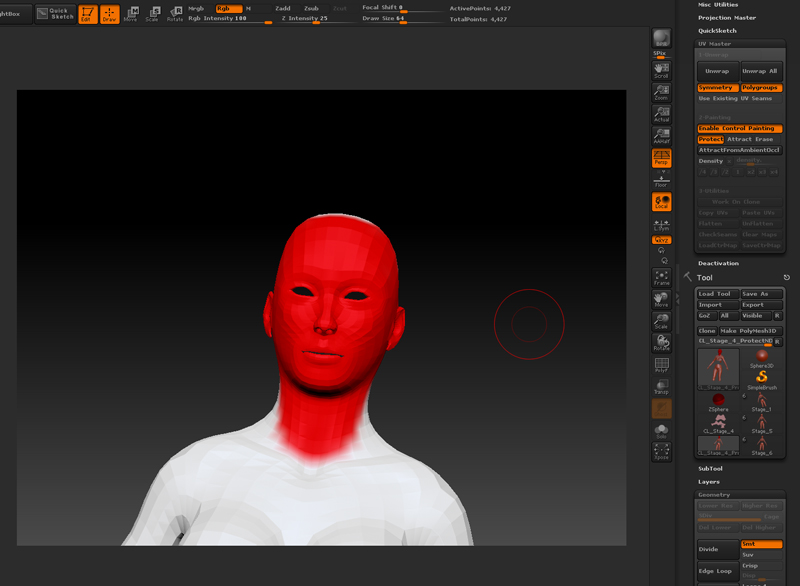
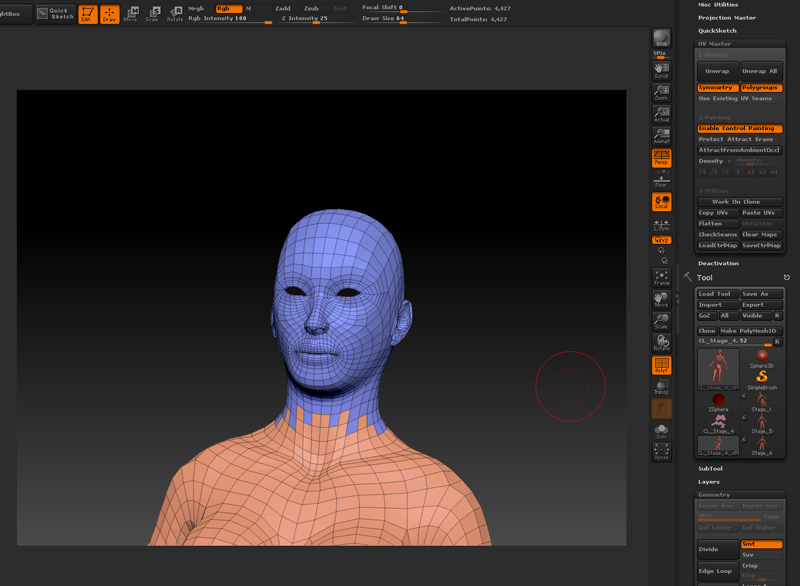
So then following the tutorials, i painted red to protect her face roughly,

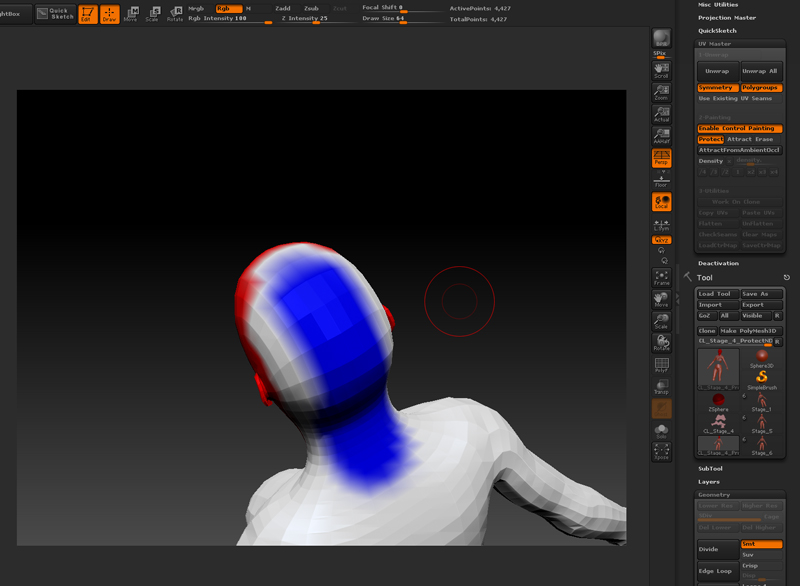
…and painted blue to attract the texture seam to the back of her head… being the only texture seam i want on her head PolyGroup. (By the way, sometimes after painting the “protect”, then switching to the “attract” brush, it lost the information of the protect it seems… don’t know why?)

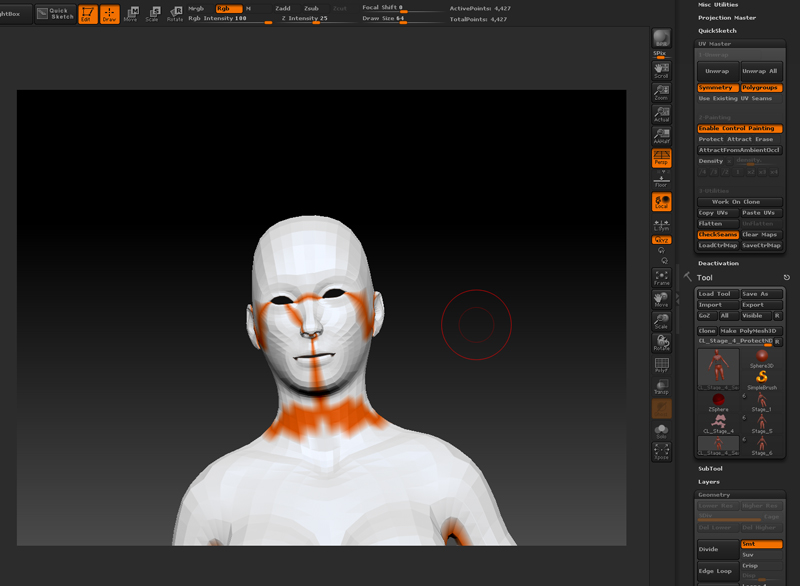
Anyway, with that done, i click “Unwrap”, expecting the generic brilliant head UV unwrap we all know and see in the tutorials… but no it gives me this, or a slight variation of this no matter what i do :frowning:

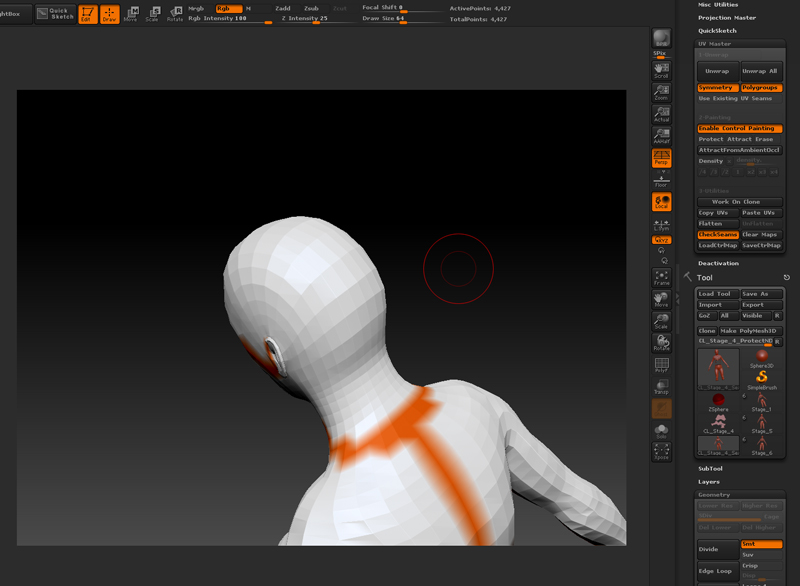
And notice how where i painted “attract” to the back of her head, it has actually made no seams at all… instead made her face look like she is leaking orange Tango.

Any help would be reallly appreciated here!!

-Ricky

Attachments
1.jpg

2.jpg

3.jpg

4.jpg

5.jpg

Hi RickyT,

Can you upload a screenshot of what the actual unwrap looks like?

btw: there’s no reason you would have to polygroup the head to get an accurate result.

Okay here is the UV map created from this… the head is the purple part… aka the only part that doesn’t work properly :frowning:
bah.jpg

Thanks for the reply so far, this is really bugging me. I’ve sat down with it a good few times now and still can’t get it to work :\

Have you tested the UV’s by actually extracting a texture map from polypaint?

Apart from the seams not being in the right place, whats wrong about the map?

Its for a game character and we have specific standards that must be met. Is there no way to get round this problem at all? Tutorial videos show UV Master unwrapping heads perfectly, but it just does not work for me :frowning:

Ok, i dont know what tutorial you looked at but did you work on a clone then copy and paste the Uvs back to the original? Have you tried upwrapping a totally different tool (to see if its just your mesh). As i understand, the controlled painting is not an exact science, more of a guide. If you can’t get this to work you may have to unwrap in a different app.

I’m sorry but I don’t know what else to suggest.

I hope someone else can help you :smiley:

Good luck.

I followed the official ZBrush tutorials on it from Z Classrooms. It is done on a clone too, yes, just as the tutorial said. Thanks for trying to help so far i guess ill go back to good old Maya to unwrap it :frowning: