ZBrushCentral

Uv Master Problem

Hi there

Has anyone had the problem that when try to copy Uv’s over, Uv master turns it into a mess (see image). Is that a bug in 4R6? I first thought it originates from import/export to 3dsmax but now I notice it happens within Zbrush. I lost my UVs by merging subtools. When I try to copy Uvs over after separating my model again into multiple subtools, the Uv mess up happens. All the models are exactly the same, so there shouldn’t be a probem?

Cheers
Lorett

Attachments
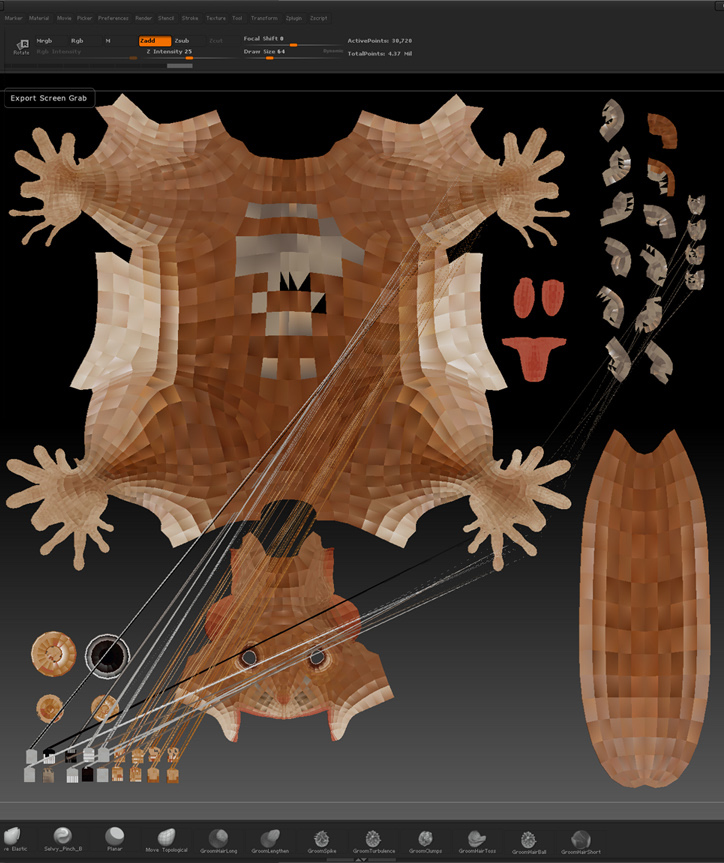
Fucked UV.jpg

Do you have ZBrush 4R6 P2?

This looks like an error with how max exports models and how zbrush reads them.
Did you use goZ to transfer the models to and from Zbrush to Max or just import them?

GoZ should fix the inverted UVs that tends to happen with Max.

I’m also not sure if you should be copying UVs after separating the mesh, as there is a chance it might change the vertex order.

Thanks to all for the quick response. I was on version 1 so I just updated to p2 but it still does the same thing. I don’t export or import to another application. I basically have a stack of identical squirrel models. If I merge some of them to move them together and separate them again, I get the mesh up when I try to copy and paste the UV’s with UV master. I just found that the solution is to keep UV checked in the merge option. It is still very odd that UV master messes it up?! :confused:

Cheers
Lorett

I basically have a stack of identical squirrel models. If I merge some of them to move them together and separate them again

Then chances are your models are no longer identical.
On the surface your eyes wont be able to tell the difference, but under the hood each vertex has a number assigned to it. When you start doing operations which change the vertex order (such as splitting the mesh back into several), vertex#5 can very easily be in a totally different spot on the newer mesh than it was on the older mesh you copied from (as copying and pasting the UV set does not address this change).

Merging, copying/pasting, and then splitting should hold up as it would be pasting to a completely identical mesh.