Tried a search but couldn’t find an answer.
I’m using XSI Mod Tool, ZBrush and the UV Master plugin. It works brilliantly on the sample meshes; the resultant unwraps are amazing and lined up perfectly.
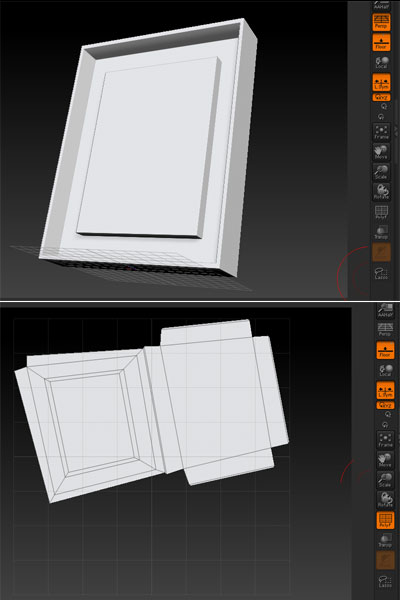
But when I try to import an obj via the tool function, UV Master always skews the UV map to the right or left. Here’s what it does to a basic cube made in XSI Mod Tool (similar results whether UV Master symmetry is ticked on or off):
[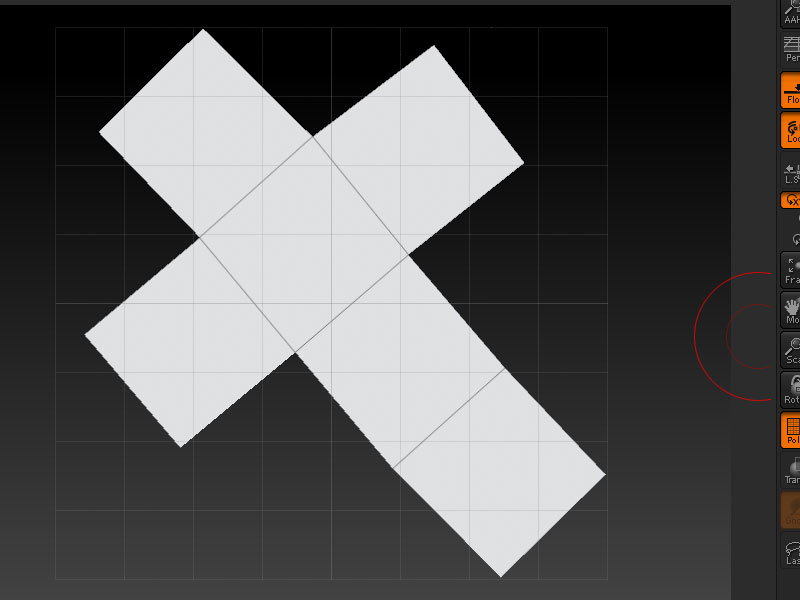 ]
]
When I import, I get this message: “The topology of the mesh has changed. Press YES to transfer high-resolution details to the modified mesh. Press NO to delete high resolution details.” It does the same thing regardless of whether I click yes or no.
I’ve also managed to get it to skew the sample meshes, but I’m not sure what I did to do that, so I’m thinking I’m doing something wrong inside of ZBrush itself.
What am I doing wrong? Leaving something out of the XSI export? Failing to click some alignment function in ZBrush?
Thanks,
Kep