ZBrushCentral

Uv maps,Multiple Subtools,troubleshooting help >_<

Hello everyone! i’ve been lurking the web to get some help but nothing seemed to work out…

I’ve 3 subtools in my project (appended in a single tool) each one has it own UV map (though uv master) and the texture was done in ZappLink and Photoshop.

My problem is that i need to use the model in another software to tweak it etc but it doesn’t support multiple texture objects so i’ve to have a single UV map.

So here’s my question:is there any way to get all the subtools into a single one with the same uvs since otherwise i’ll to texture it all again? i’ve tried uv master,multimap exporter but nothing seemed to work,thanks in advance

edit:i just found out that UV maps are properly viewed in zbrush but not in others 3d programs (i created them with uv master if that matters and i export the tool as .obj)

Attachments
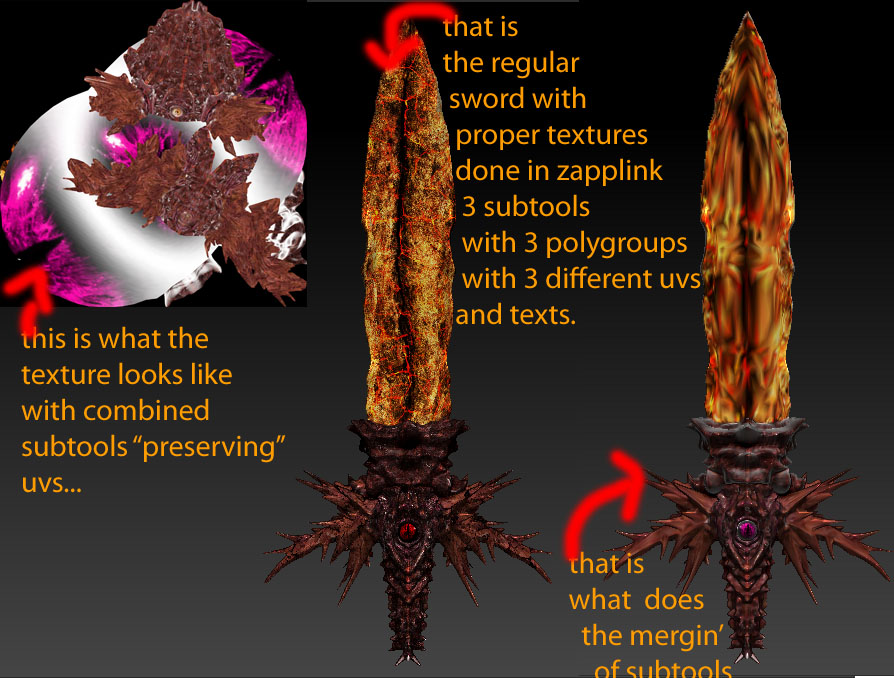
explaination.jpg

How are you loading the model into your other app? Separate UVs on separate objects should not be a problem with any external app. Use GoZ if you can, selecting the ‘All’ or ‘Visible’ options to send over the subtools.

If you wanted to combine the UVs into a single map then the simplest way would be to merge the subtools in ZBrush and then project the maps using polypainting. This is what you would do:

  1. Use the Tool>SubTool>MergeVisible button to create a merged version of your model. Use the lowest subdivision level.
  2. Append the merged mesh as a new subtool to the original. Give it UVs with UV Master.
  3. For each subtool, subdivide to a sufficient level for polypainting to hold your texture detail, then press Tool>Polypainting>Polypaint from Texture. Roughly speaking, for a map of 2048 x 2048 you’ll want about 3 million polys.
  4. Also subdivide the merged subtool so that it will hold the polypaint detail.
  5. With all subtools visible and at there highest level and the merged subtool selected, press Tool>SubTool>Project All. This will transfer the polypaint to the merged subtool.
  6. Press Tool>Texture Map>New From Polypaint to create a new texture map based on the polypaint.

Obviously you would then export the merged model to you external app.

HTH,