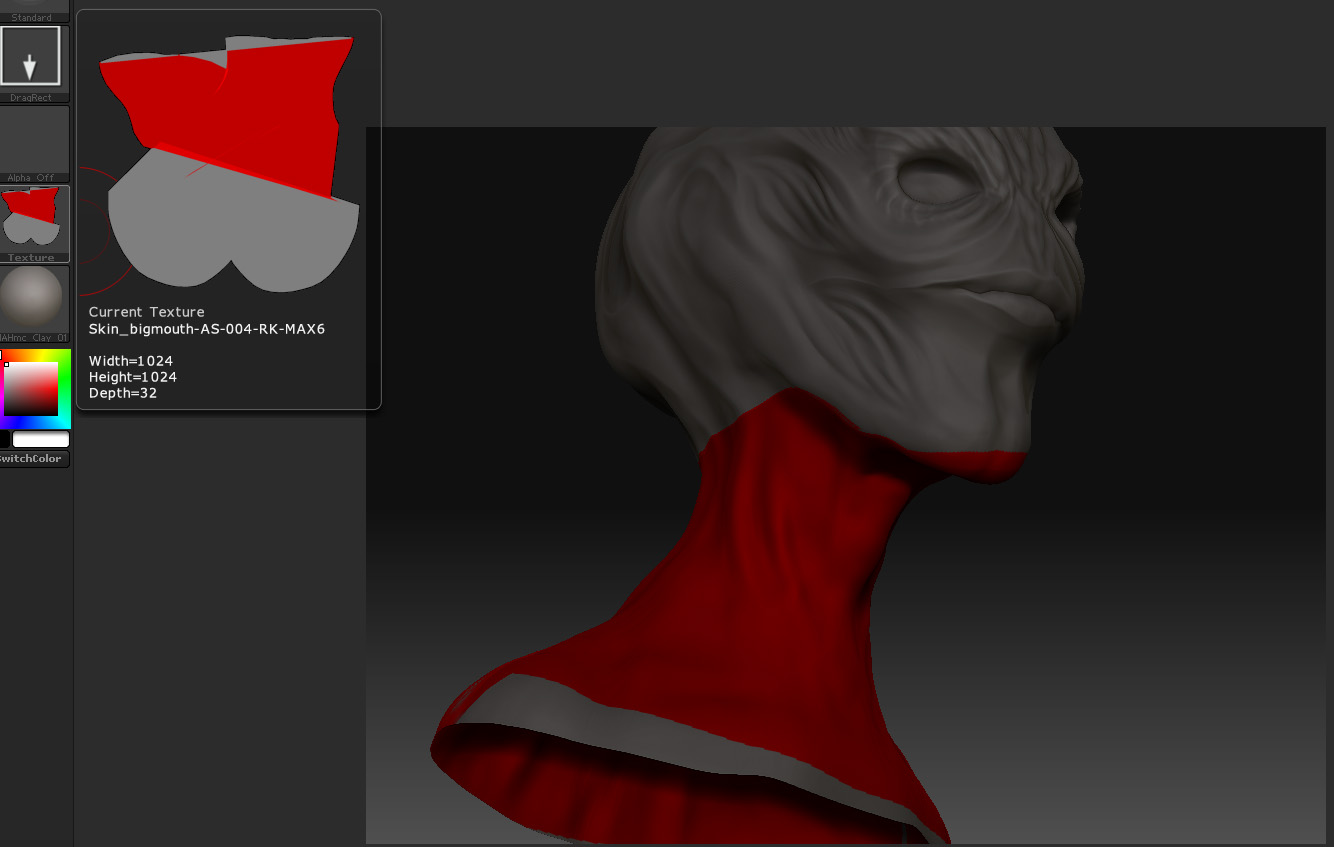
Looked around the forum and could not seem to find anything specific to this
problem.
Have a model going round trip MAX->ZB->MAX UV’s->ZB
So I can get the model back in no problem, finally.
The wierd thing now is big gaps appear at the uv seams when in ZB. When I polypaint and Col>Txr the different uv area seem like they are trying to blend accross the texture map. Ive tried adjusting FSBorder and such with no luck.
It will appear ok when I first import.
I have other models where the uv’s are contiguous with no issues.
Im sure there is something I am missing or a concept I skipped somewhere.
Anyone have an idea?
MAX2009
ZB 3.1
WinXp 64bit
)
Attachments