ZBrushCentral

UV / Displacement Questions for 3.5 r3

Just when I have the pipeline down Pixologic has to come out with even greater toolsets causing this old dog to learn some new tricks, heh.

Having a couple of issues getting adjusted to version 3.5 - here are my two problems / questions:

  1. UV issue -
  • created mesh in 3ds max
  • created uvs in uvlayout
  • imported obj into zbrush
  • checked uvs - in place
  • exported out as obj from zbrush
  • imported new obj into max
  • uvs are gone - hmm this is one I have never had before - any ideas?
  1. Displacement issue -
  • this is merely one of not finding the right thread yet - where might I locate information concerning the new method of displacement exportation since there is no longer the plug-in - finding all over that it is built in now - have found the standard displacement exporter in the tool tab, but this does not allow for a great deal of tweaking - is this the only way to export displacements now?

Thanks in advance.
Seems there was a conflict between the R2 and R3 so I am doing fresh install - will post if problem persists.

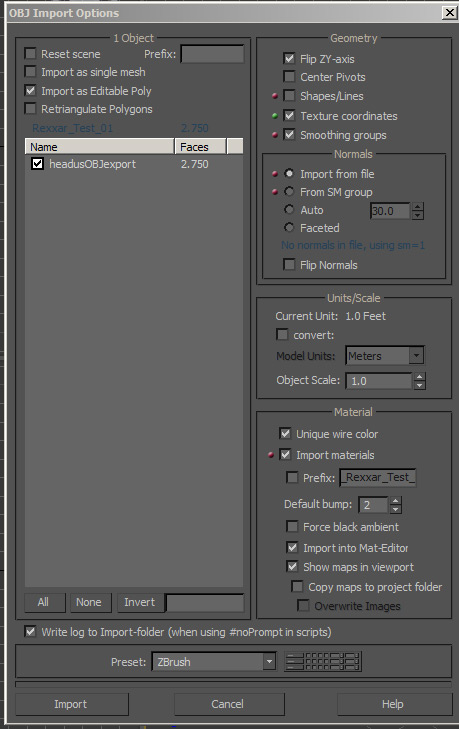
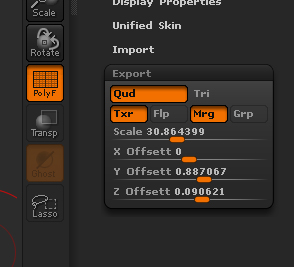
when you exported your .obj did you make sure that the texture button was on in Tools/export and when taking it into max did you 1. when importing it make sure in the object dialog that texture coordinates was selected and 2. Put a uvw unwrap modifier on it?

On the other stuff: I think that is it on the displacement map options for now anyway. I could be wrong.

I hope this helps and I hope the new install helps too.

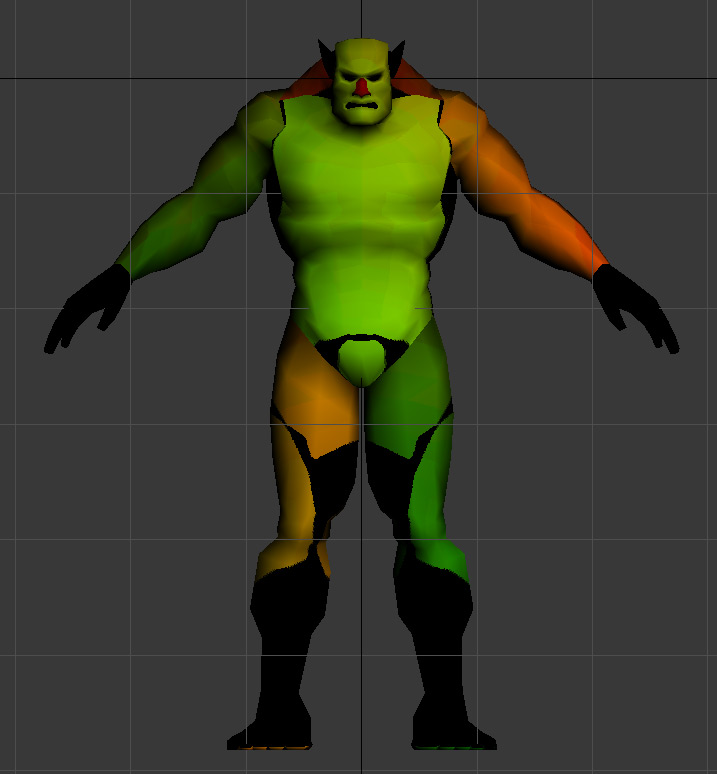
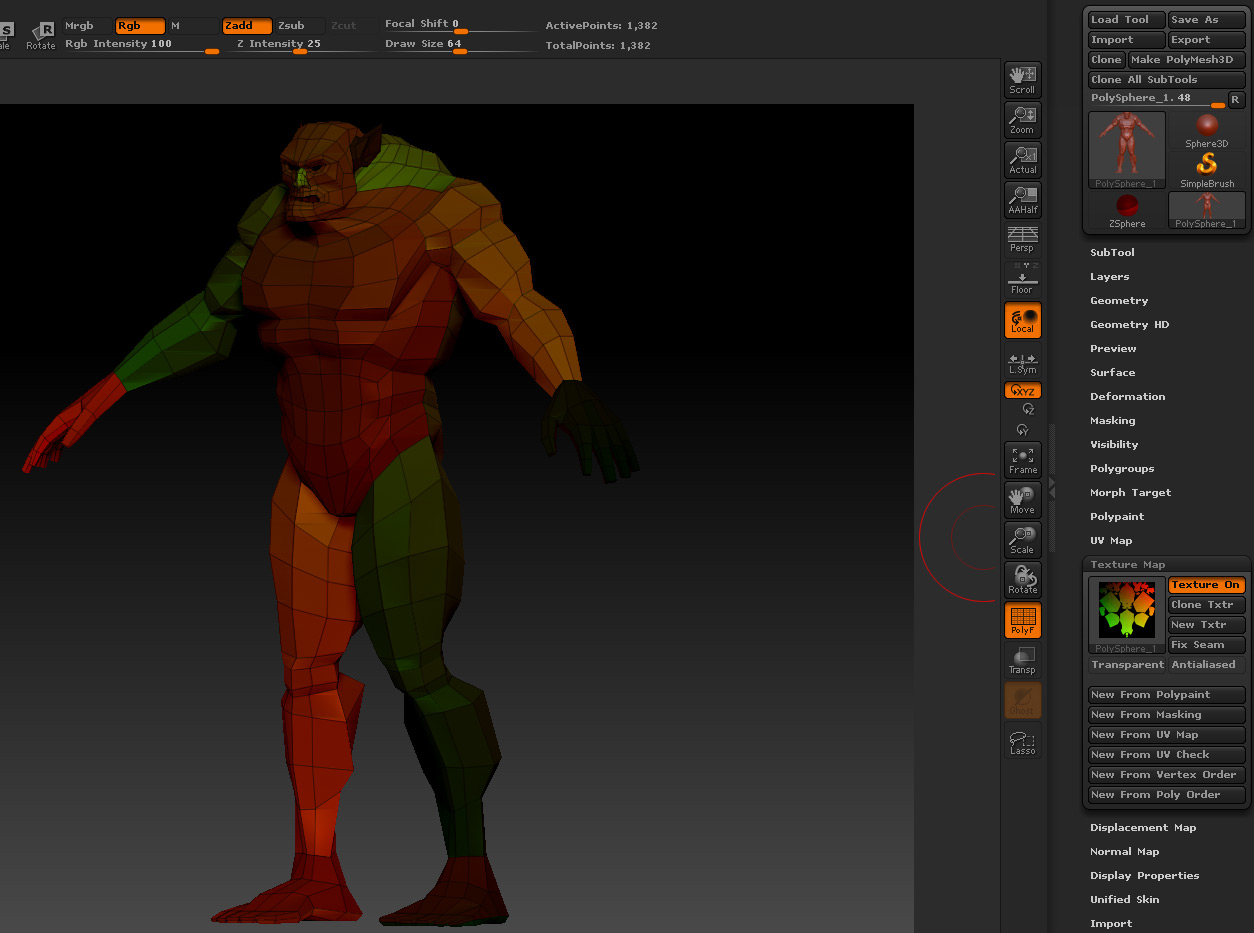
Here are all of the steps in my test (see images for reference)

  1. Take into ZBrush and apply new material from UV’s
  2. Export from ZBrush with texture button activated
  3. Import into 3ds Max
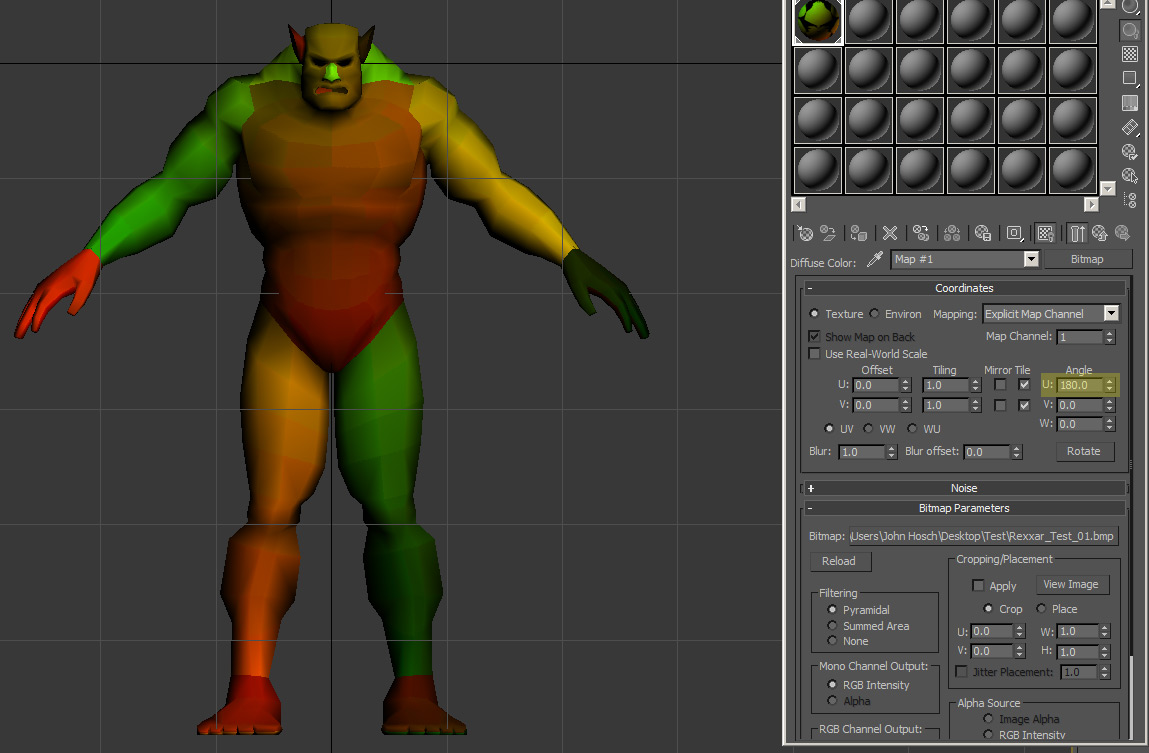
  4. Adjust material settings for proper orientation
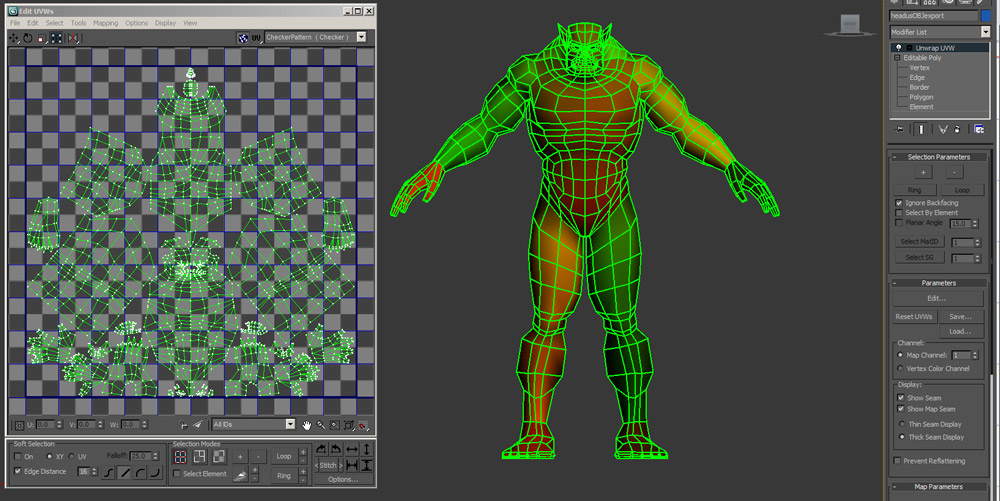
  5. Apply Unwrap UVW map (notice heavy grean lines indicate that all UV polys are separated - further note the UV edit screen on left that shows that polys are actually still in place but all verts are separated at poly level)

Never had this happen prior to ZBrush 3.5 R3 - researching to see how to quickly weld all verts back together based upon a threshhold without having to do them all individually.

Note: this is not a vert problem at the OBJECT level so the subobject mode weld tool has no effect.

Image names coorespond with steps listed above.

01_Step01.jpg

Attachments

01_Step02.jpg

01_Step03.jpg

01_Step04.jpg

01_Step05.jpg

Max threshold will not go as minute as I need or I could just weld all verts in the UV editor inside of max based on the .001 threshold. There are areas with thresholds under that due to the small areas inside the ears, nose, etc. so I am researching what is causing this issue in the first place.

Imported the exported mesh from ZBrush into UVLayout as well to see if it was a max or zb issue with same result so it seems it is something due to my export from ZBrush.

Problem solved - just needed to “Mrg” (merge uvs) in the export rollout.

01_Step07.jpg