ZBrushCentral

using 3d plane for image plane

Hi,

I’m supposed to create an image plane using a 3d surface and then place a reference image onto it using Texture>swatch>import and loading the file…

Nothing is showing not even when I select the files picture…it’s actually showing the image of what is supposed to be on the plane.

any ideas?

I’m sure it’s really something quite simple.

Attachments
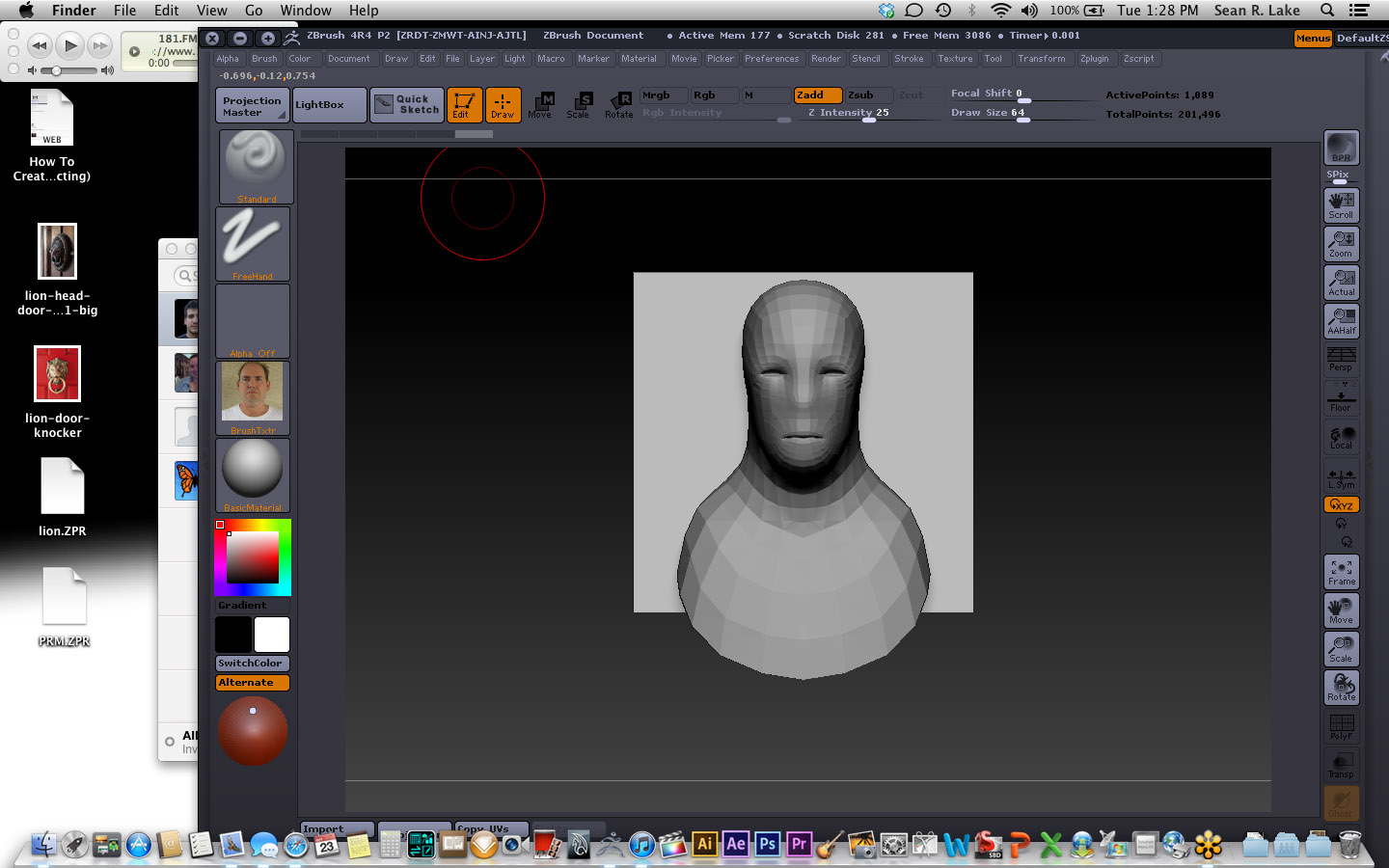
Screen Shot 2012-10-23 at 1.28.22 PM.jpg

Select your image in ‘Tool > Texture Map’ after you import it in the Texture menu. Texture slot on the left side is for brushes.

With the plane selected, open the Tool: TextureMap subpalette and select the texture there.

The texture swatch where you currently have it loaded is used to add texture to brush strokes, not the model itself.

thank you for responding.

I knew it would be something simple. I’m very new to zbrush as far as working with it, I’ve tinkered with it since 2006, but I’m by far even an expert!

thanks again!

Sean