I want to make a texture in Photoshop for a subtool. (I export the model in another 3D package for rendering)
I need the lay-out of my subtool to make an accurate texture, how can I unwarp the mesh for the subtool?
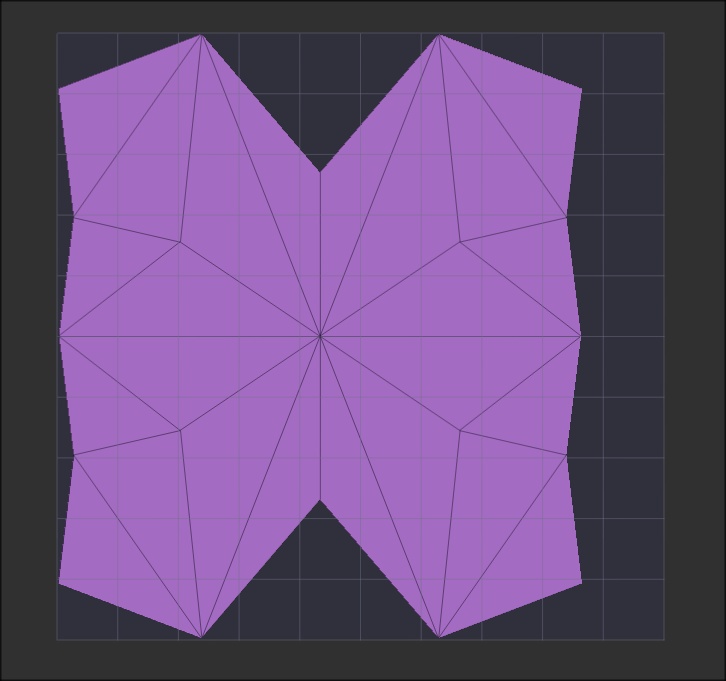
Assuming that you already have UV’s, while on the lowest Sdiv level, you can use UV Master (Zplugin>UV Master). First click ‘Unwrap’ then click ‘Flatten’. You now have a reference with the grid area being the full area of the texture. You can do a ‘Print Screen’ and edit it in your 2D app. Below is an example using the PolyMesh3D subtool.
edit: After testing this with a texture, it wasn’t a 100% precise using the PolyMesh3D object with it’s auto UV’s so I can’t guarantee it 100%. If you did the UV’s in another app, use ‘Use Existing UV Seams’ in UV Master. That might make it OK, All you can do is try it and see if it works for you.
I will certainly give it a try as this is where I am looking for. Many thanks!
No problem! Let me know if it works for you.
ps. don’t forget about the flip textures vertically thing that ZBrush like so well for some reason.