ZBrushCentral

Unremoveable dimples and stretchmarks - Answered

I’ve been working on this model for a bit, and decided to use Dynamesh up to a certain point… Now that I am at the detailing stage, I am at about 7 million polys…

There are dimples and stretchmarks all over my character’s lips and face… And no matter how many times I attempt smoothing it, I simply can’t get these little dimples out of her lips to get smooth lips…

What options am I left with at this point? Because I am about out of ideas for trying to rid my model of these blemishes that just won’t seem to go away.

Attachments
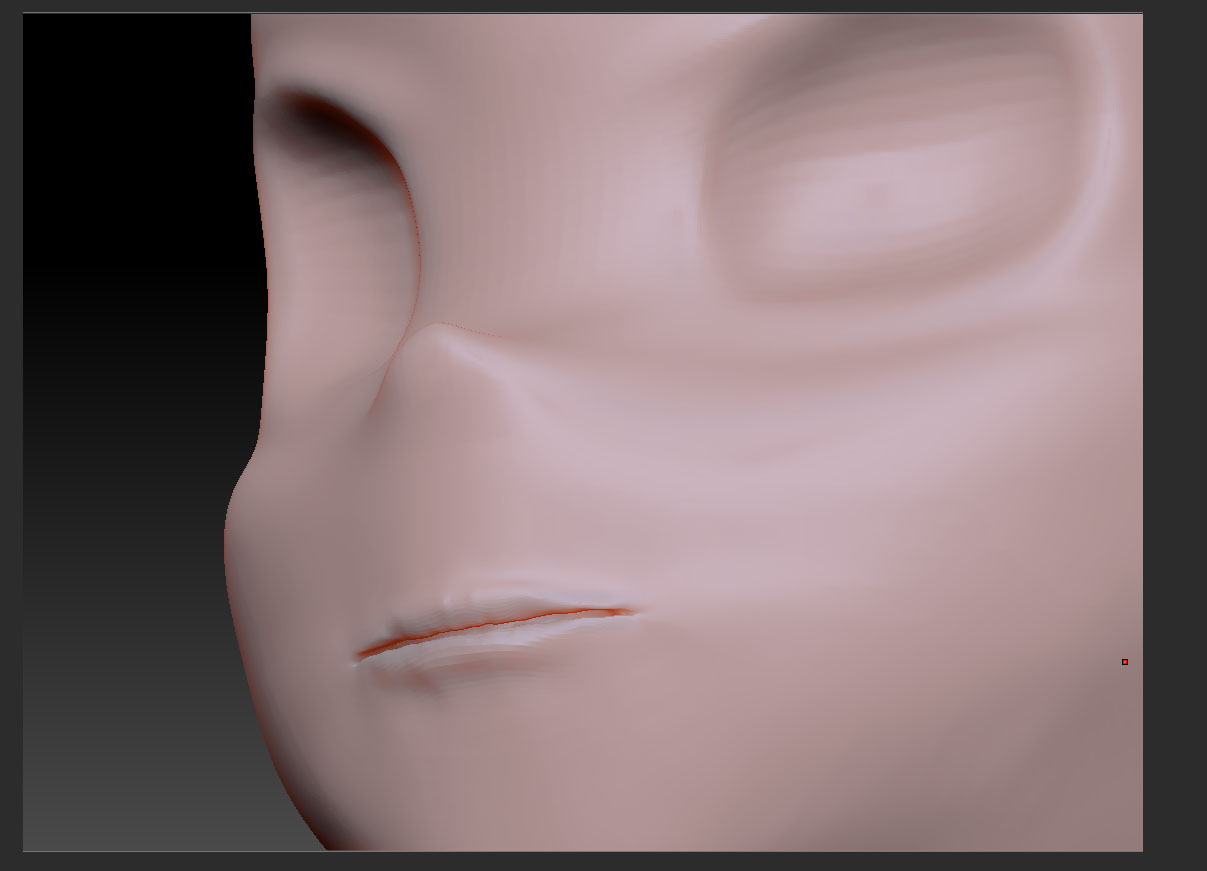
lips.jpg

What is the topology like in those areas? You can see it very easily if you go to the lowest subdivision level. If you have places where five polygons come together at a single point (creating a star) you’re going to have a very difficult time cleaning those areas up. It’s due to the way that polygons divide and the surface smooths.

My recommendation at that point would actually be to retopologize those areas. You could do it in ZBrush or by exporting to another application and editing it there. Do this with the lowest subdivision level. After you have adjusted the topology to have no more than four polygons sharing any point you can then reproject the high level details to the new version and the mesh will behave as you proceed to sculpt.

I’m allowed to retop ONLY that area, right? Because i really don’t want to retop the entire thing for just one area acting up.

Also, I have already begun to make layers with different facial expressions assigned to them, Will the retop process ruin those layers? Or require me to delete them?

Thank you very much!

You can edit the topology for just part of the model. See here: http://www.pixologic.com/docs/index.php/Topology:_Mesh_Editing

To deal with the layers, though, you’ll need to append the new mesh to the original. Then select a layer on the original mesh, create a layer on the new one, and use Project All to copy the details across models. Repeat for each layer.

Thank you very much. I shall give it a try!

Also… one more quick basic question. I promise this is the last.

If set my wax preview and material settings for my sculpture, how can I make it so that next time I open zbrush and open my sculpture subtool, that it will still have the same wax preview/material settings I left off with?

Thanks!