Hi guys,
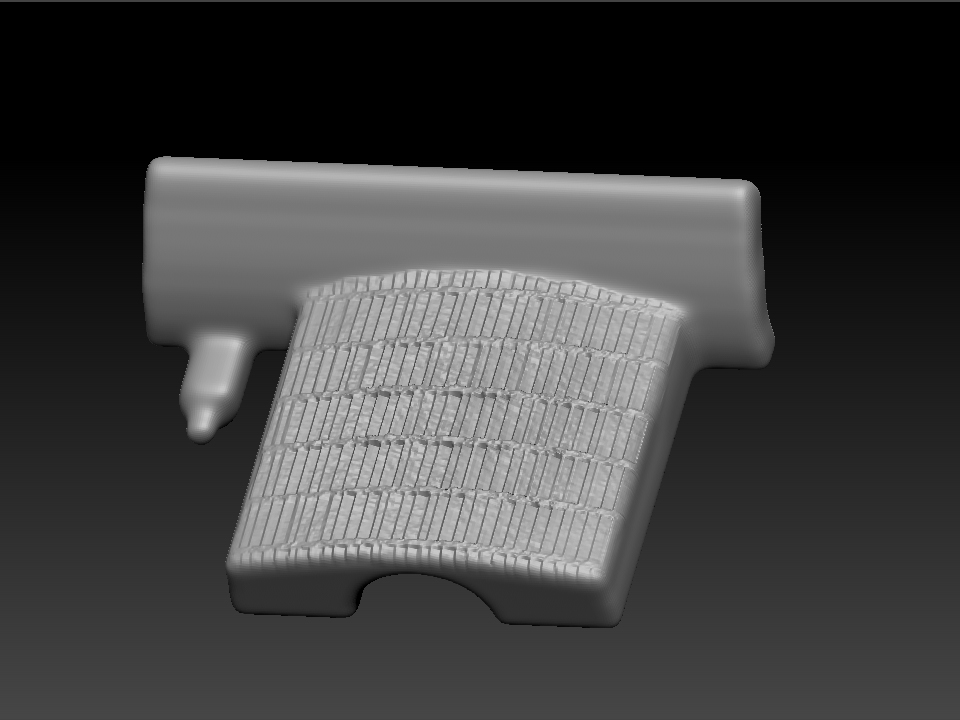
I’ve got a bit of a problem, and being new to Zbrush I’m sure someone will know what to do. I’m trying to pull a unified skin over an imported polymesh which has irregular geometry that I’d like to tidy up so I can start sculpting on it. However, even with the smoothness set to a low value and a high res I still get a unified skin that has lost the sharp edges of the original. I may well be using the wrong too for the jol.
If it helps, I’m importing mesh parts from Rhino, and I’m modelling a multi-part kit of a WW2 German tank. I figured that Zbrush would be ideal for adding the Zimmerit texture to the parts. This can’t be done as a bump map as evetually these files will be used to make a physical master. Apart from the loss of definition the initial tries have produced a great Zimmerit effect, and if I can just sort this out then I think I’ll be on to a winner. Any suggestions :)?
Will.