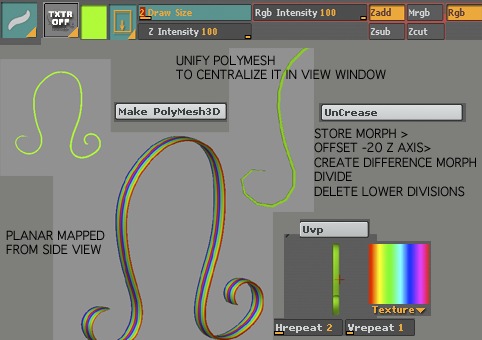
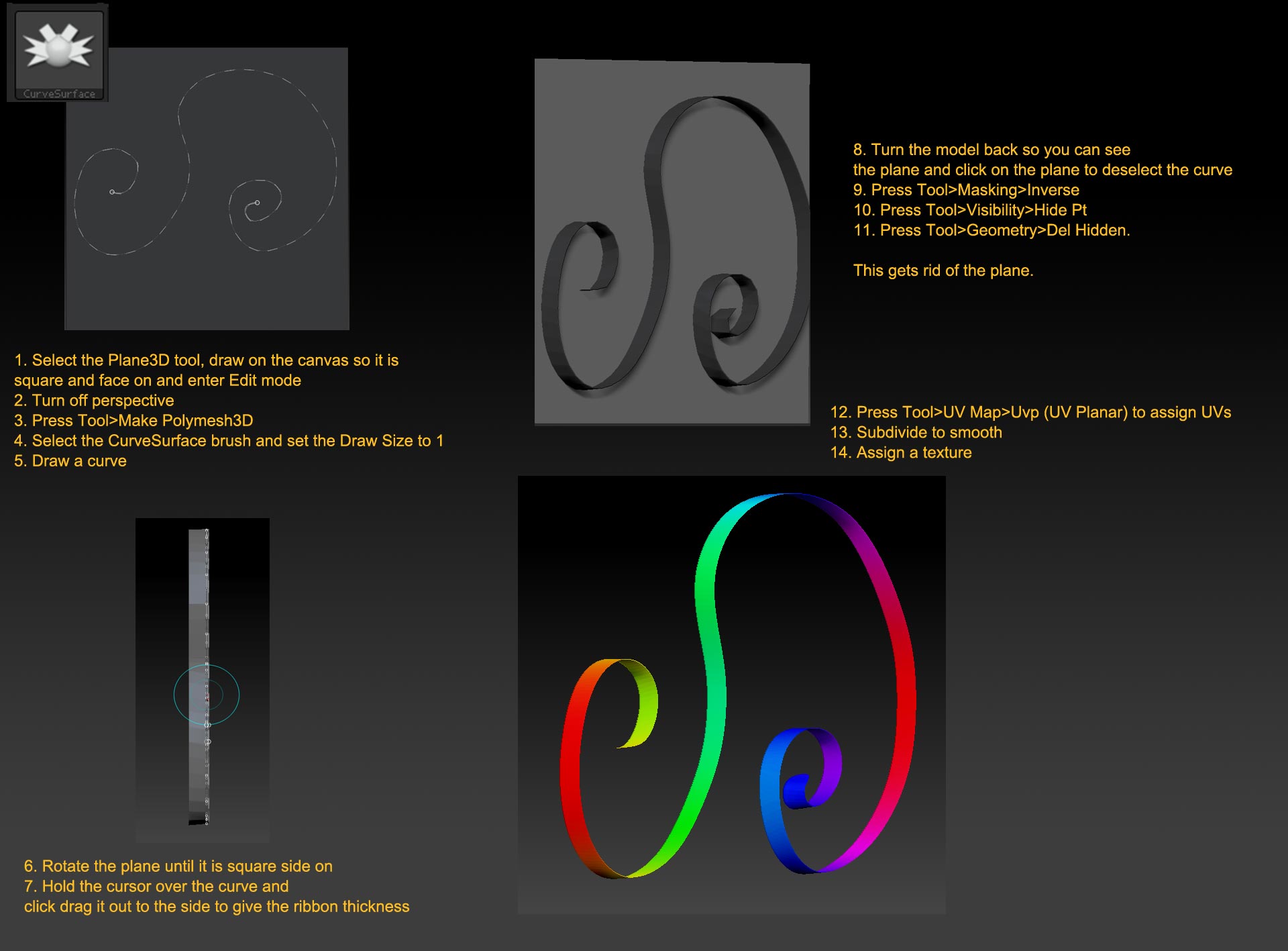
Below is a trick I used to use in older versions of zbrush to quickly create a ribbon.
I’ve been trying to get this work in ZB4 but to no avail as it no longer seems possible to unify the output of the polymesh derived from the decobrush and get it to show in the tool preview window.
I wonder if there is a workaround method for this unify issue?
Many thanks
choose deco brush
remove default texture applied
turn zadd on to 100% and draw size down to cf: 2
draw shape on canvas > make polymesh
unify this new created polymesh so it is central in the view window
remove creases from the polymesh
now store a morph target
offset -20 in z direction
create a morph difference mesh
now divide the mesh a few time so it is smooth - (because the creases have been removed the edges of the ribbon are softer than they would have been had creases been kept)
Clear lower resolution divides before proceeding to texture
now rotate the morph difference mesh in the tool view so it is side on and apply planar mapping
choose a texture - or do whatever you like
Attachments