hi,
I sometimes get a crash and this msg just before - “unable to read virtual memory file” - It’s only started with the most recent versions.
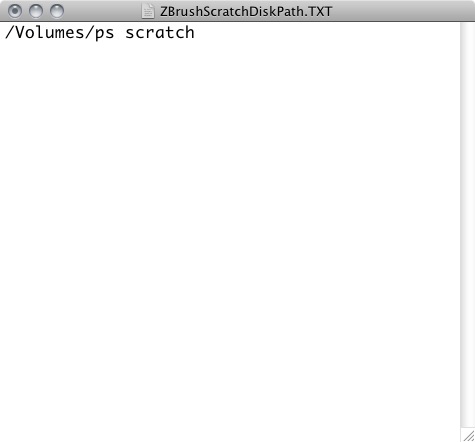
I’m a little unsure of the best practice for allocating memory to ZBrush - it doesn’t seem as straightforward as something like say, Photoshop. For example; as I understand, to change the scratch disk, you have to save a text doc in the /Users/Shared/ZBrushData folder!!? (why not a preference option??) - I’ve saved a TXT file called ‘ZBrushScratchDiskPath.TXT’ - the contents are in the attached screenshot -
I’m not 100% sure this is correct and if it’ll be pointing ZBrush to that drive. it’s a 25gb raid made up of two partitions on two separate internal drives (ie - not the system drive) - it’s usually empty and I use it for most scratch requirements with no problems.
I’m on a 2006 MacPro 8gb ram, with compact mem for ZBrush set at 4096. I’ve a memory monitor running and it rarely shows much more than 1/2 to 2/3 (often less) with ZBrush running.
Do these memory settings, and the scratch path, look correct…?
Thanks
Attachments